VIVOTEK
12 - User's Manual
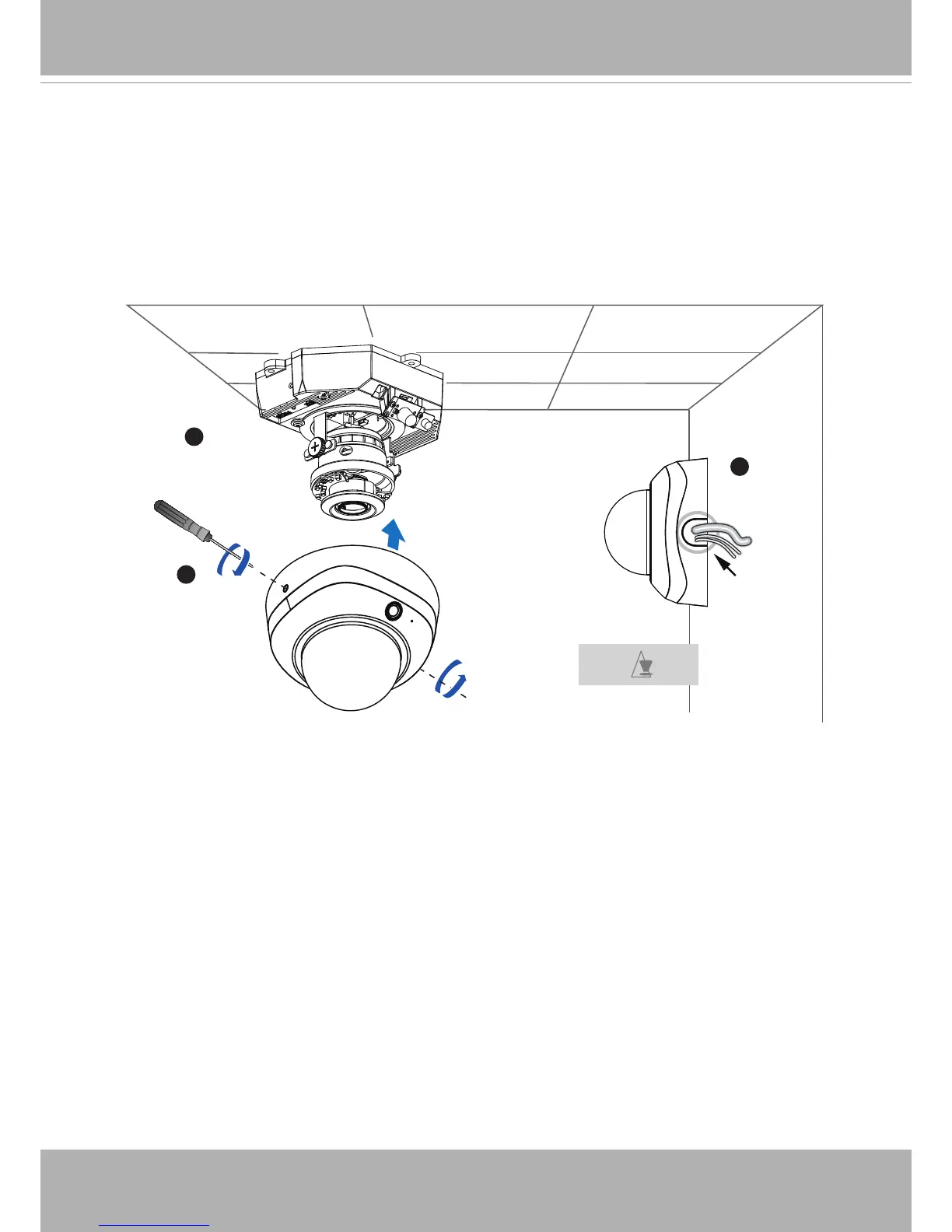
1. If you choose to feed the cable through the ceiling/wall, arrange the cables neatly
through the cable hole A (not shown in the drawing). If you choose to feed the cable from
the side, remove plate B.
2. Attach the dome cover to the camera as the direction shown below. Tighten two screws
from the sides of the dome cover.
3. Finally, make sure all parts of the camera are securely installed.
1
B
3
2
A
Be aware of the
cable route!
Dome Cover
Completion



 To Next Page