VIVOTEK
User's Manual - 173
7.23 Layout configuration
Group: layout (New version)
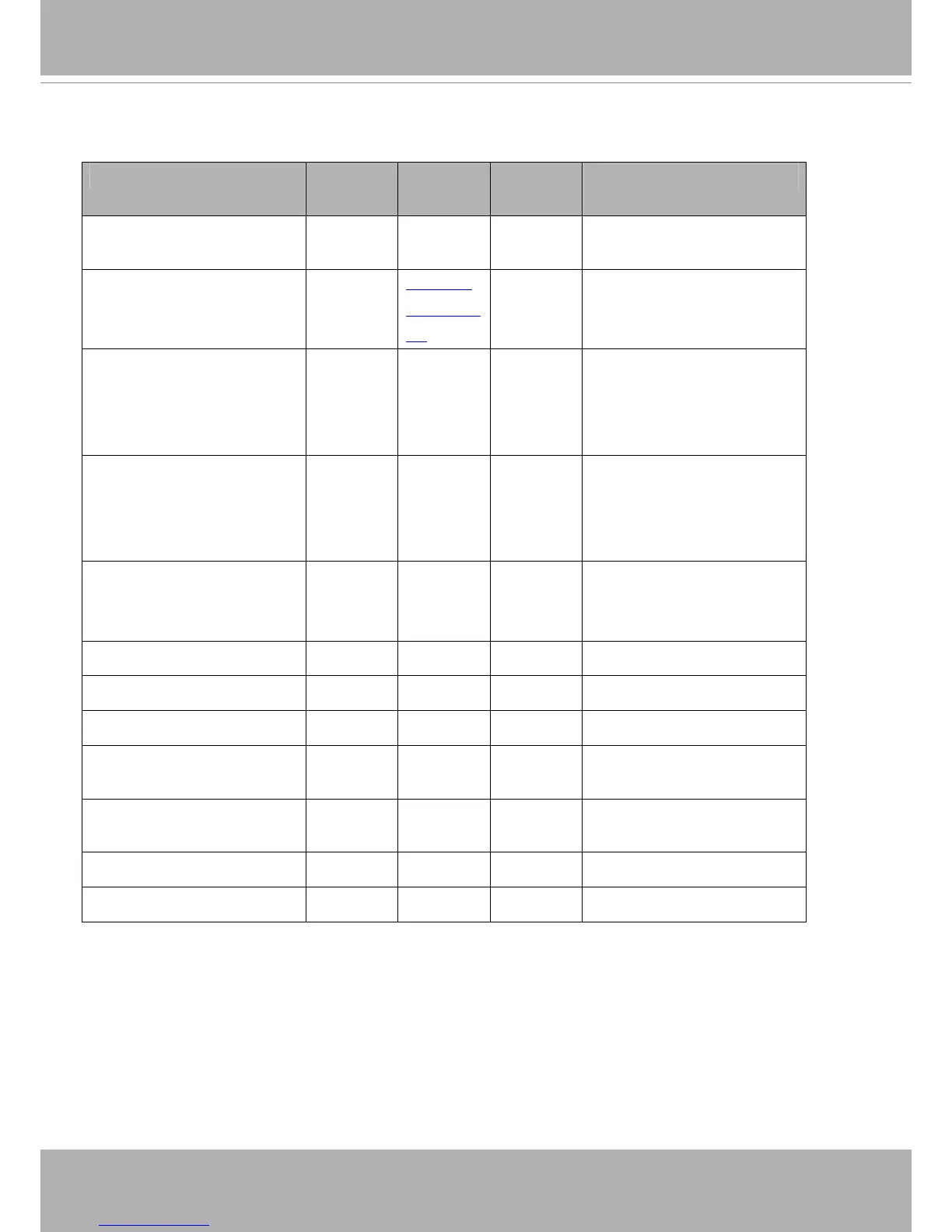
NAME VALUE DEFAULT SECURITY
(get/set)
DESCRIPTION
logo_default <boolean> 1 1/6 0 => Custom logo
1 => Default logo
logo_link string[64] http://ww
w.vivotek.c
om
1/6 Hyperlink of the logo
logo_powerbyvvtk_hidden <boolean> 0 1/6 0 => display the power by
vivotek logo
1 => hide the power by vivotek
logo
custombutton_manualtrigger_s
how
<product dependent>
<boolean> 1 1/6 Show or hide manual trigger
(VI) button in homepage
0 -> Hidden
1 -> Visible
theme_option 1~4 1 1/6 1~3: One of the default
themes.
4: Custom definition.
theme_color_font string[7] #ffffff 1/6 Font color
theme_color_configfont string[7] #ffffff 1/6 Font color of configuration area.
theme_color_titlefont string[7] #098bd6 1/6 Font color of video title.
theme_color_controlbackgroun
d
string[7] #565656 1/6 Background color of control
area.
theme_color_configbackground string[7] #323232 1/6 Background color of
configuration area.
theme_color_videobackground string[7] #565656 1/6 Background color of video area.
theme_color_case string[7] #323232 1/6 Frame color



 To Next Page