VIVOTEK
8 - User's Manual
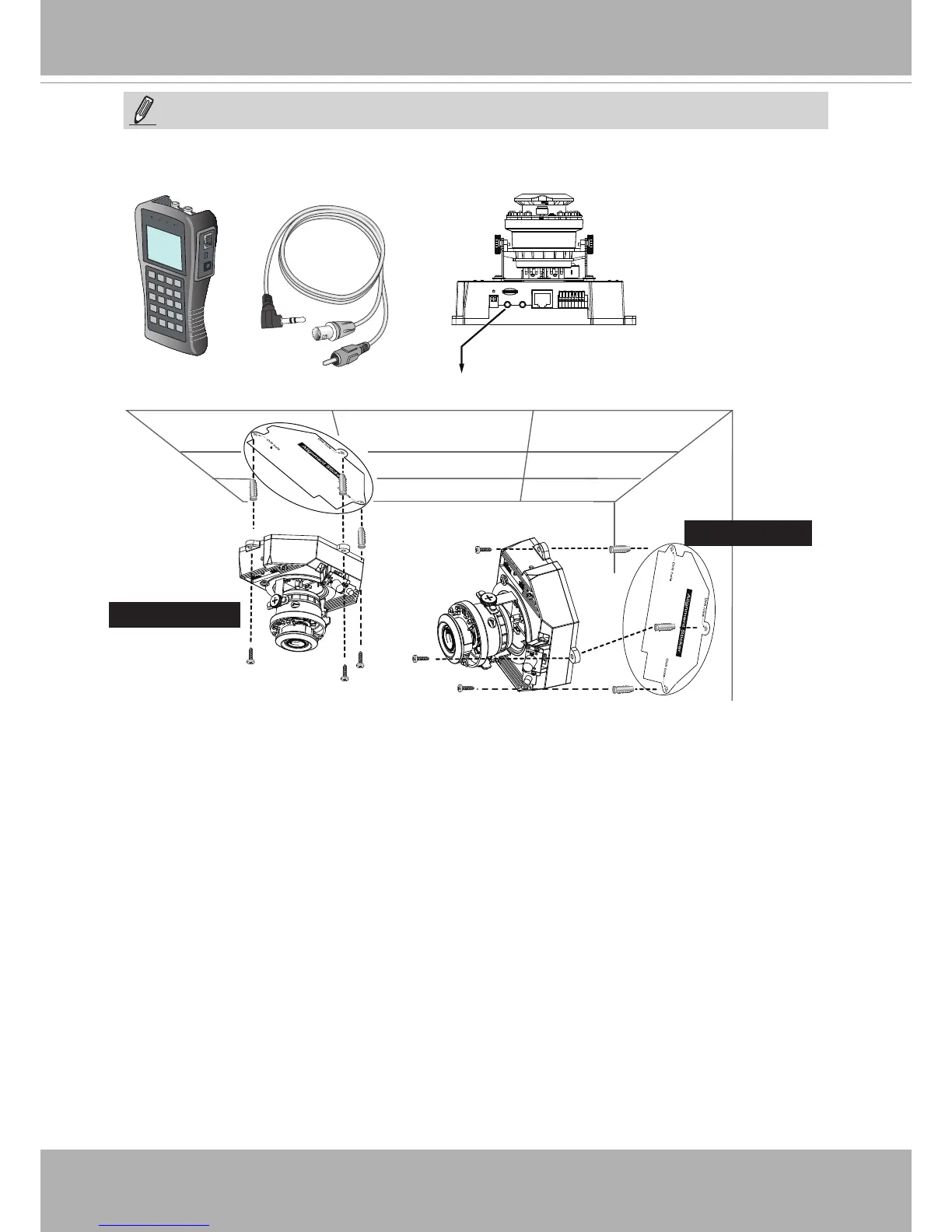
1. Attach the alignment sticker to the ceilling/wall.
2. Through the two circles on the sticker, drill two pilot holes into the ceilling/wall.
3. The Network Camera can be mounted with the cable routed through the ceiling/wall or
from the side. If you want to feed the cable through the ceiling/wall, drill a cable hole.
4. Hammer the supplied plastic anchors into the holes.
5. Align the holes on the camera with the plastic anchors on the ceilling/wall, secure the
camera with the included screws.
Wall Mount
Ceiling Mount
Use the included AV cable to connect to a camera tester or LCD monitor to begin initial
setup.
Camera tester
AV Out
NOTE:



 To Next Page