8
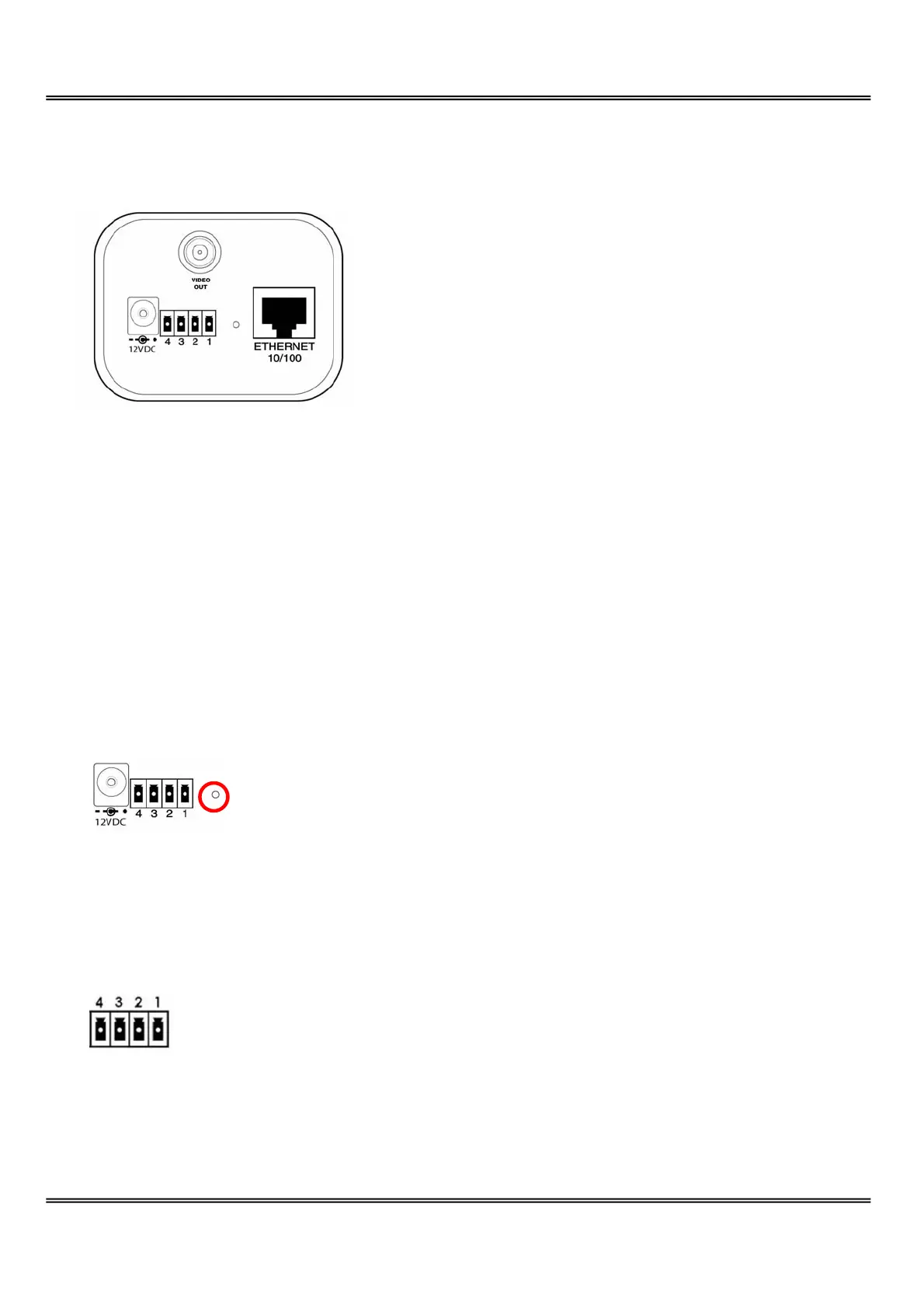
Rear Panel
BNC video output connector
A 75Ohms-resistance video connector can be connected to a TV for monitoring the video
from the front CCD sensor.
Ethernet 10/100 socket
Connect to an Ethernet network with a UTP category 5 cable of length shorter than 100
meters according to the standard.
Reset and restore button
There is a button hidden in the pinhole beside the Ethernet socket. It is used to reset the
system or restore the factory default settings.
General I/O terminal block
1 Å DI- INPUT (Max. 50mA, 12VDC)
2 Å DI+ INPUT
3 Å SW_COMMON OUTPUT (short with NC at initial state)
4 Å SW_NOPEN OUTPUT (Max. 1A, 24VDC or 0.5A, 125VAC)



 To Next Page