Sensor Settings
Advanced Mode
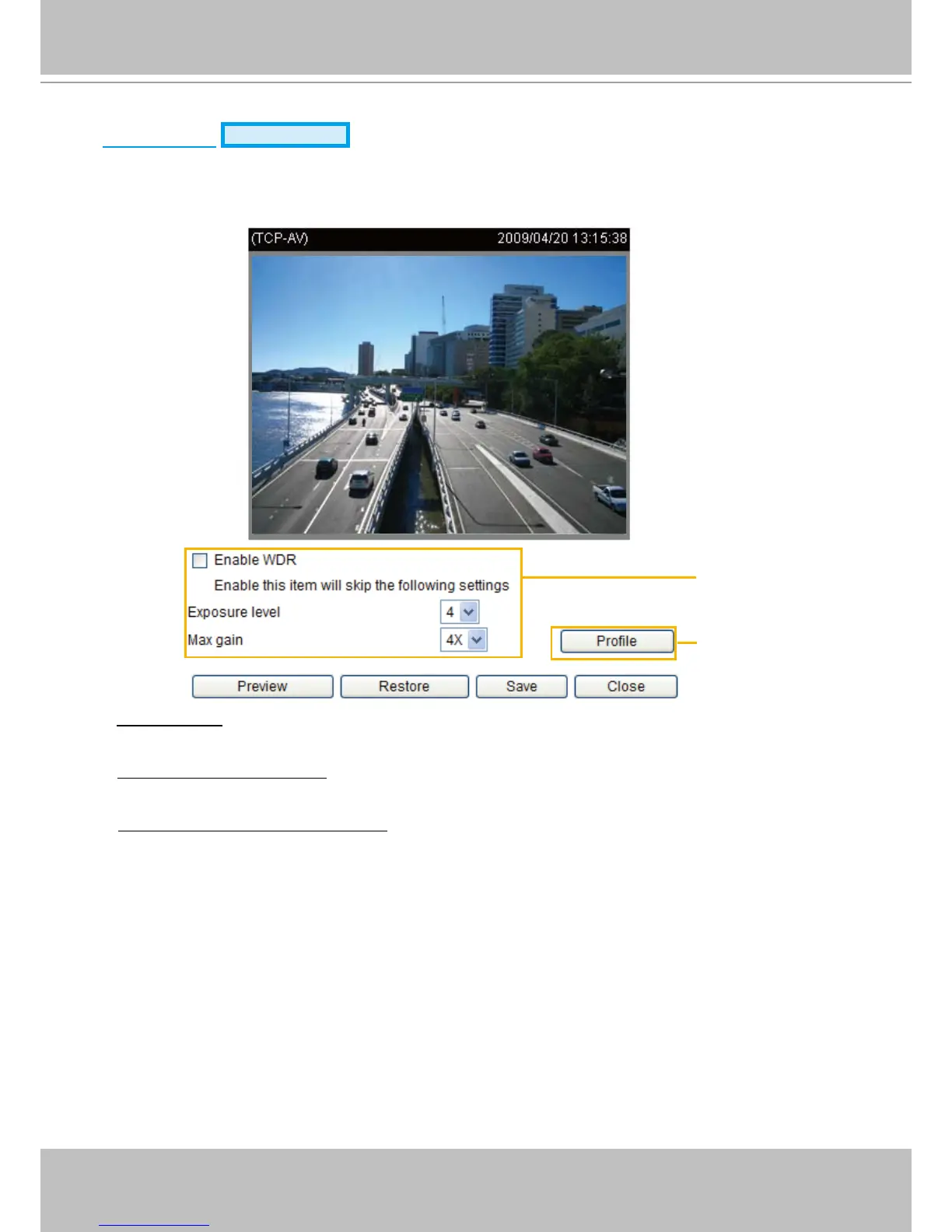
Click Sensor Settings to open the Sensor Settings page. On this page, you can set the exposure level,
and AGC (Auto Gain Control) settings�
You can congure two sets of sensor settings: one for normal situations, the other for special situations,
such as day/night/schedule mode�
■ Exposure level: You can manually set the exposure level, which ranges from 1 to 8 (dark to bright). The
default value is 4�
■ Max gain (Auto Gain Control): You can manually set the AGC level (2X, 4X or 8X). The default value is
4X.
■ Enable WDR (Wide Dynamic Range): Select this option to enable the WDR function� With WDR, the
Network Camera can cope with very challenging lighting conditionsby combining the dark and bright
parts of an image to generate a realistic image representative of what is seen with the human eye�
Note: If you select this function, Exposure level and Enable AGC function will be disabled.
You can click Preview to fine-tune the image, or click Restore to recall the original settings without
incorporating the changes� When completed with the settings on this page, click Save to enable the
settings and click Close to exit the page.
Sensor Setting 2:
For special situations
Sensor Setting 1:
For normal situations



 To Next Page