VIVOTEK
User's Manual - 53
Ad-hoc Connection
To congure your wireless connection in Ad-hoc mode,
1. Congure a xed IP for the network camera.
2� Configure wireless connection for the camera in the “Infrastructure” mode as previously
described�
3� Return to the Wireless setting page, and change the Wireless mode into “Ad-hoc”� Select the
encryption mode and a Wireless mode channel�
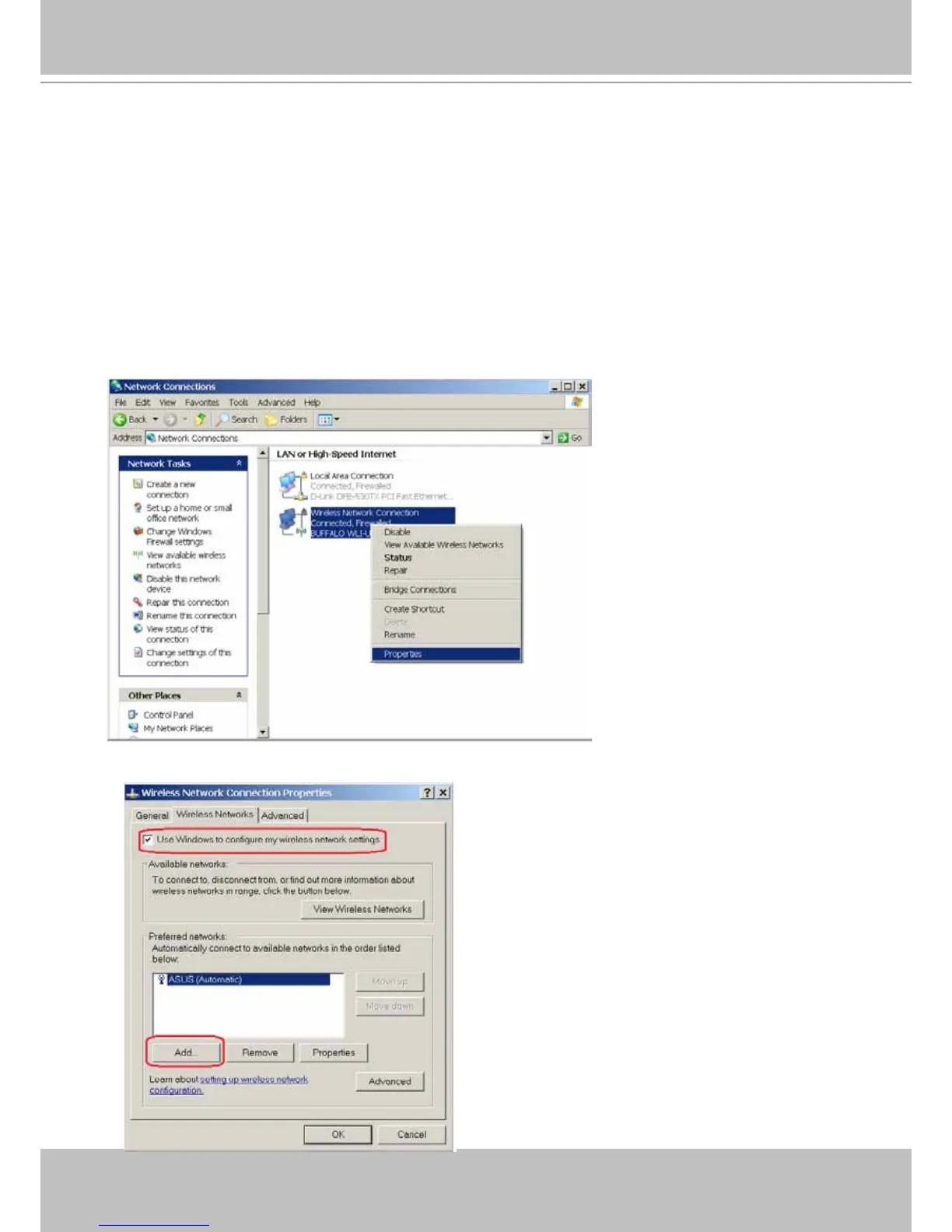
4. Congure the PC or laptop that is equipped with a wireless adaptor in the following way:
4-1� Enter your Windows Control Panel -> Network and Internet Connections -> Network
Connections�
4-2� Select a Wireless Network Connection and right-click on it to select the Properties
command�
4-3. Select "Wireless Networks" from the tabbed menu on the top.



 To Next Page