VIVOTEK
54 - User's Manual
4-4. Select the rst checkbox: "Use Windows to congure my wireless network settings."
4-5� Click Add to create a new wireless connection�
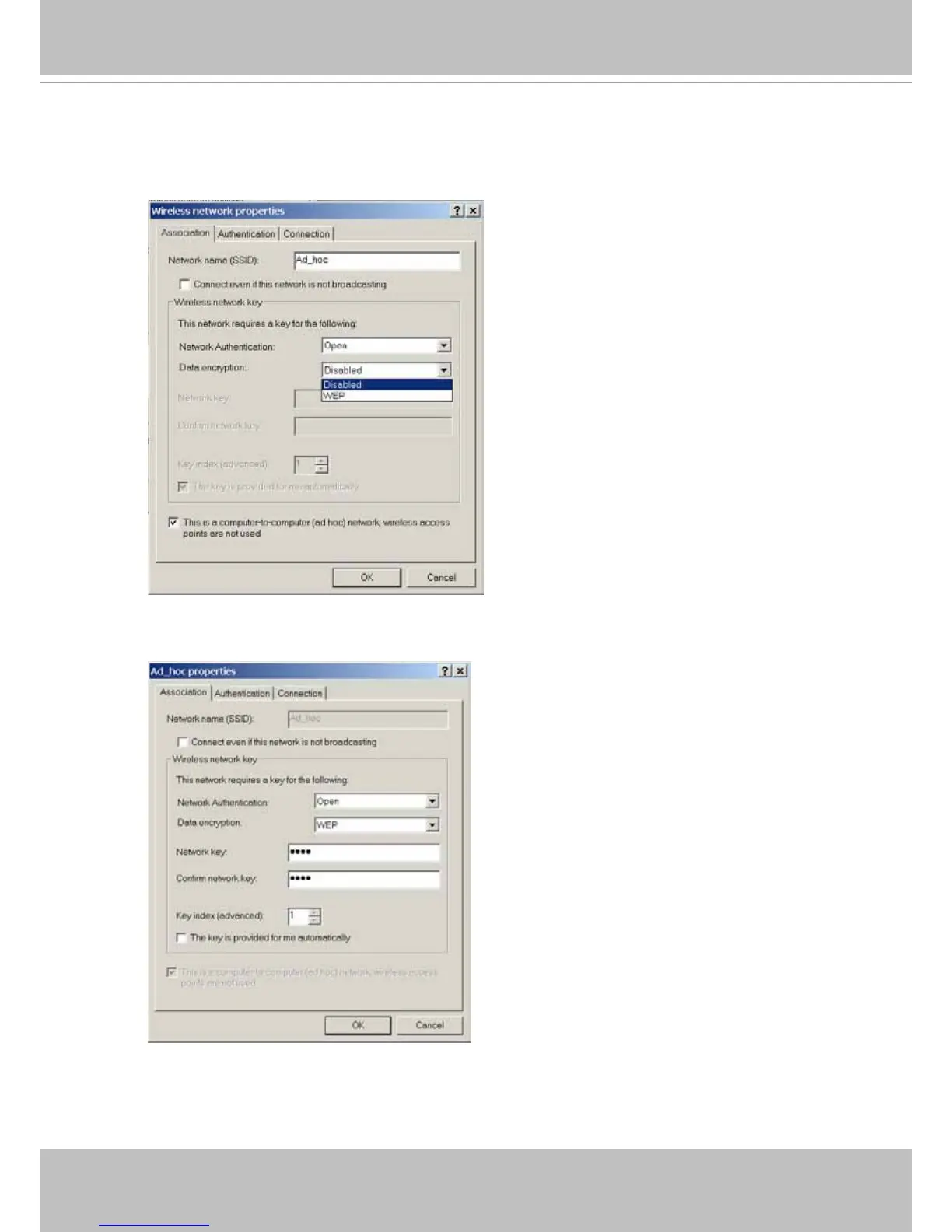
4-6. On the Properties window, enter a name for the network and congure the Data encryption
option�
4-7. Click to select the ad hoc checkbox at the bottom of this window. You may also congure
a WEP network key for secure connection�
4-8� Click OK when the setting is done� You will return to the Properties window�



 To Next Page