VIVOTEK
User's Manual - 55
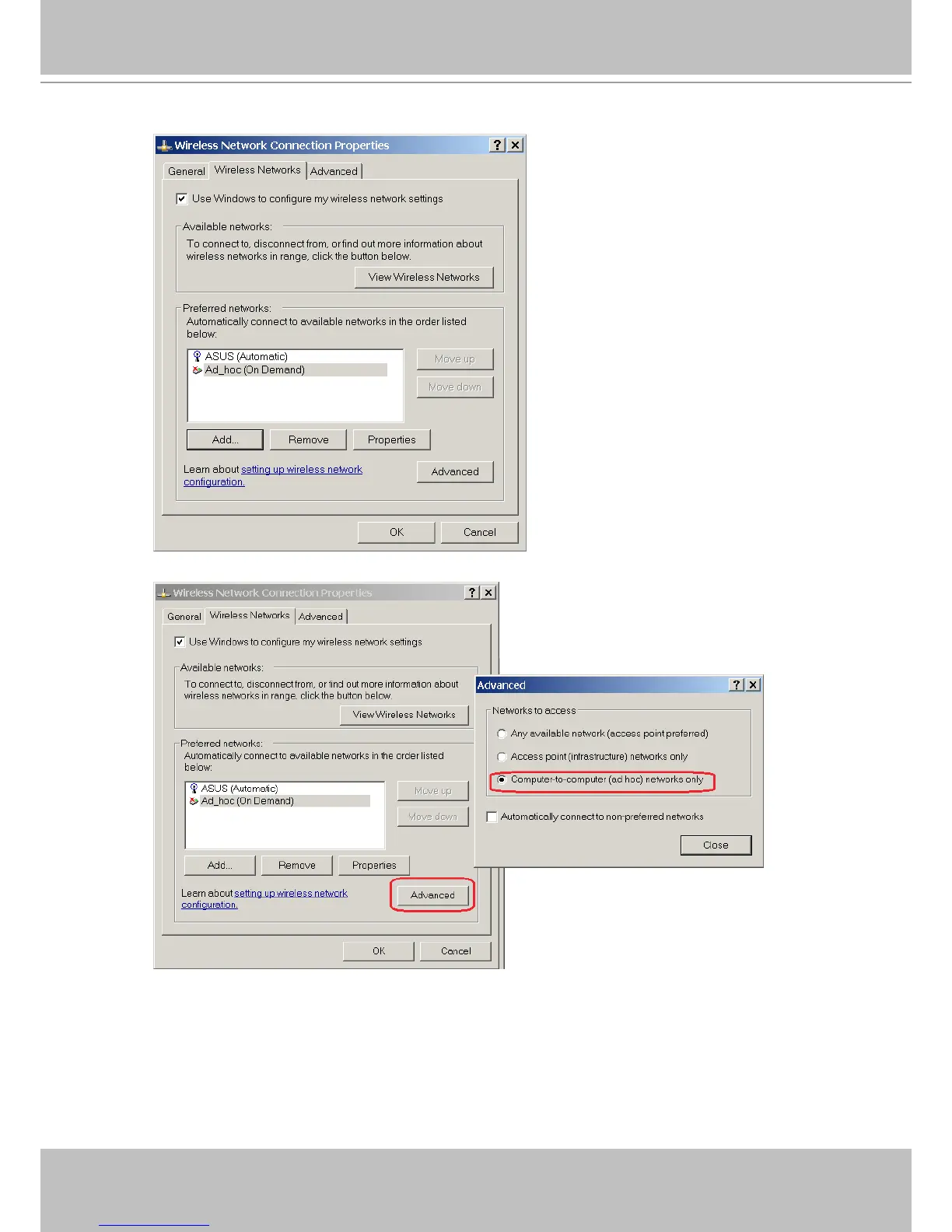
4-9� Click on the Advanced button�
4-10� Select the “Computer-to-computer (ad hoc) networks only” checkbox�
5� Return to the Wireless page and click on the Next button to proceed� Depending on the
connection quality of your wireless network, the apply process may take several minutes,
and the connection should be available�



 To Next Page