VIVOTEK
56 - User's Manual
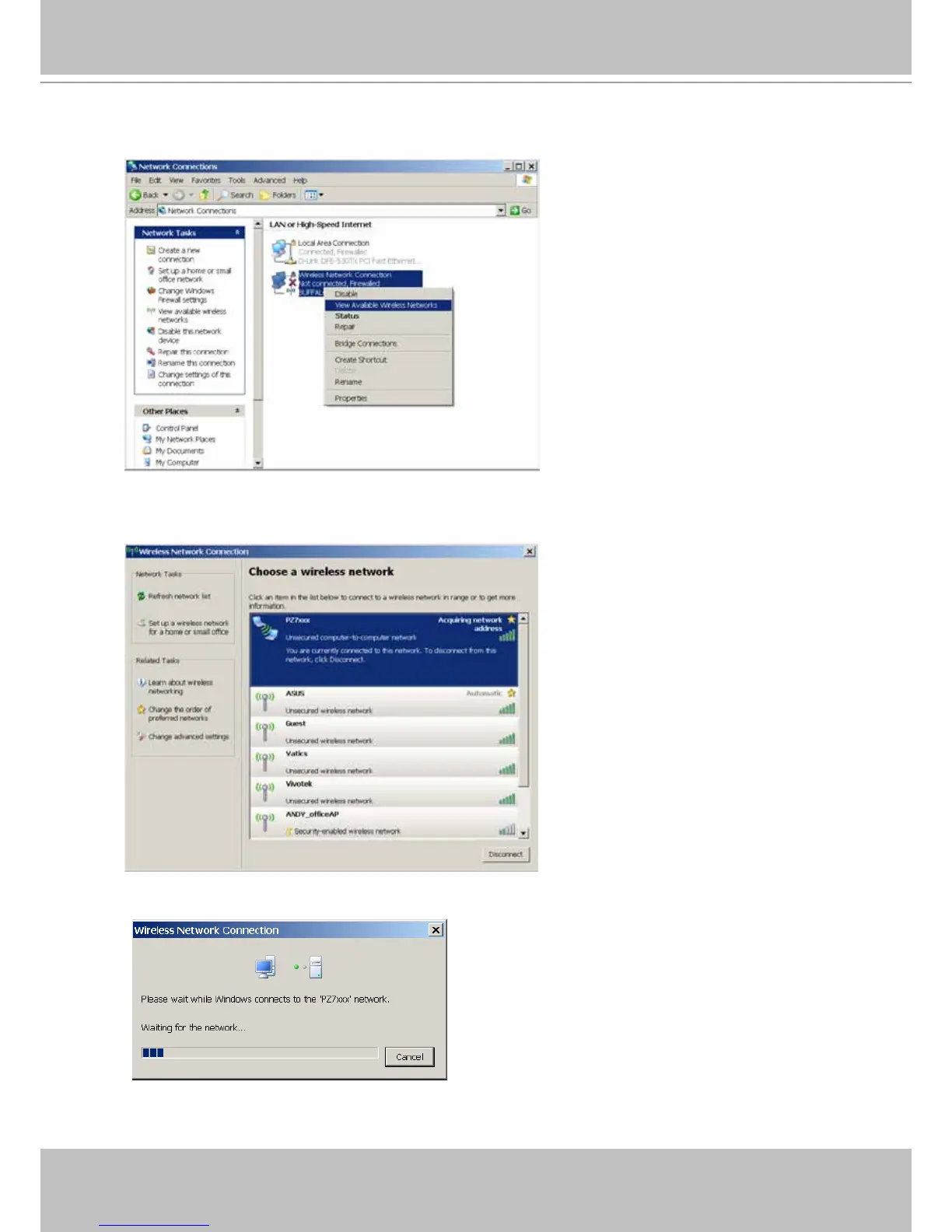
6� Return to the Windows Network Connections page, right-click on the Wirelss Network
Connection icon and select the “View Available Wireless Networks” command�
7� Your wireless camera’s SSID should appear on the list of Wireless Networks� Left-click to
select and click on the Connect button at the lower right to proceed�
8� Windows will start connecting to your network camera�



 To Next Page