VIVOTEK
User's Manual - 69
Viewing Window
Advanced Mode
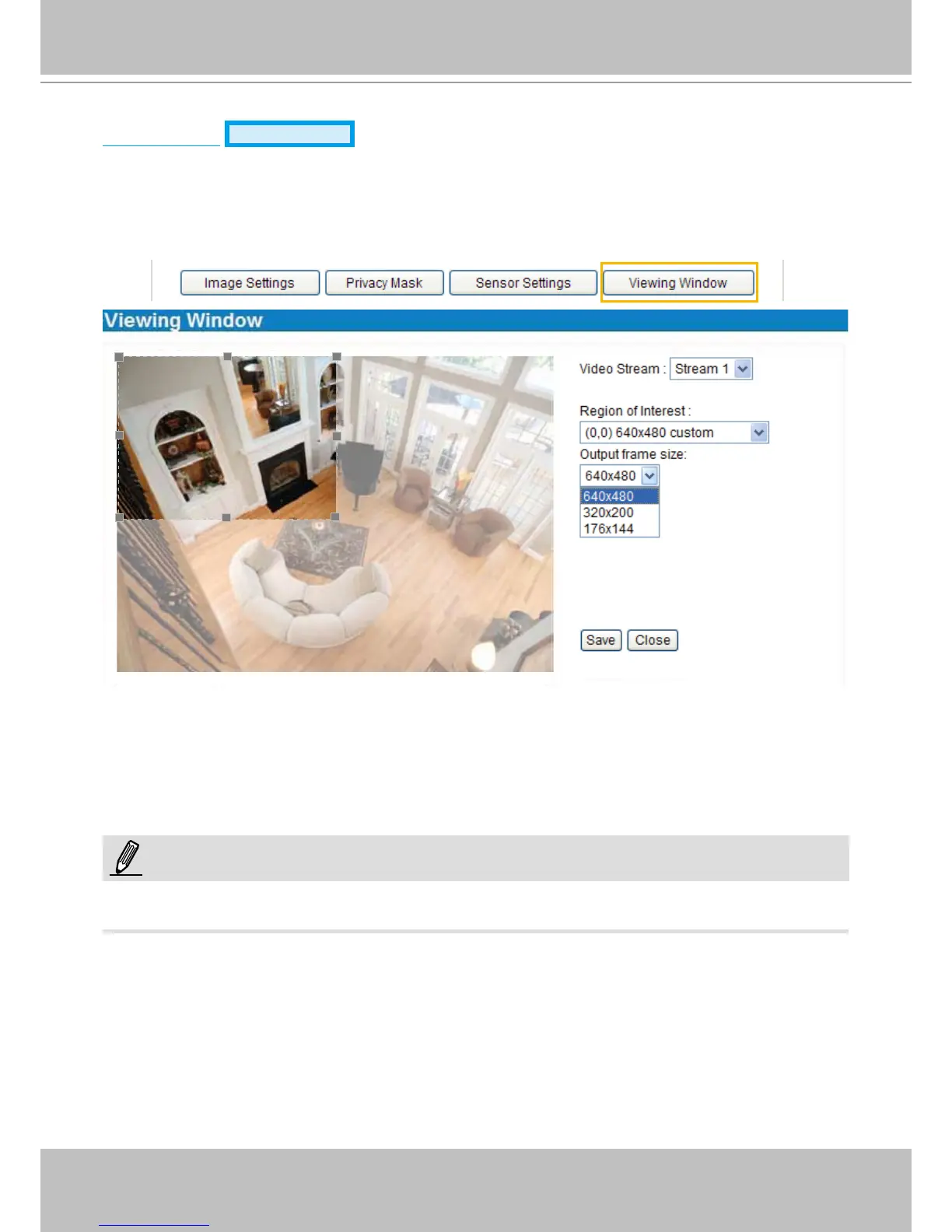
Click Viewing Window to open the viewing region settings page� On this page, you can set the Region
of Interest and the Output Frame Size for stream 1�
Users can dene the "Region of Interest" (viewing region) and the "Output Frame Rate" (size of the live
view window) ranging from 176 x 144 to 1280 x 800�
Please follow the steps below to set up those settings for a stream:
1� Select a stream which you want to set up the viewing region�
2� Select a Region of Interest from the drop-down list, the oating frame will resize accordingly. If you
want to set up a customized viewing region, you can also resize and drag the floating frame to a
desired position with your mouse�
3� Choose a proper Output Frame Size from the drop-down list according to the size of your monitoring
device�
► All the items in the “Region of Interest” should not be greater than the “Output Frame Size“ (current
maximum resolution)�
NOTE:



 To Next Page