VIVOTEK - A Leading Provider of Multimedia Communication Solutions
User's Manual - 15
Set up NR8201/8301 in LAN
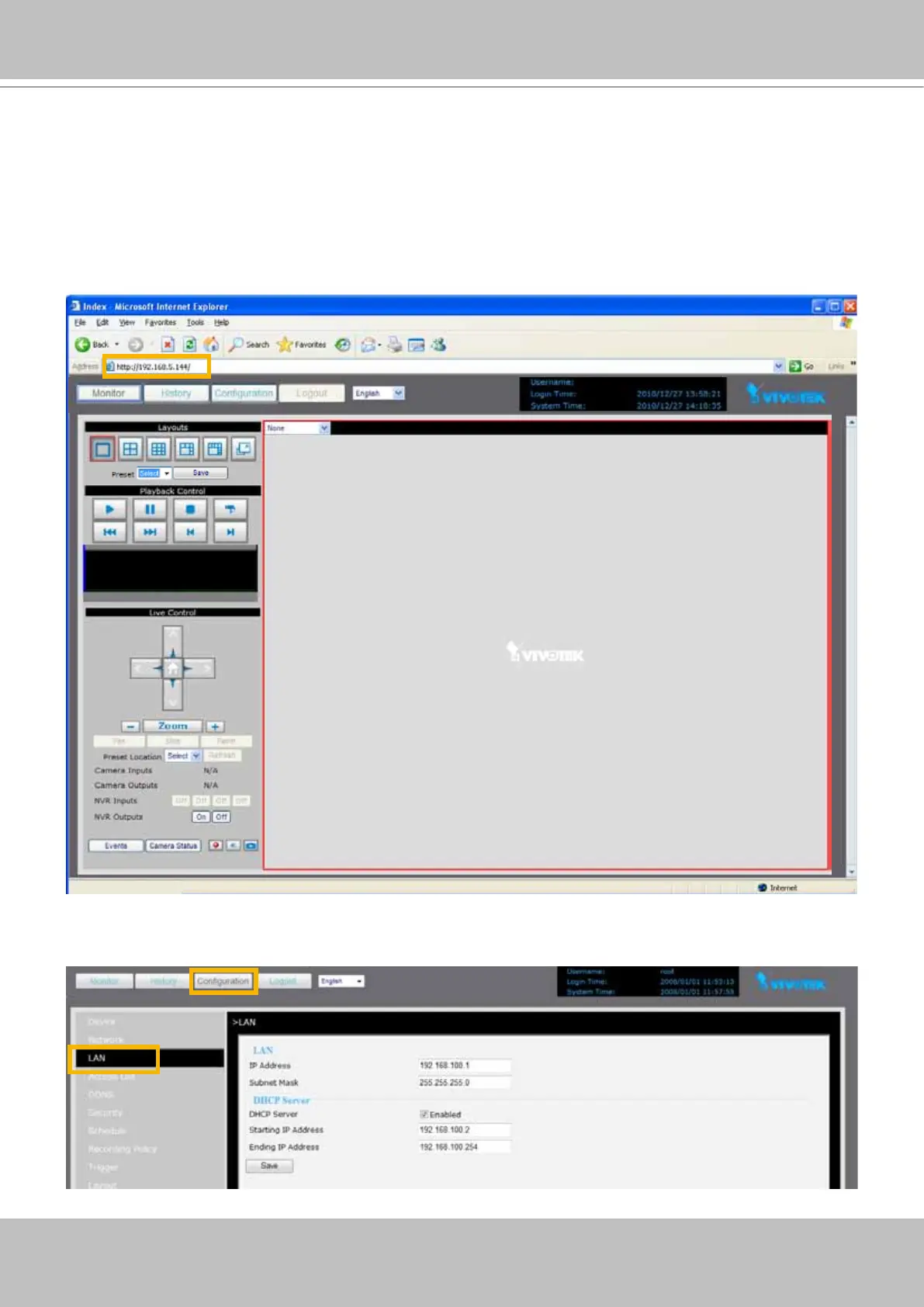
To setup NR8201/8301 for the rst time if your local network does not have a DHCP server,
please connect to one of the NVR's LAN ports (to utilize NVR's onboard DHCP server). Set
up your computer's network setting in DHCP mode (see page 13), and then directly enter the
default IP for NR8201/8301 (http://192.168.100.1) in the address eld of an IE browser. A web
console with the NVR will be displayed and you can proceed with detailed conguration.
LAN Settings Conguration
Go to Conguration > LAN to verify the settings as below.



 To Next Page