VIVOTEK - A Leading Provider of Multimedia Communication Solutions
28 - User's Manual
LAN
This page allows user to configure LAN configuration for the Network Video Recorder. It
contains two columns: “LAN” and “DHCP Server.“
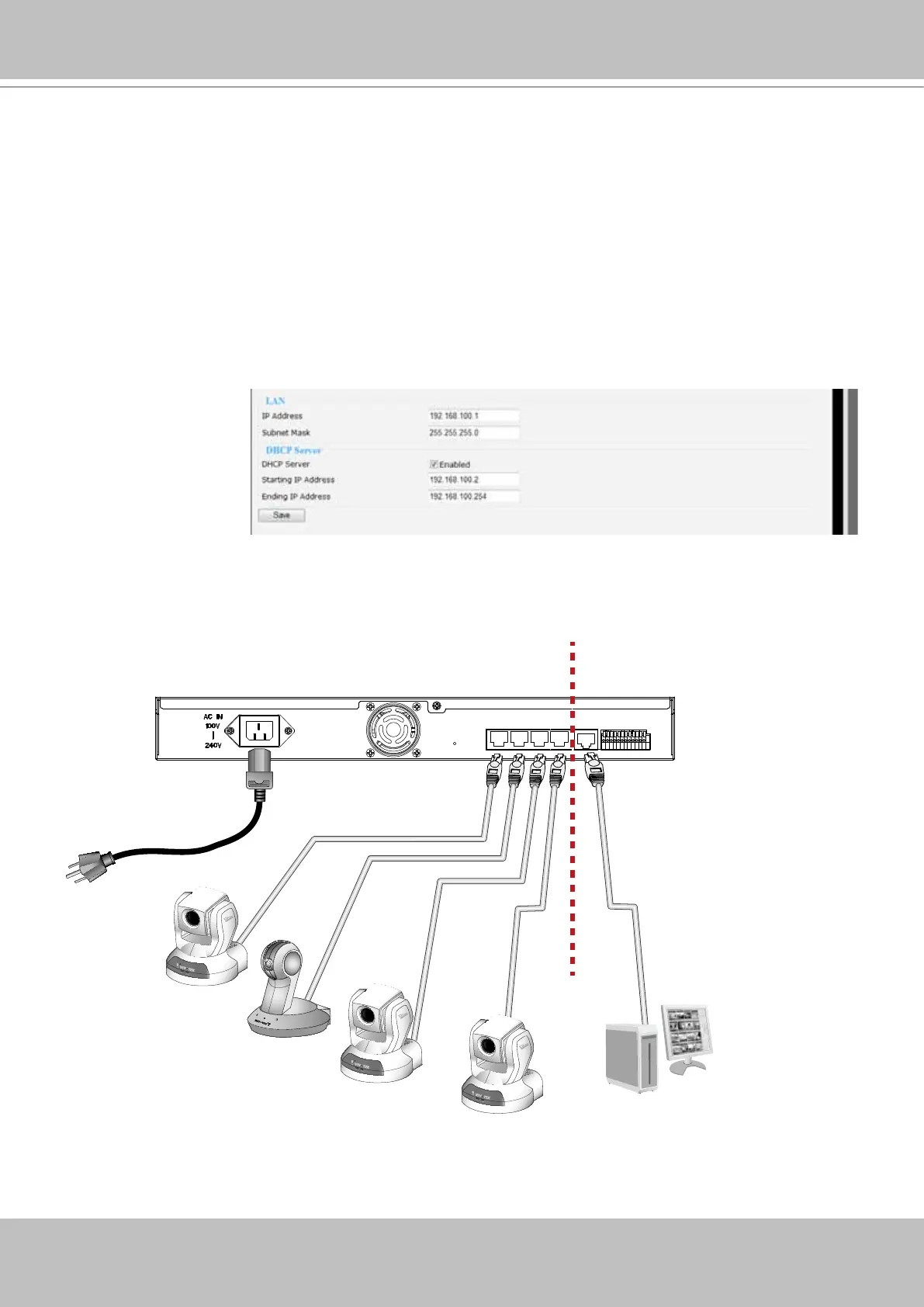
LAN / DHCP Server
The NVR server comes with an embedded DHCP server for connecting 4 or 8 “LAN” ports to
network cameras. This page allows Administrators to congure network conguration for those
LAN ports. The conguration menu contains two columns: “LAN” and “DHCP Server.“ In LAN,
the default IP Address for the NVR server is 192.168.100.1 (used only when using a LAN port
for the initial conguration). The default Subnet Mask is 255.255.255.0.
If you connect network cameras to NVR as diagrammed below, the embedded DHCP server will
automatically assign IP addresses to the 4 (NR8201) and 8 (NR8301) cameras (192.168.100.2
~ 192.168.100.254), while the NVR server itself takes up the rst address.
RESET
LAN4 LAN3 LAN2 LAN1
WAN
1 2 3
4
5 6 7 8 9 10 11 12
LAN/WAN
LAN
NVR Server
IP address: 192.168.100.1
Subnet mask: 255.255.255.0
IP address:
Subnet mask:
IP address: 192.168.100.4
Subnet mask: 255.255.255.0
IP address: 192.168.100.5
Subnet mask: 255.255.255.0
IP address: 192.168.100.3
Subnet mask: 255.255.255.0
IP address: 192.168.100.2
Subnet mask: 255.255.255.0
Activity
Power/MIC
Activity
Power/MIC
Activity
Power/MIC
(Determined by users’
network environment)
Subnet 0 Subnet 1
NR8201



 To Next Page