VIVOTEK - A Leading Provider of Multimedia Communication Solutions
User's Manual - 35
Schedule
This page allows Administrator to add a new Recording Schedule or modify an existing
Schedule for the Network Video Recorder. You can configure up to 16 recording schedules
based on a weekly basis.
By default setting, all inserted device are assigned to the default recording schedule (always).
Therefore, once you insert a device to the network video recorder, it will begin to record live
video continuously.
■
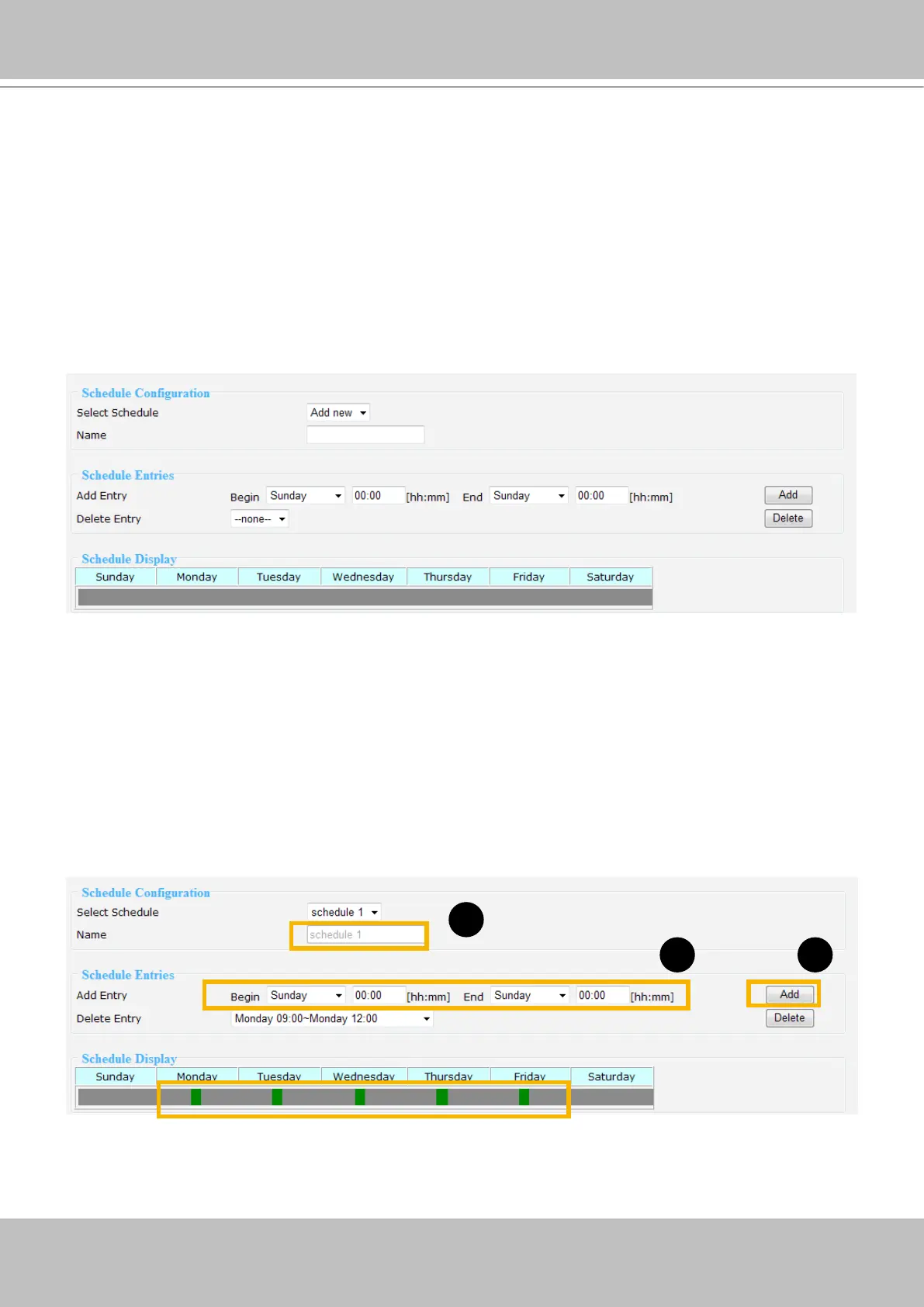
Please follow the steps below to add a new recording schedule:
1. Enter a descriptive name for the new schedule.
2. Select a day and enter a time frame (in the format of 24hr).
3. Click Add to take effect. The new recording schedule will show up in the Schedule Display column.
You can add more than one time frames under the same schedule name.
Following is an example of recording schedule (Mon.~Fri. 09:00~12:00).
1
2 3



 To Next Page