VIVOTEK - A Leading Provider of Multimedia Communication Solutions
User's Manual - 19
NOTE
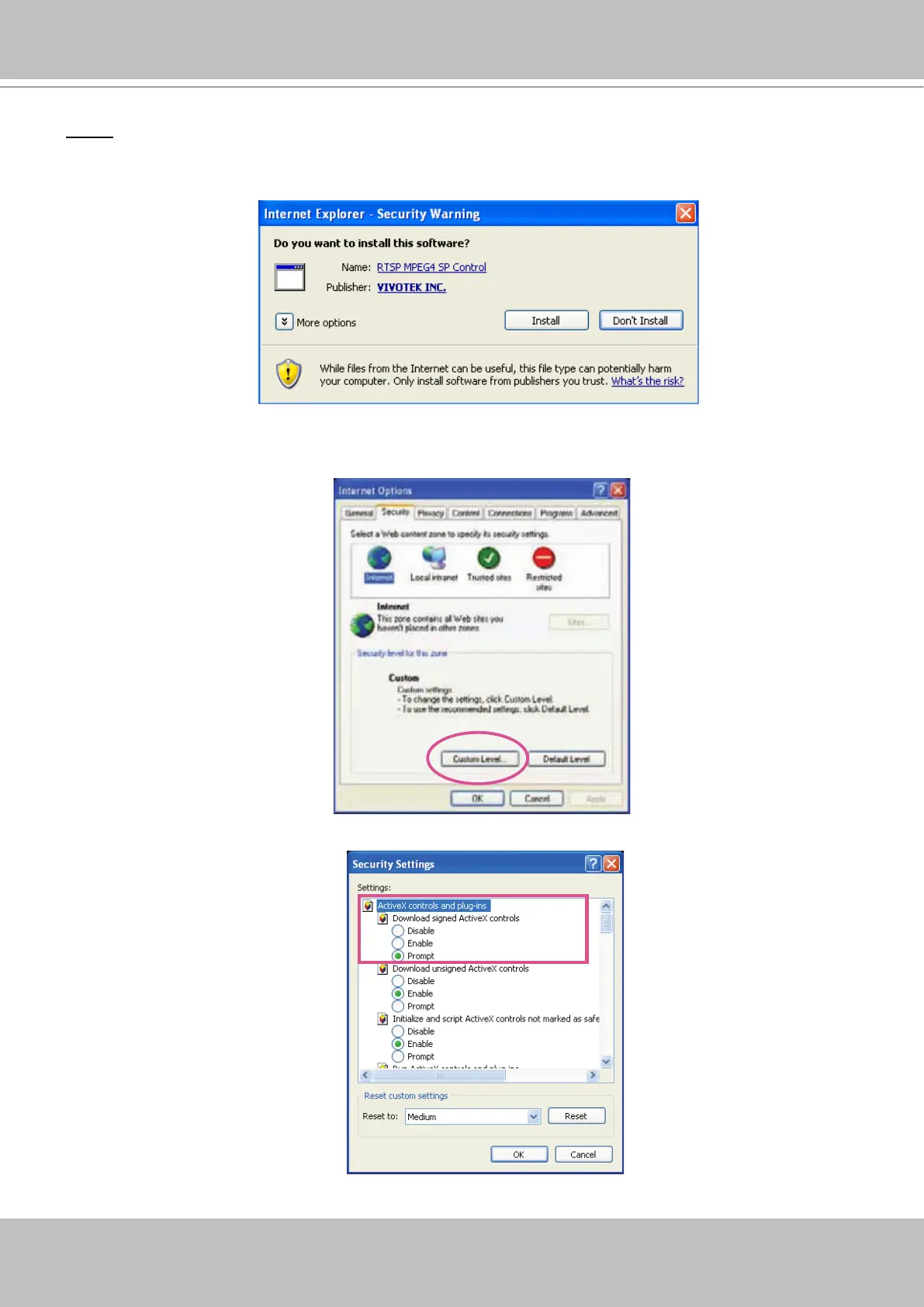
► When attempting link to NR8201/8301 for the rst time with the web browser, a message will pop
up to remind you of installing required plug-in or software rst.
► If you receive a message saying that your Internet Explorer
®
security settings prohibit installing
Active X
®
components, please enable your Active X
®
Controls for your browser.
1. Click Tools > Internet Options > Security > Custom level... on the tool bar of the Internet browser.
2. Look for Download signed ActiveX
®
controls; select Enable or Prompt. Click OK.
3. Refresh your web browser, and then install the Active X
®
. Follow the instructions to nish installation.



 To Next Page