VIVOTEK - A Leading Provider of Multimedia Communication Solutions
User's Manual - 23
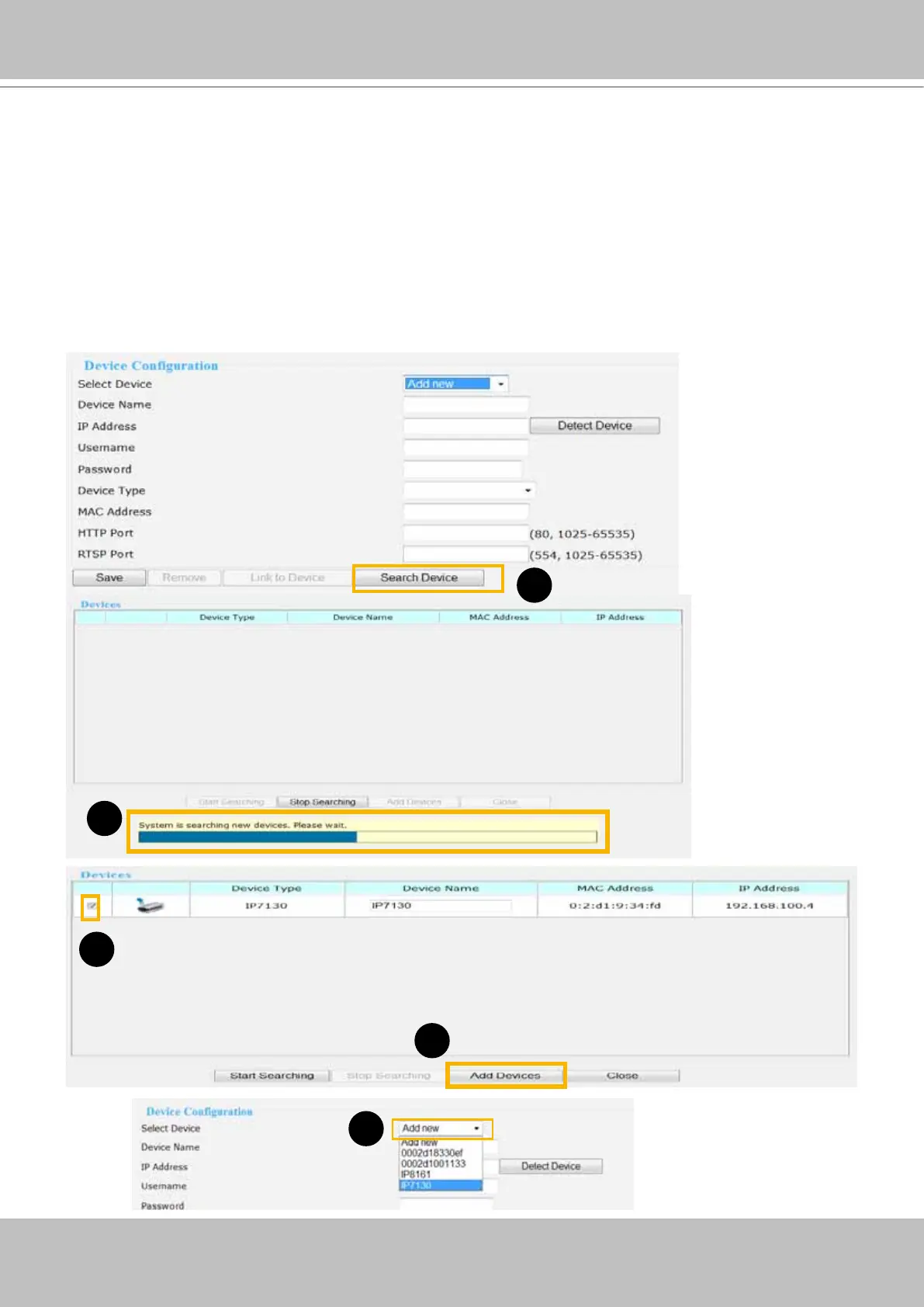
Auto search by device installer or manually install in LAN
If your devices are linked to the LAN port of the Network Video Recorder, you can follow the
steps below to add a new device:
1. Click Search Device. The searching results will be displayed in the following column. You can click
Stop Searching if the linked devices are all displayed on the list.
2. You may wait for a moment while the system is searching for the new devices.
3. Select a device to be inserted. Modify the Device Name if necessary.
4. Click Add Devices to enable the settings.
5. Select Add new on the drop-down list, and click on the device which you would like to change the
network settings.
1
2
3
5
4



 To Next Page