VIVOTEK - A Leading Provider of Multimedia Communication Solutions
User's Manual - 25
Manually install in WAN
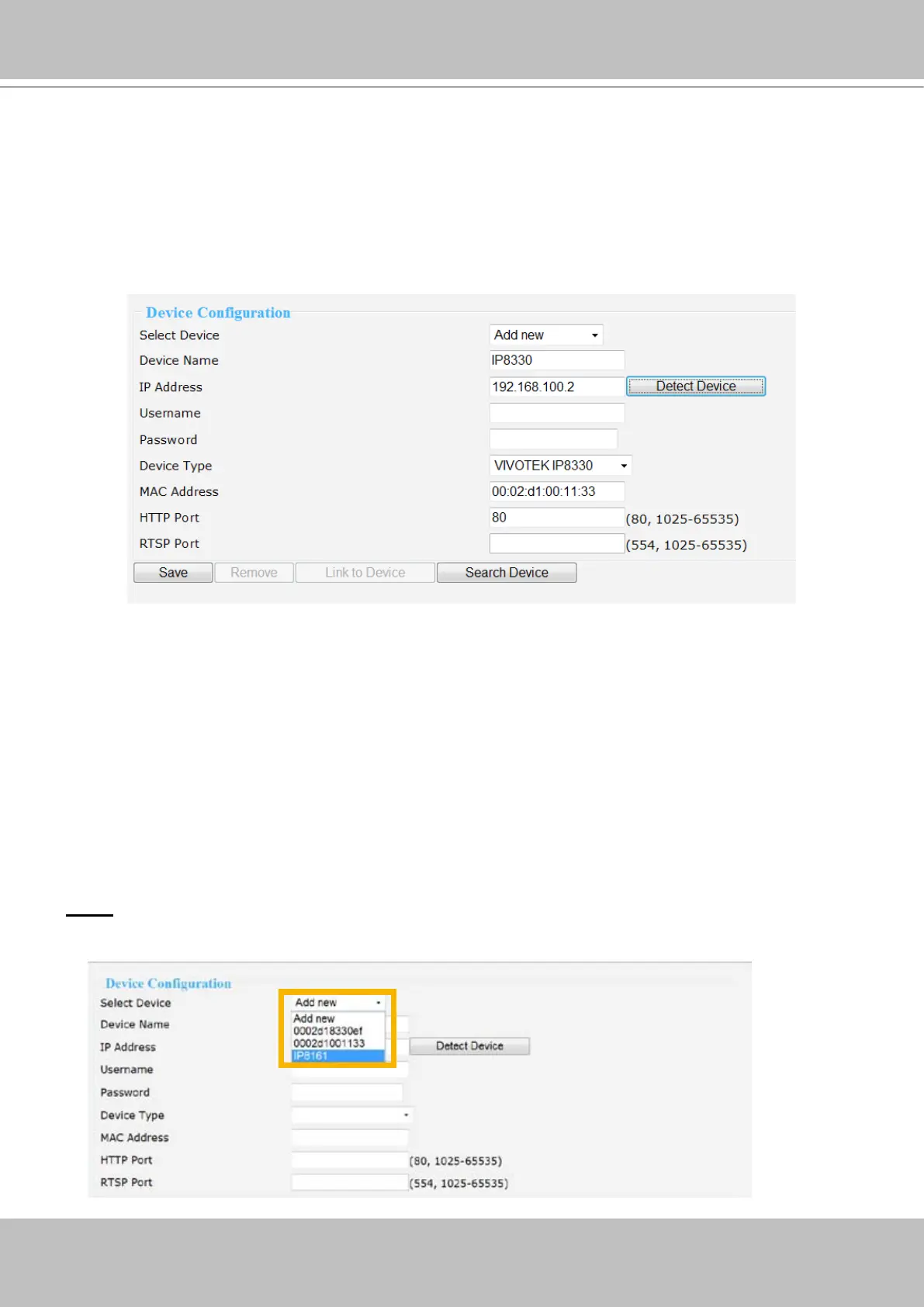
When in WAN, you have to add a new device manually. Please follow the steps below:
1. Select Add new on the drop-down list
2. Enter IP Address.
3. Enter the Username/Password if the device needs to do authentication.
4. Click on Detect Device, the Device Type, MAC Address, and HTTP Port will show up in the blanks
automatically.
5. Click Save to enable the settings.
6. If you wish to remove or link to the device, select the device and click “Remove” or “Link to Device”
to remove or link to the device.
NOTE
► If you want to modify the settings of the device, select it on the drop-down list.
You can also manually install a new device in LAN.
Please follow the steps below:
1. Select Add new on the drop-down list
2. Enter IP Address.
3. Enter the Username/Password if the device needs to do authentication.
4. Click on Detect Device, the Device Type, MAC Address, and HTTP Port will show up in the blanks
automatically.
5. Click Save to enable the settings.



 To Next Page