VIVOTEK - A Leading Provider of Multimedia Communication Solutions
32 - User's Manual
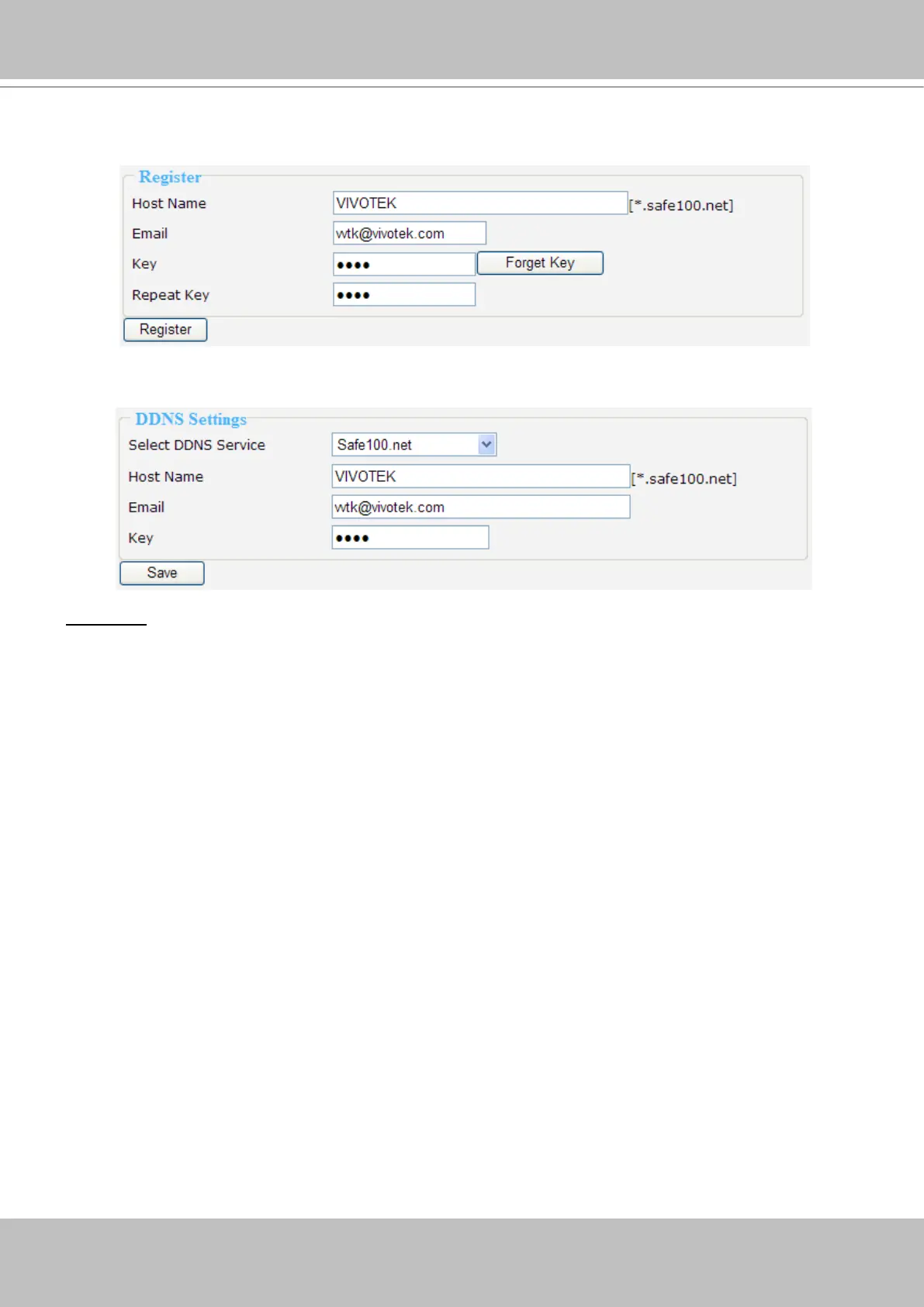
3. In the Register column, ll in the Host name, Email, Key and Conrm Key and then click Register.
You will receive a “Self registration E-mail” which records your account information.
4. Back to the DDNS settings window, enter your account information and then click Save to enable
the settings.
Forget key: Click this button if you forget the key of Safe100.net. Your account information will be sent to
your e-mail address.
Please refer to the following links to apply a dynamic domain account when selecting other
DDNS providers:
■ Dyndns.org (Dynamic) / Dyndns.org (Custom): visit http://www.dyndns.com/
■ TZO.com: visit http://www.tzo.com/
■ DHS.org: visit http://www.dhs.org/
■ dyn-interfree.it: visit http://dyn-interfree.it/



 To Next Page