VIVOTEK - A Leading Provider of Multimedia Communication Solutions
User's Manual - 29
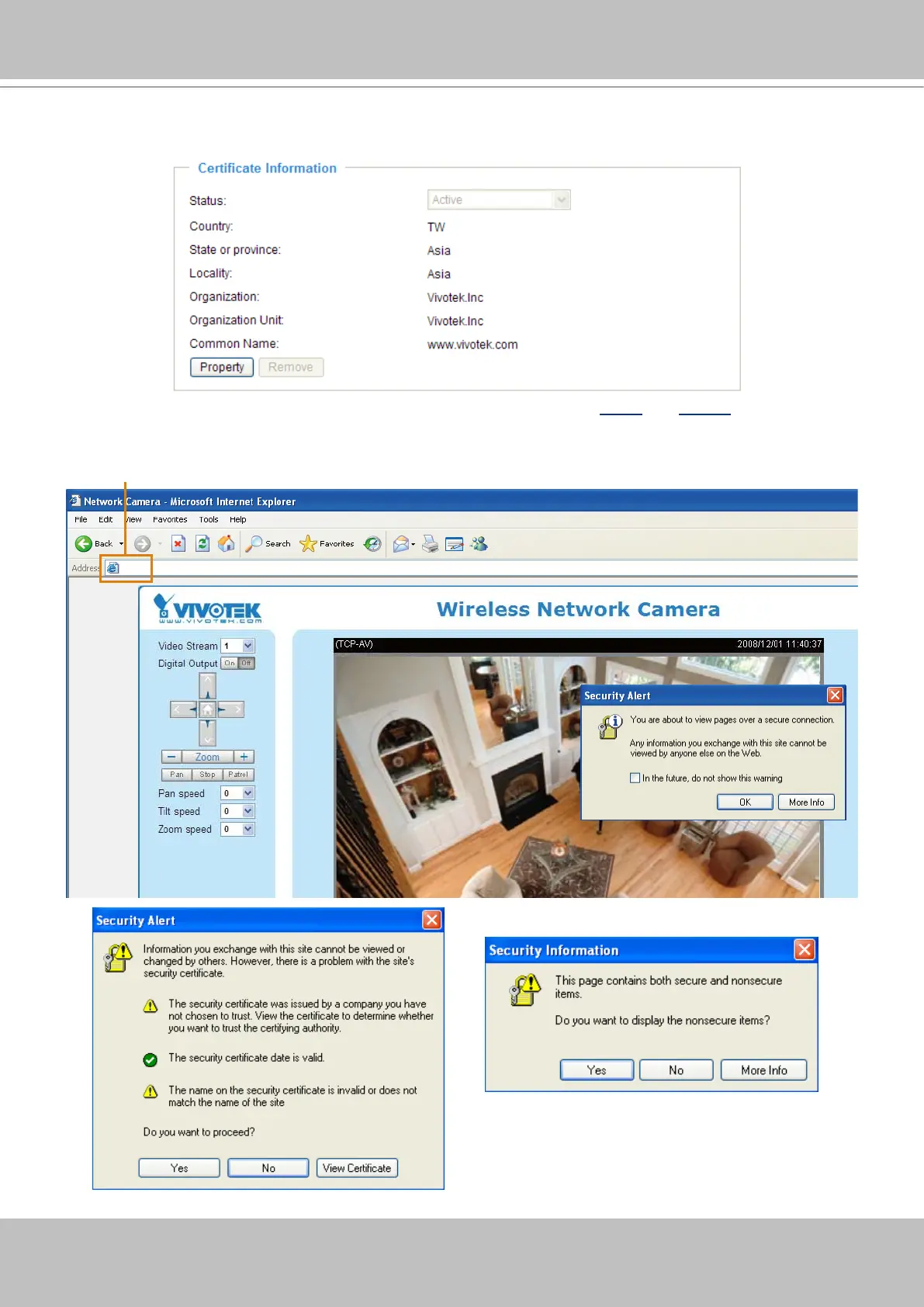
4� The Certificate Information will automatically show up in the third column as below� You can click
Property to see the detailed information of the certicate.
5� Click Home to return to the main page� Change the address from “http://” to “https://“ on the Address
bar and press Enter on your keyboard� Some Security Alert dialogs will pop up� Click OK or Yes to en-
able HTTPS�
https://192.168.5.151/index.html
https://


 To Next Page