VIVOTEK - A Leading Provider of Multimedia Communication Solutions
8 - User's Manual
Network deployment
Setup the Network Camera over the Internet
This section explains how to congure the Network Camera to Internet connection�
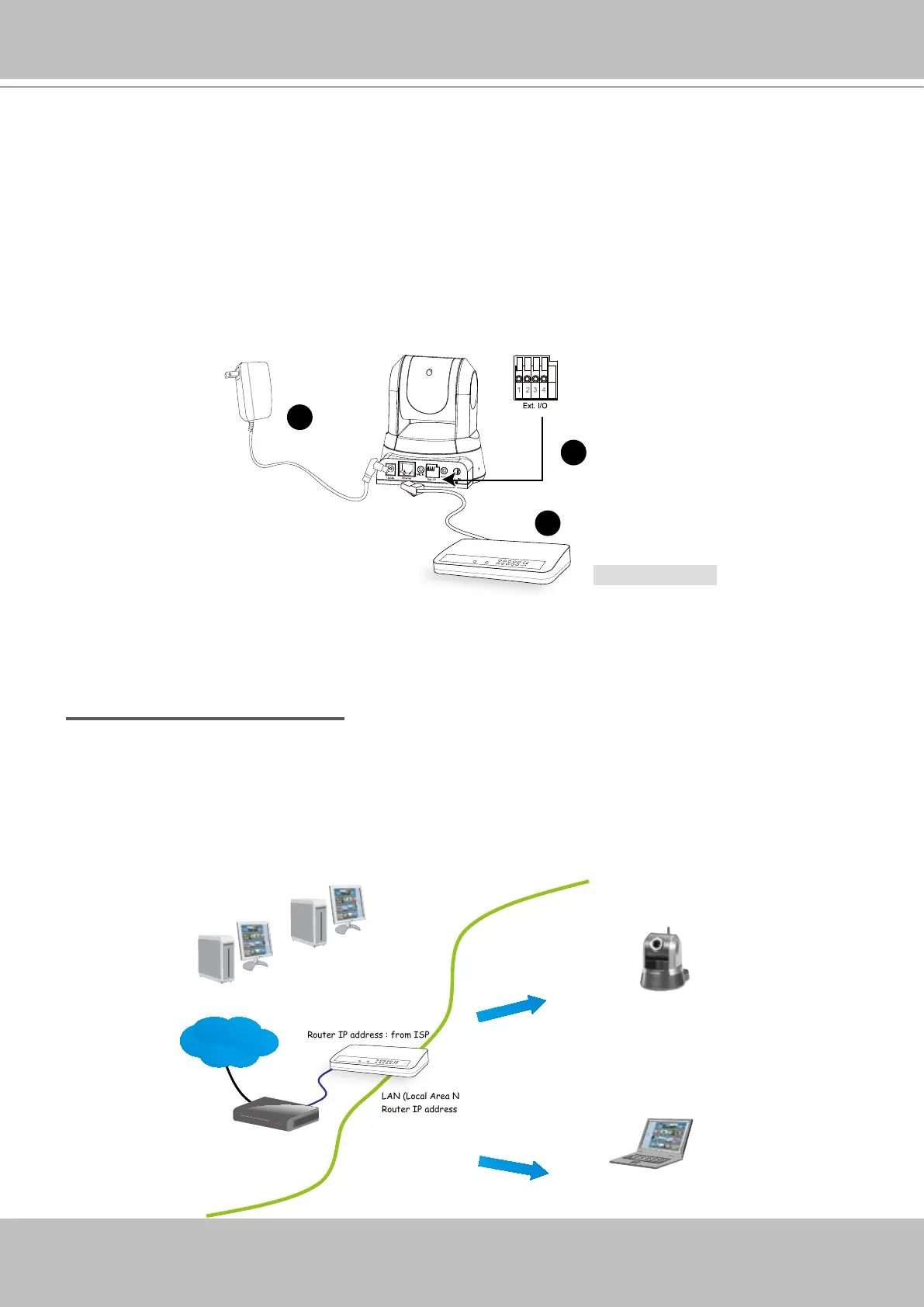
1� If you have external devices such as sensors and alarms, make connection from general I/O
terminal block�
2� Connect the camera to a switch via Ethernet cable�
3� Connect the supplied power cable from the Network Camera to a power outlet�
There are several ways to setup the Network Camera over the Internet� The rst way is to setup
the Network Camera behind a router� The second way is to utilize a static IP� The third way is to
use PPPoE�
Internet connection via a router
Before setting up the Network Camera over the Internet, make sure you have a router and follow
the steps below�
1� Connect your Network Camera behind a router, the Internet environment is illustrated as
below� About how to get your IP address, please refer to Software installation on page 12 for
details�
IP address : 192.168.0.3
Subnet mask : 255.255.255.0
Default router : 192.168.0.1
IP address : 192.168.0.2
Subnet mask : 255.255.255.0
Default router : 192.168.0.1
LAN (Local Area Network)
Router IP address : 192.168.0.1
WAN (Wide Area Network )
Router IP address : from ISP
Cable or DSL Modem
POW ER
COLLISION
LINK
RECEI VE
PARTITI ON
1
2
3
4
5
Internet
Ethernet switch
PO WE R
COLLI SION
LINK
REC EI V E
PARTI TI ON
1
2
3
4
5
1
2
1: Power
2: Digital ouput
3: Digital input
4: Ground
3



 To Next Page