VIVOTEK - A Leading Provider of Multimedia Communication Solutions
User's Manual - 25
Advanced mode
Each function on the configuration list will be explained in the following sections� Those
functions that only show in Advanced mode are marked with
Advanced mode
� If you want to set
up advanced functions, please click [Advanced mode] on the bottom of the conguration list to
quickly switch to Advanced mode�
System
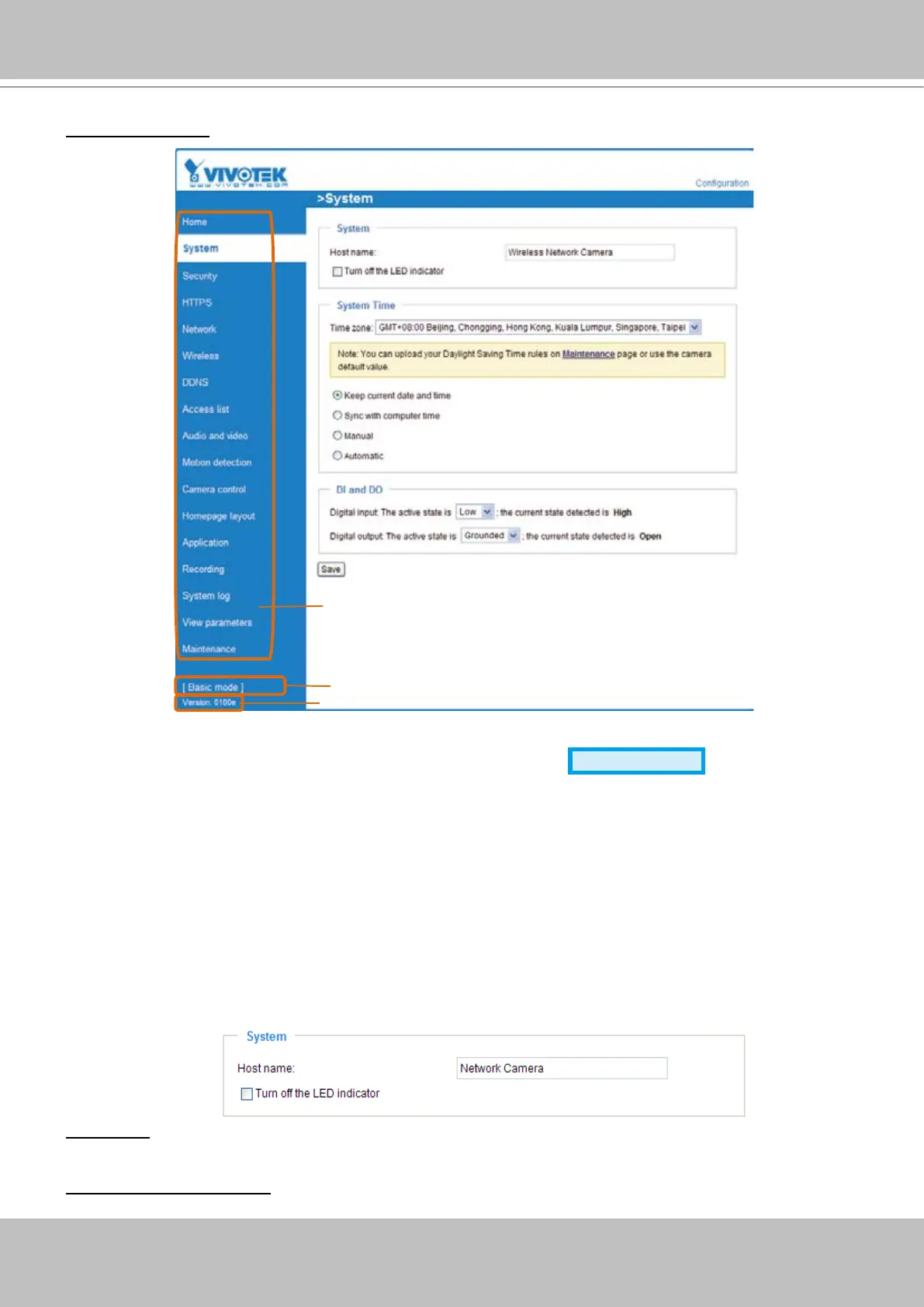
This section explains how to congure the basic settings for the Network Camera, such as the
host name and system time� It is composed of the following three columns: System, System
Time and DI and DO� When completed with the settings on this page, click Save on the page
bottom to take effect�
System
Host name: Enter a desired name for the Network Camera� The text will be displayed at the top of the
main page�
Turn off the LED indicators: If you don’t want to let others know that the network camera is working, you
can select this option to turn off the LED indicators�
Click to switch to Basic mode
Firmware Version
Configuration list


 To Next Page