VIVOTEK - A Leading Provider of Multimedia Communication Solutions
28 - User's Manual
HTTPS
Advanced mode
This section explains how to enable authentication and encrypted communication over SSL� It
helps protect streaming data transmission over the Internet�
Enable HTTPS
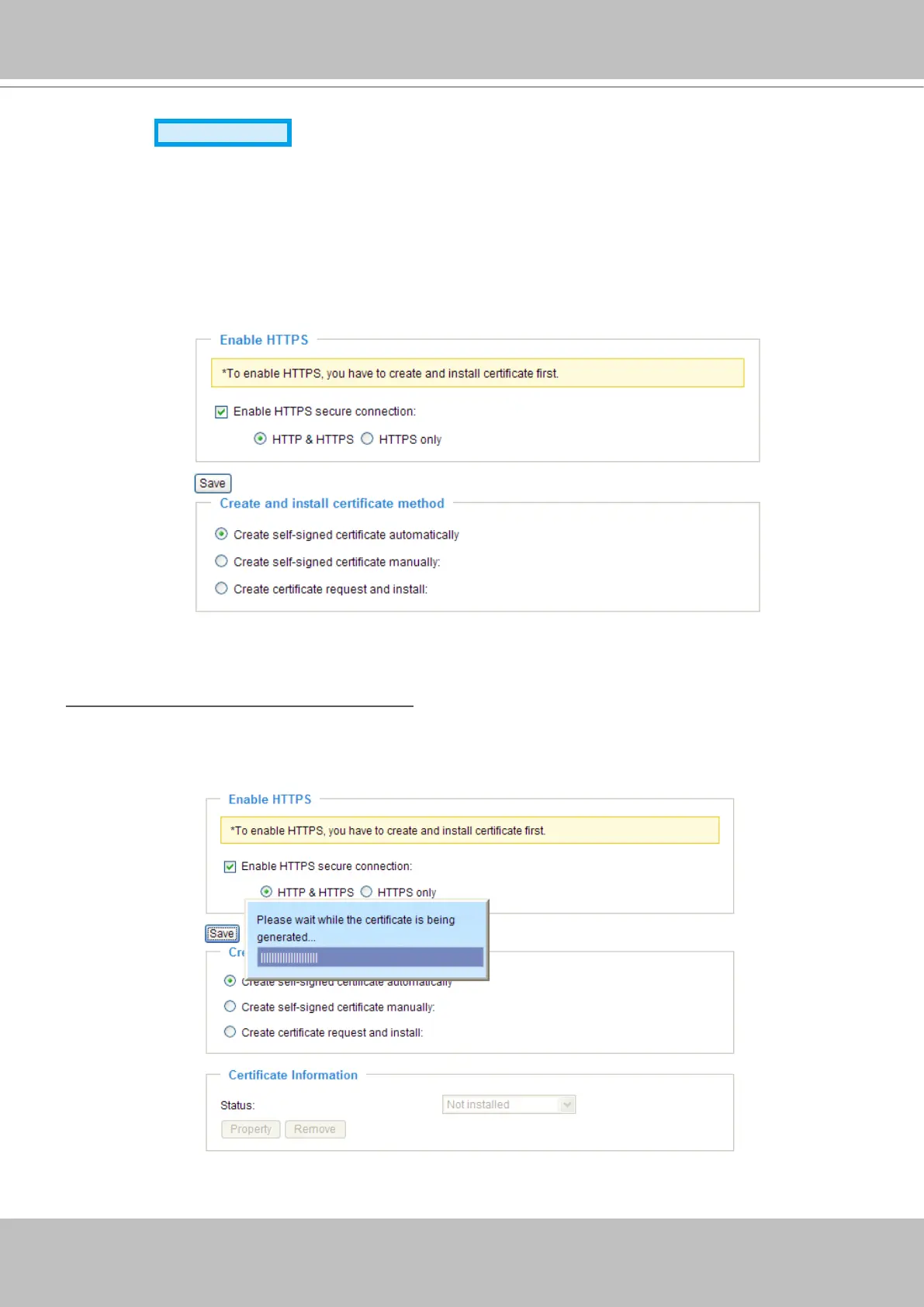
Check this item to enable HTTPS communication, and then select a connection option: "HTTP & HTTPS"
or "HTTPS only". Note that you have to create and install certicate rst in the second column before
clicking the Save button�
Create and Install Certicate Method
There are three ways to create and install certicate:
Create self-signed certificate automatically
1� Select this option�
2. In the rst column, check Enable HTTPS secure connection, and then select a connection option:
“HTTP & HTTPS” or “HTTPS only”�
3� Click Save to generate certicate.



 To Next Page