VIVOTEK - A Leading Provider of Multimedia Communication Solutions
User's Manual - 27
Security
This section explains how to enable password protection and create multiple accounts�
Root Password
The administrator account name is “root”, which is permanent and can not be deleted� If you want to add
more accounts in Manage User column, please apply a password for the “root” account rst.
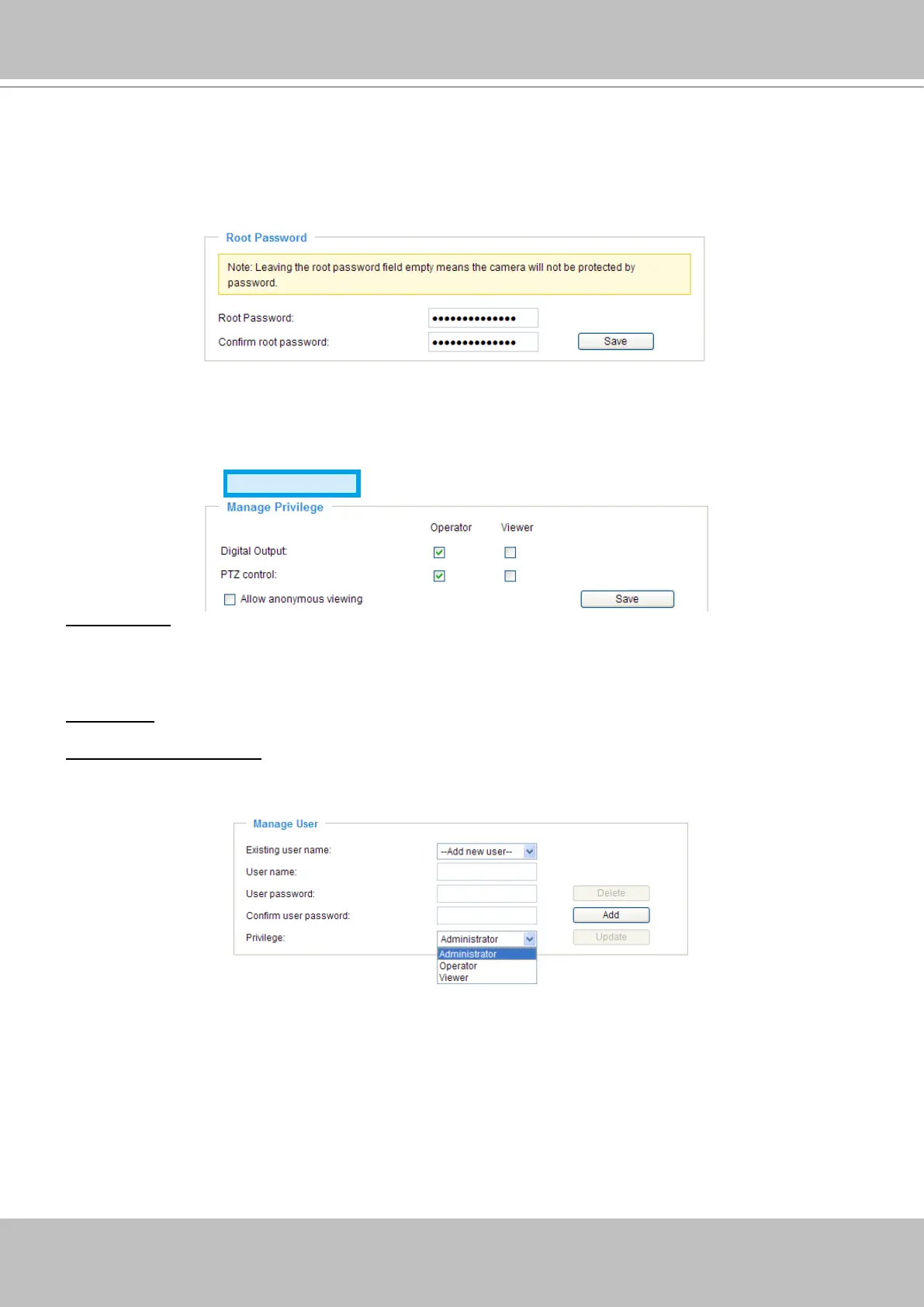
1� Type the password identically in both text boxes, and click Save to enable password protection�
2� A window will be prompted for authentication; type the correct user’s name and password in related
elds to access the Network Camera.
Manage Privilege
Advanced mode
Digital Output: You can modify the manage privilege (Digital Output) of operators or viewers� Check or
uncheck the item, and then click Save to take effect� If you give Viewer the privilege to control Digital
Output, Operator will also have the right to choose turn on or turn off the Digital Output devices on the
main page� (Please refer to Main Page on page 18�)
PTZ control: You can modify the manage privilege (PTZ control) of operators or viewers�
Allow anonymous viewing: If you check this item, any clients can get access to the live streaming without
entering User ID and Password�
Manage User
Administrators can add up to 20 user accounts�
1� Input the new user’s name and password�
2� Select the Privilege for new user account� Click Add to take effect�
Access rights are sorted by user privilege (Administrator, Operator, and Viewer)� Only administrators
can access the Configuration page� Though operators can not access the Configuration page, they
are capable of using the URL commands to get and set the value of parameters� For more information,
please refer to URL Commands of the Network Camera on page 88� Viewers can only access the main
page for live viewing�
Here you also can change user’s access rights or delete user accounts�
1� Select an existing account to modify�
2� Make necessary changes and then click Update or Delete to take effect�


 To Next Page