VIVOTEK - A Leading Provider of Multimedia Communication Solutions
User's Manual - 57
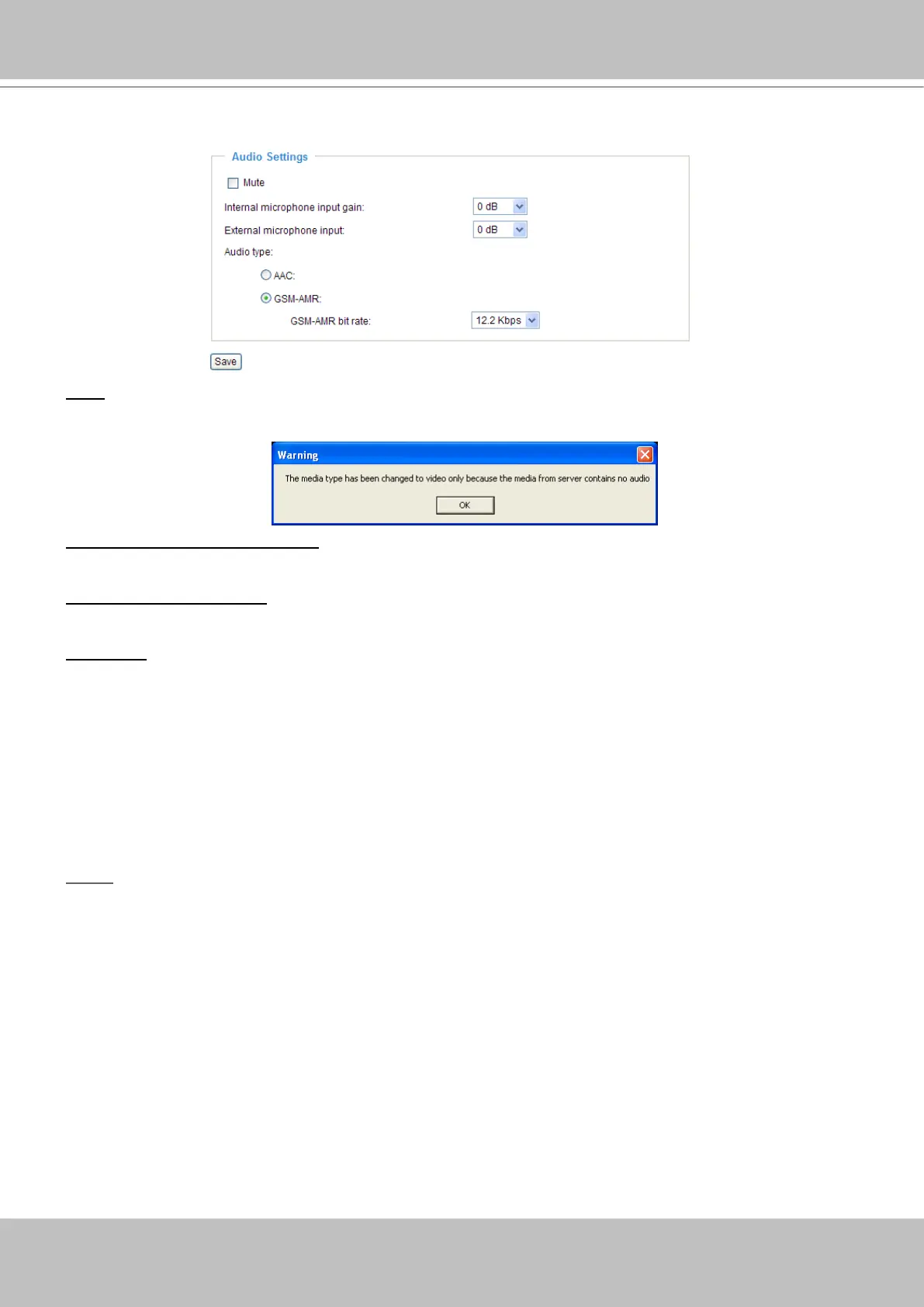
Audio settings
Mute: Select this option to disable audio transmission from the Network Camera to all clients� Note
that if mute mode is turned on, no audio data will be transmitted to all clients even though the audio
transmission is enabled in the Client Settings page� In that case, the following message is displayed�
Internal microphone input gain: Select the gain of the internal audio input according to ambient
conditions. Adjust the gain from +21 db (most sensitive) ~ -33 db (least sensitive).
External microphone input: Select the gain of the external audio input according to ambient conditions�
Adjust the gain from +21 db (most sensitive) ~ -33 db (least sensitive).
Audio type: Select audio codec AAC or GSM-AMR and the bit rate�
■ AAC targets at performing good sound quality at the cost of higher bandwidth consumption. The bit
rates are selectable at the following rates: 16Kbps, 32Kbps, 48Kbps, 64Kbps, 96Kbps and128Kbps�
■ GSM-ARM is designed to optimize speech quality and requires less bandwidth. The bit rates are
selectable at the following rates: 4�75Kbps, 5�15Kbps, 5�90Kbps, 6�7Kbps, 7�4Kbps, 7�95Kbps,
10�2Kbps and 12�2Kbps�
When completed with the settings on this page, click Save to take effect�
NOTE
► The Network Camera offers two inputs to capture audio - internal microphone or external microphone.
The internal/external microphone switch is located on the back panel of the Network Camera�


 To Next Page