VIVOTEK - A Leading Provider of Multimedia Communication Solutions
48 - User's Manual
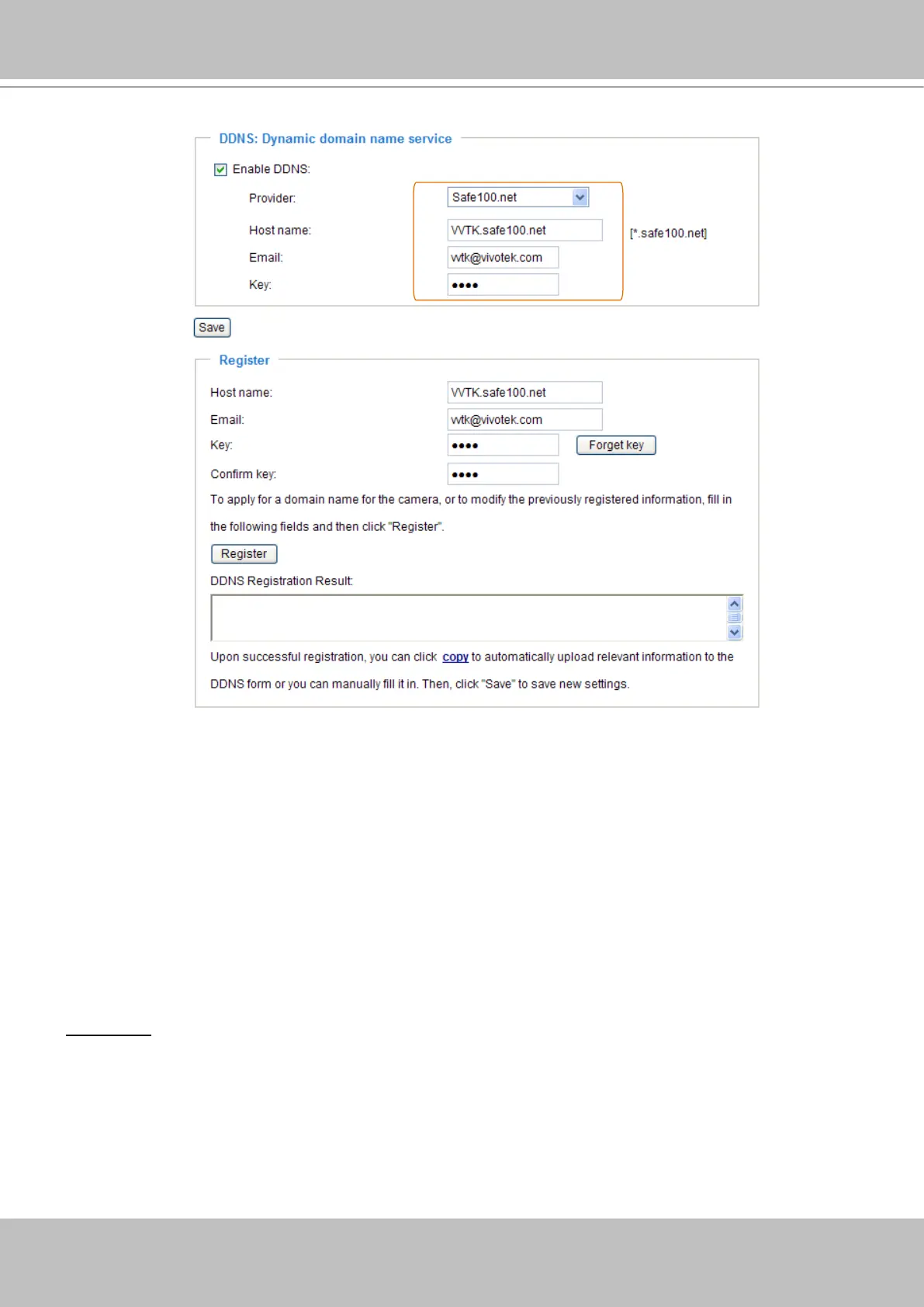
4� Select Enable DDNS and then click Save to take effect�
■ CustomSafe100
VIVOTEK offers documents to establish CustomSafe100 DDNS server for distributors and system
integrators� You can use CustomSafe100 to register a dynamic domain name if your distributor or system
integrators offer such services�
1� In the DDNS column, select CustomSafe100 from drop-down list�
2� In the Register column, fill in the Host name, Email, Key and Confirm Key; then click Register�
After a host name has been successfully created, you will see a successful message in the DDNS
Registration Result column�
3� Click Copy and all the registered information will be uploaded to the corresponding elds in the DDNS
column�
4� Select Enable DDNS and then click Save to take effect�
Forget key: Click this button if you forget the key of Safe100�net or CustomSafe100� Your account
information will be sent to your email address�
Refer to the following links to apply a dynamic domain account when selecting other DDNS
providers:
■ Dyndns�org (Dynamic) / Dyndns�org (Custom): visit http://www�dyndns�com/
■ TZO�com: visit http://www�tzo�com/
■ DHS�org: visit http://www�dhs�org/
■ dyn-interfree�it: visit http://dyn-interfree�it/
[Register] Successfully Your account information has
been mailed to registered e-mail address



 To Next Page