VIVOTEK - A Leading Provider of Multimedia Communication Solutions
74 - User's Manual
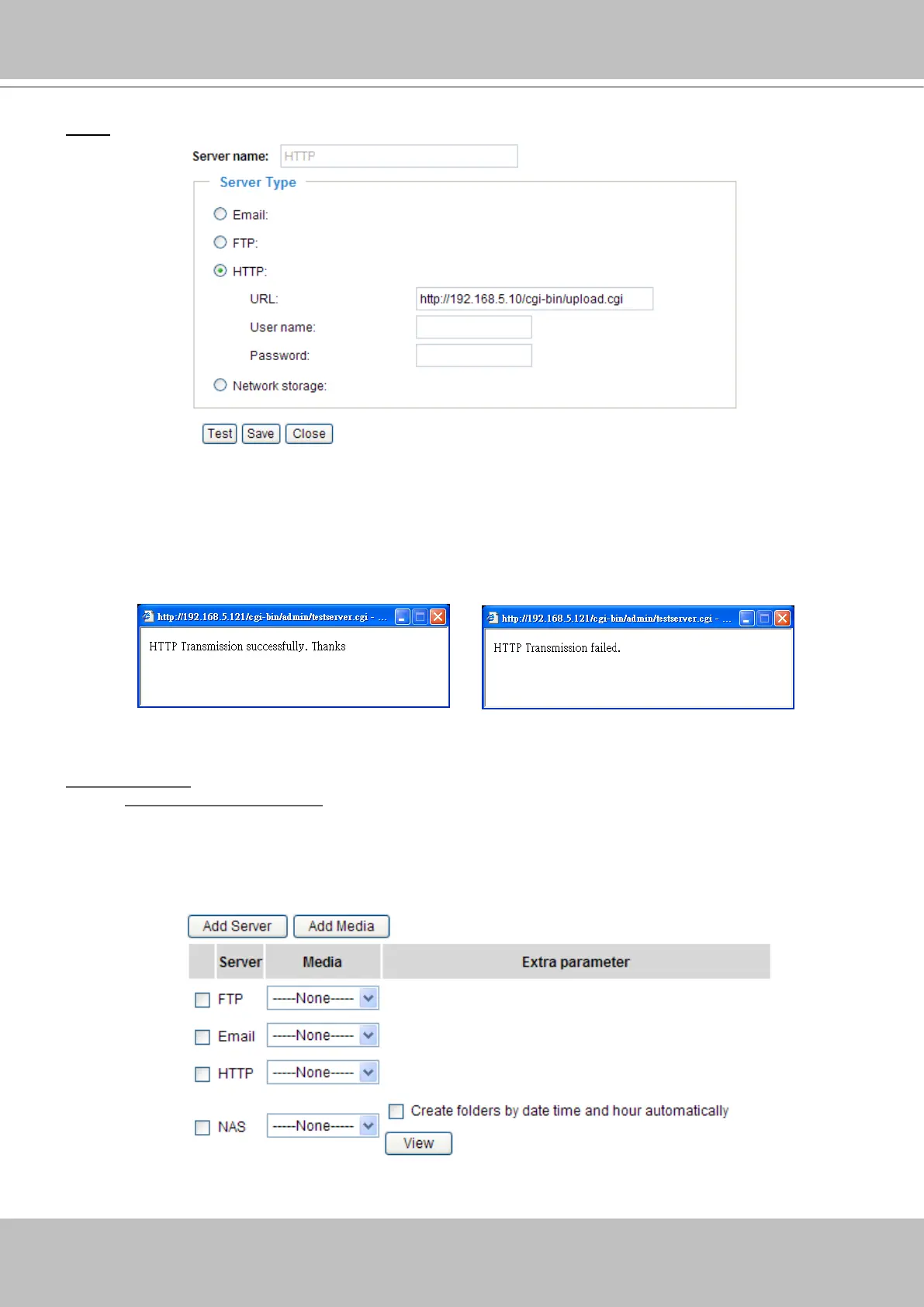
HTTP: Select to send the media les to a HTTP server when a trigger is activated.
■ URL: Enter the URL of the HTTP server.
■ User name: Enter the user name if necessary.
■ Password: Enter the password if necessary.
To verify if the HTTP settings are correctly congured, click Test� The result will be shown in a pop-up
window as below. If it works, you will also receive a test.txt le on the HTTP server.
Click Save to enable the settings, and then click Close to quit the page�
Network storage: Select to send the media les to a network storage when a trigger is activated� Please
refer to Network Storage Setting on page 79 for details�
Click Save to enable the settings, and then click Close to quit the page�
When completed, the new server settings will automatically show up on the Event Settings page�
For example:



 To Next Page