VtZtO VW26L HDTV10F User Manual
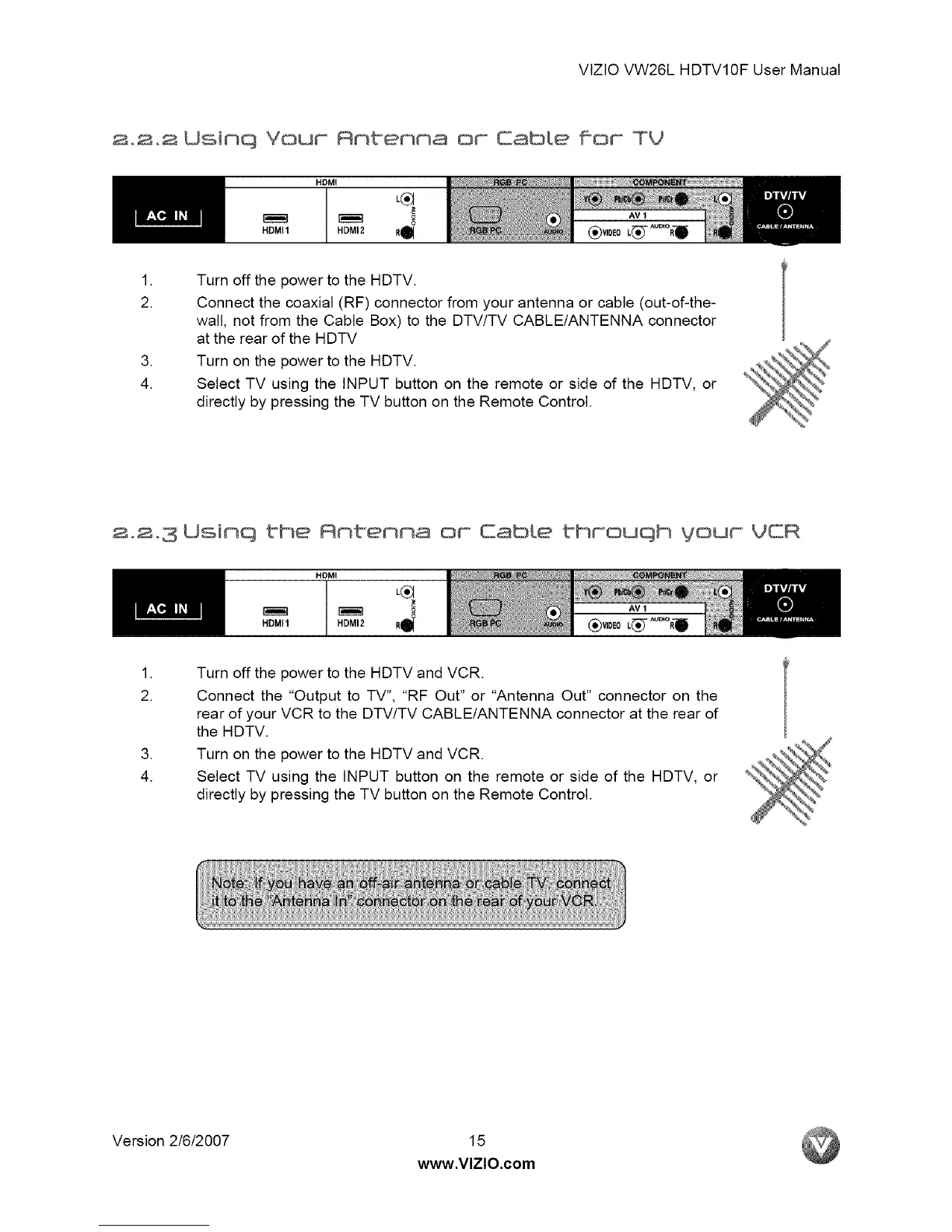
2.2.2 Usinq Your Anbenna or Eabte far TV
HDMI1
HDMI
HDMI2 R_
.
2.
.
4.
Turn off the power to the HDTV.
Connect the coaxial (RF) connector from your antenna or cable (out-of-the-
wall, not from the Cable Box) to the DTV/TV CABLE/ANTENNA connector
at the rear of the HDTV
Turn on the power to the HDTV.
Select TV using the INPUT button on the remote or side of the HDTV, or
directly by pressing the TV button on the Remote Control.
2.2.3 Usinq the Antenna or CabLe throuqh your VCR
HDMI1
HDMI
HDMI2 R_
.
2.
.
4.
Turn off the power to the HDTV and VCR.
Connect the "Output to TV", "RF Out" or "Antenna Out" connector on the
rear of your VCR to the DTV/TV CABLE/ANTENNA connector at the rear of
the HDTV.
Turn on the power to the HDTV and VCR.
Select TV using the INPUT button on the remote or side of the HDTV, or
directly by pressing the TV button on the Remote Control.
Version 2/6/2007 15
www.VlZlO.com



 To Next Page
 Loading...








