Volt Time Source 2 Installation Guide - alternative entry
Ethernet connection
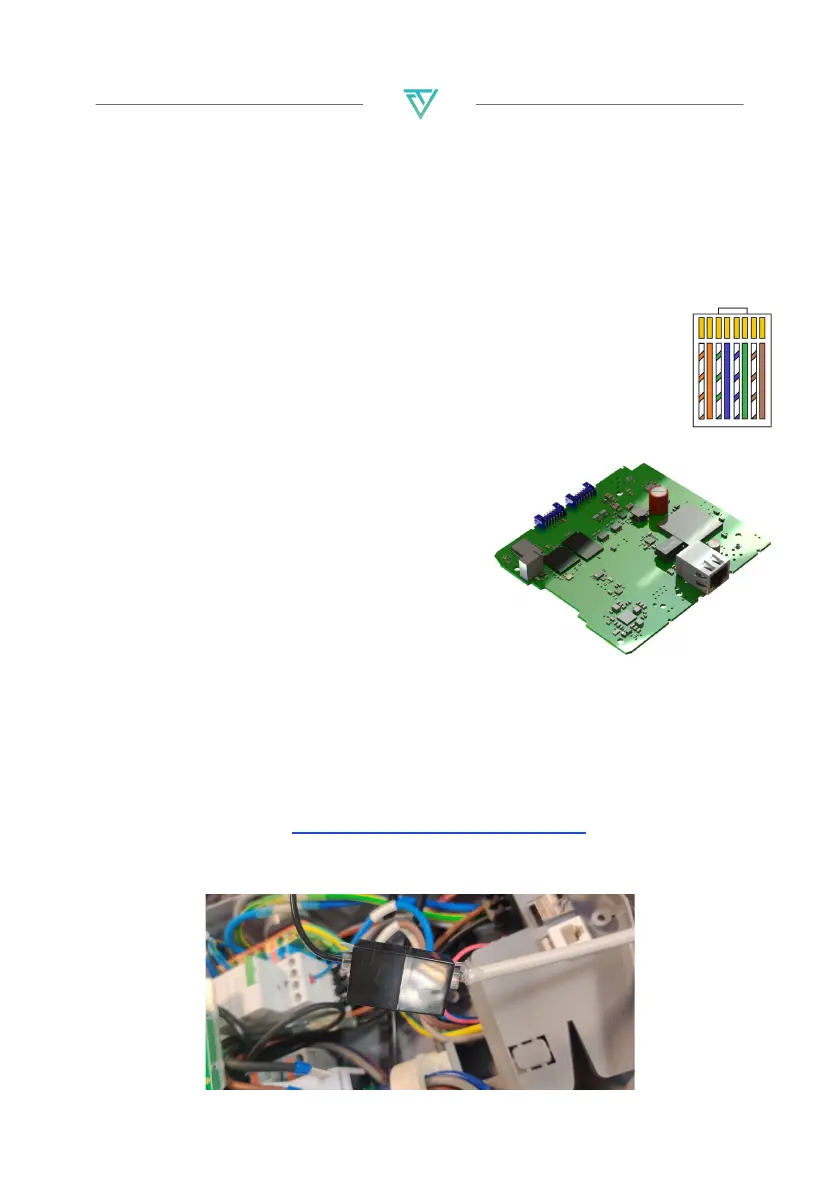
1. Use a CAT5(e) ethernet cable with a maximum length of 100m.
Source 2 (without business upgrade) requires an ethernet
cable with internet connection to function.
For Power Sharing functionality, an ethernet cable is always
required.
2. Strip 12.5mm from the sheath on each end of the cable.
3. Crimp the RJ45 connectors onto both ends of the
CAT5(e) cable.
4. Test the ethernet cable using a LAN Cable Tester.
5. Take out the existing ethernet cable
from the RJ45 port on the top of the
computer board.
6. Disconnect the existing ethernet
cable from the RJ45 port inside the
product on the top computer board.
7. Connect the ethernet cable to the
Router/Switch inside the building as
well as the RJ45 port on the top
computer board.
8. To connect the RJ12 ethernet cable to the charger for Load &
Solar balancing, take out the RJ12 cable from the port at the
bottom of the product and connect the RJ12 coupler as
preparation to the internal RJ12 cable. To install the Load & Solar
module, go to https://volttime.com/manuals, download the
Load & Solar guide and follow the installation procedure
before continuing.


 To Next Page