Status Icons
Connected to the network via LAN connector
Connected as a slave device with PC
A USB device is connected
Recording the current output
The panel keys are locked
The beeper is turned on
3.2 General Inspection
When you receive your new power supply, it is recommended that you check the
instrument following these steps:
1. Check for transportation damage.
If it is found that the packaging carton or the foamed plastic protection cushion has
suffered serious damage, do not throw it away until the complete device and its
accessories have been electrically and mechanically checked.
2. Check the Accessories
The supplied accessories are described in the "Appendix A: " of this Manual. Please
ensure that all the listed accessories are present and undamaged, if any problems
are found please contact your distributor.
3. Check the Complete Instrument
If there is any physical damage, operational fault, or performance issue please
contact your distributor. If there is any transportation damage to the instrument
please ensure you keep the original packaging. Ideally you should always keep the
original packaging if the instrument must be returned for repair.
3.3 Power-On Check
(1) Connect the instrument to the AC supply using the supplied power cord.
Warning:
To avoid electric shock, the instrument must be grounded properly.
(2) Push the power button on the front panel, the keys will light and the screen will

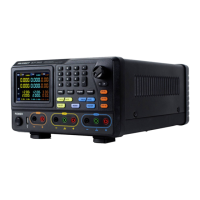

 To Next Page