63
b) Internal preset memory
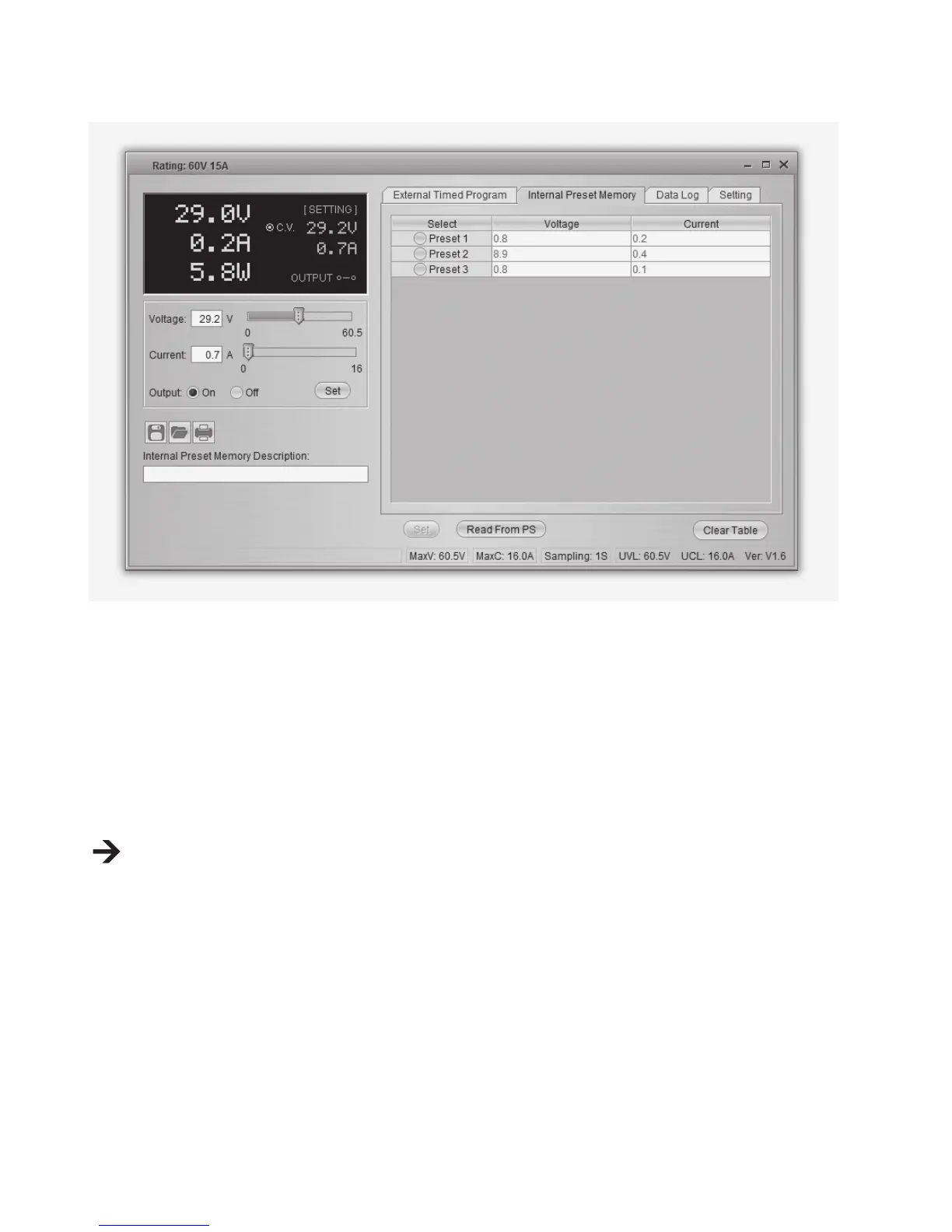
You can read, set and apply the preset memory of the power supply via the software.
• The preset values are loaded into the software automatically, but if not, press the button Read
From PS button to load the information.
• If you want to use either of the preset values, select the corresponding option. Then press the
button Set.
• If you want to change the preset values, double-click on voltage (Voltage) or current eld (Current)
and set the desired values with the sliders.
The set values for voltage and current must be >0.0 (larger than zero) in order for you to transfer
the settings to the power supply via the button Set.
• If you want to clear the table, press the button Clear Table.
With the buttons for le management (G) you can import, export or print the settings.


 To Next Page