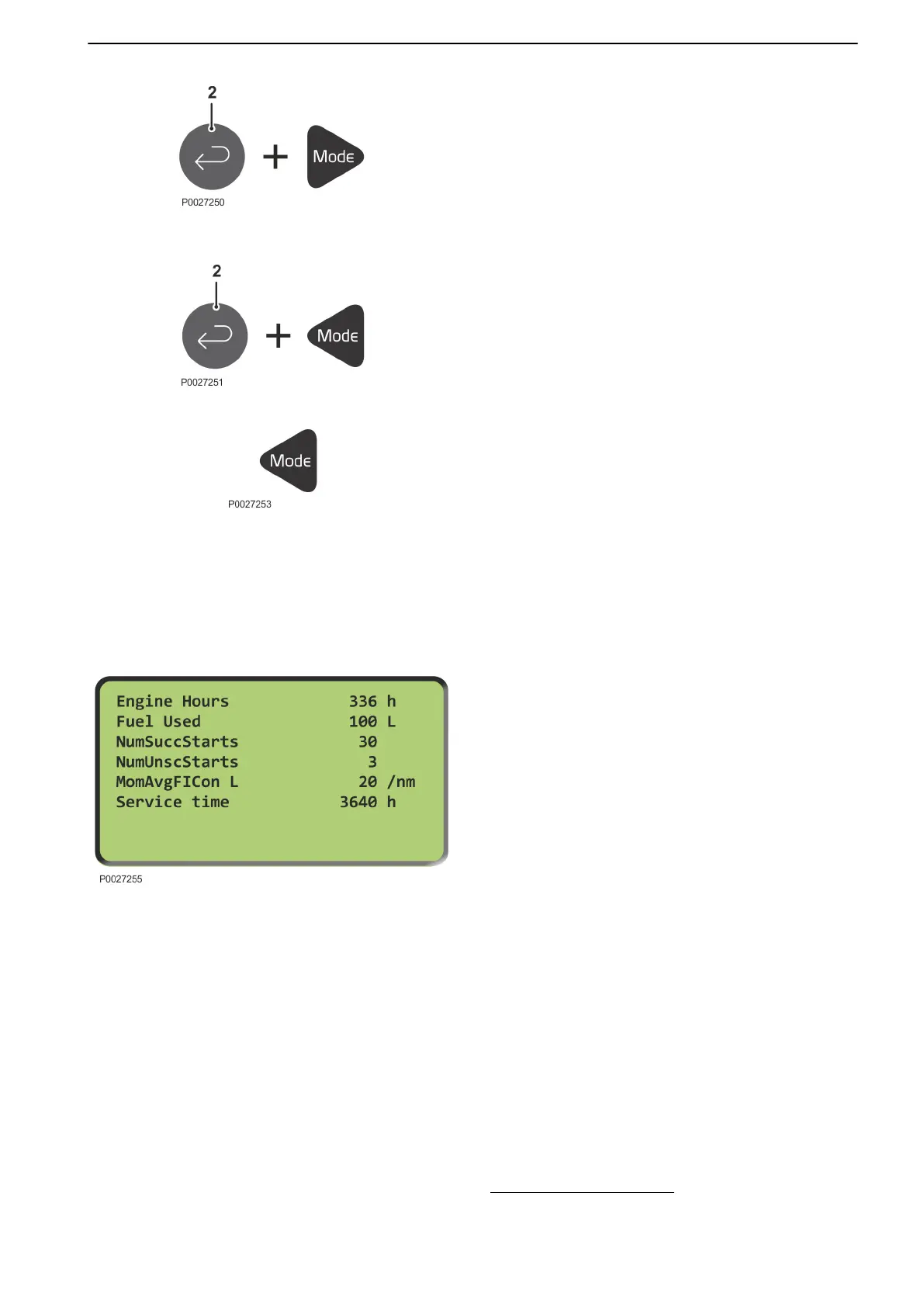
Working mode
Local mode
In Local Mode the engine can only be started from the
main panel. External start/stop commands are
ignored.
The mode is activated by pressing Enter (2) and the
right Mode button.
Exit mode by pressing Enter (2) and the left Mode
button.
Operations mode (AUX/PRP/EME/HBR)
In operations mode (AUX/PRP/EME/HBR) the engine
is ready for start when the status shows "Ready".
Off mode (OFF)
The engine cannot be started in OFF mode. All relay
output signals are temporarily disconnected and the
status is changed to “Not Ready”.
Activate OFF mode by pressing the left Mode button.
NOTICE! The engine cannot be started; if the engine
is running it will be shut down when OFF mode is
activated.
Activate OFF mode by repeatedly pressing the left
Mode button until "off" is shown in the display's top left
corner.
Statistics
In the main menu, press the up button three times.
1 Operation hours
2 Total quantity of fuel used
3 Number of successful starts
4 Number of unsuccessful starts
5
Momentary average fuel consumption
(1)
6 Service time (hours until next service)
Statistical values can be adjusted with PC software
(password protected); contact your Volvo Penta
dealer.
1. Not standard; Comap InternetBridge hardware and adaptation of
software required.
Instruments and Controls
47710406 10-2018 © AB VOLVO PENTA 35











 To Next Page