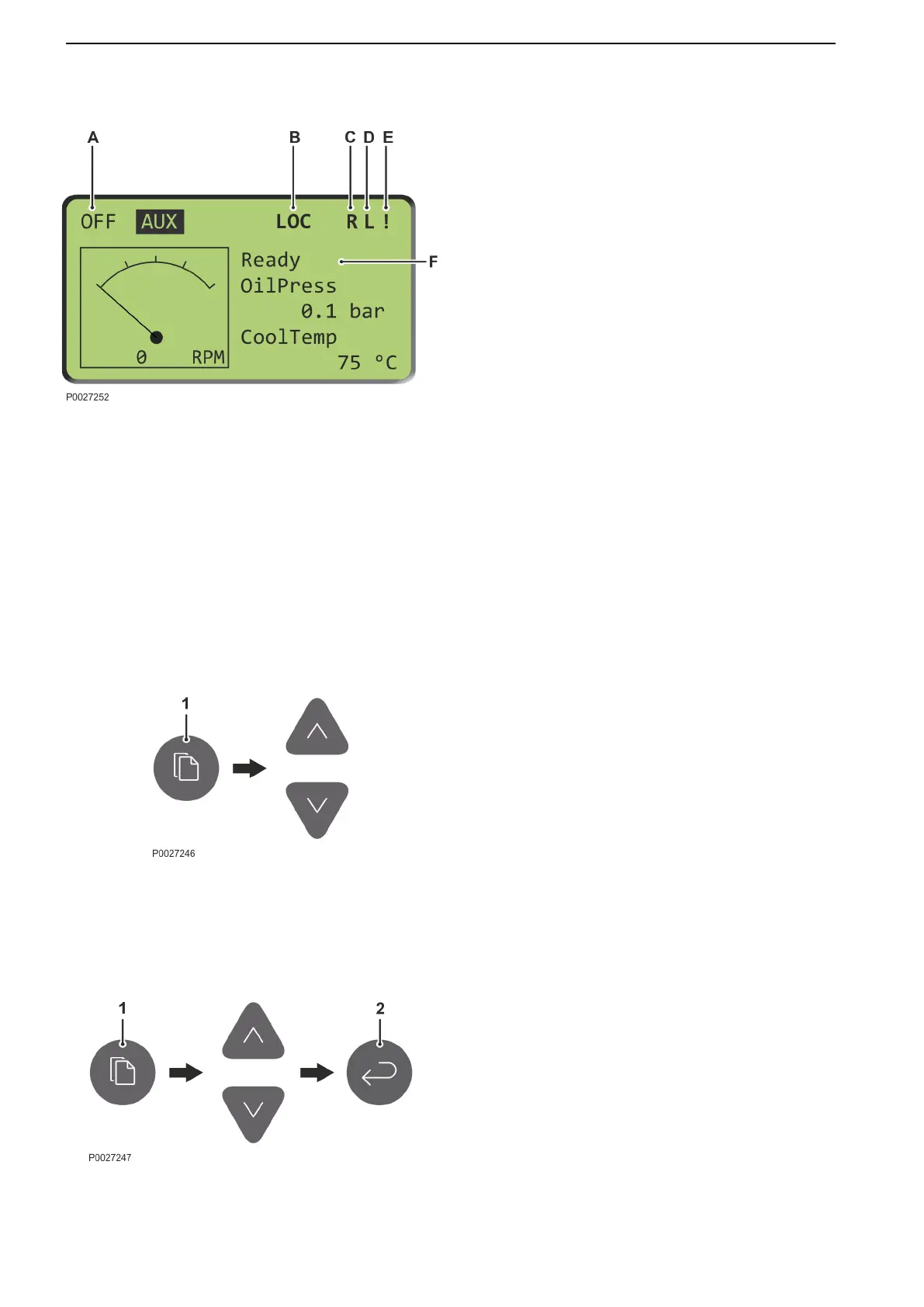
Display
A Highlighted text indicates engine mode; in operation
or start mode (AUX/PRP/EME/HBR), or OFF).
B LOC: local mode. The engine can only be controlled
from the main panel.
C R: a remote connection – a remote panel – is on line.
D L: locked. The main panel is locked and the remote
panel is in control.
E ! : There is an alarm in the alarm list.
F Engine status:
NotReady: the system is not ready and the engine
cannot be started.
Ready: the system is ready and the engine can be
started.
Running: the engine is in operation.
LoadShar: the engine is under load and in
operation with another engine.
Menus
The system has four menus:
•
Main Page
•
Monitoring Page
•
Settings Page
•
History Page
Main Page
Browse with the Page button (1) to the main menu
(Main).
Browse between windows using the up/down buttons.
Monitoring Page
1 Browse with the Page button (1) to the engine data
menu (Monitoring page).
2 Browse in the engine data menu with the up/down
buttons.
Settings Page
The review and changing of setpoints is carried out in
the Settings page.
1 Browse with the Page button (1) to the Settings
page.
2 Browse between the different setpoints using the
up/down buttons.
3 Press Enter (2) to confirm the selection.
4 Browse with the up/down buttons to the desired
setpoint. Setpoints marked with an asterisk (*) are
password protected.
Press Enter to confirm the selection.
Instruments and Controls
32 47710406 10-2018 © AB VOLVO PENTA











 To Next Page