Starting the Engine
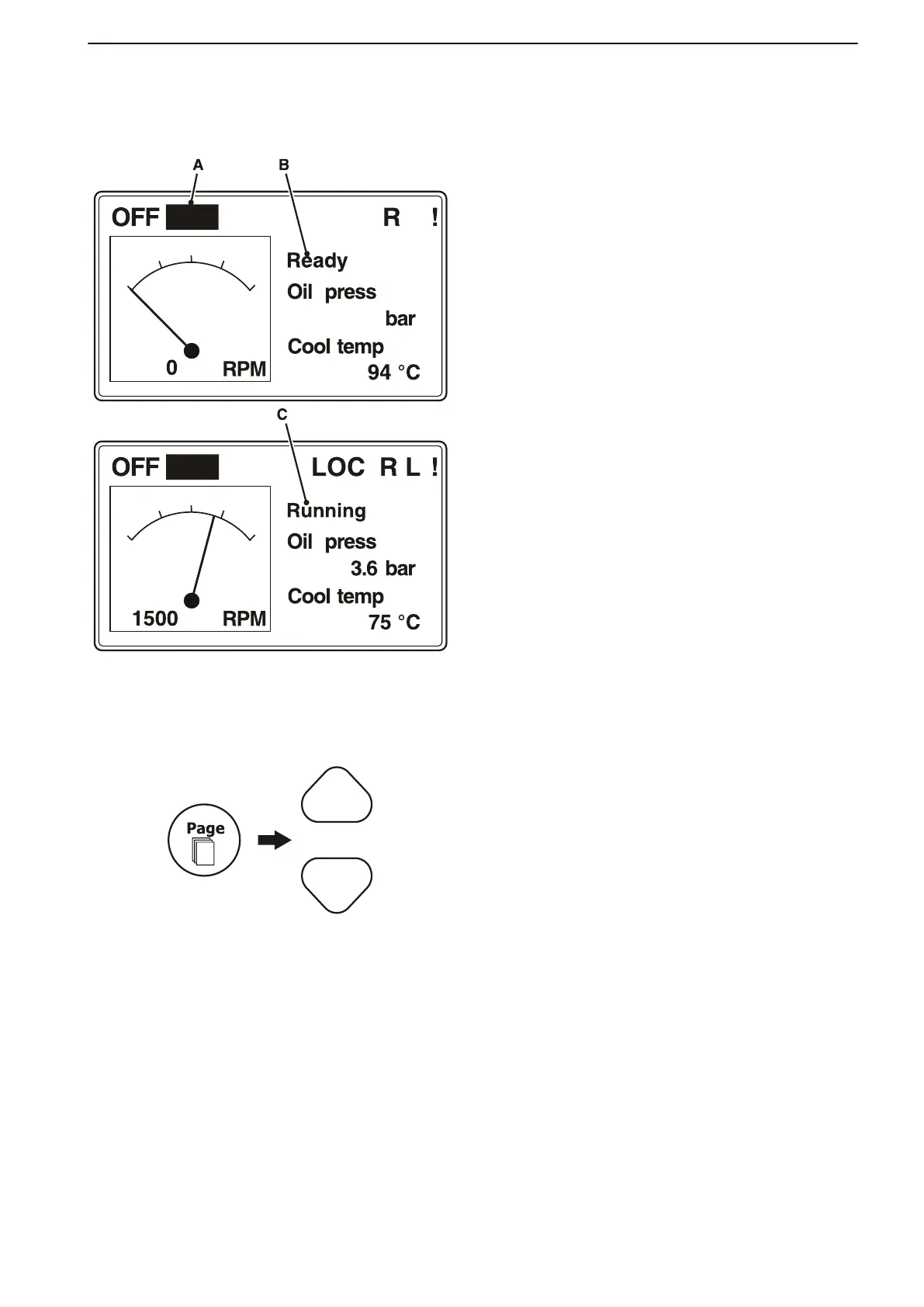
1 In the main menu, browse to start mode (PRP)
(A) using the Mode button
2 Check that engine status is "Ready" (B).
3 Depress the Start button; engine status will
change to "Running" (C).
If the engine is not ready to start (Not Ready), check
the following:
• Check the alarm list. Acknowledge any alarms.
• Check the ECU alarm list. Acknowledge any
alarms.
• Check the wiring between the MCC cabinet and
the engine.
Running data
Monitor running data that is not shown in the main
menu:
1 Browse with the Page button to the engine data
menu (Measurements).
2 Use the up/down buttons to select the desired
engine data.
Starting
47710406 10-2018 © AB VOLVO PENTA 39











 To Next Page