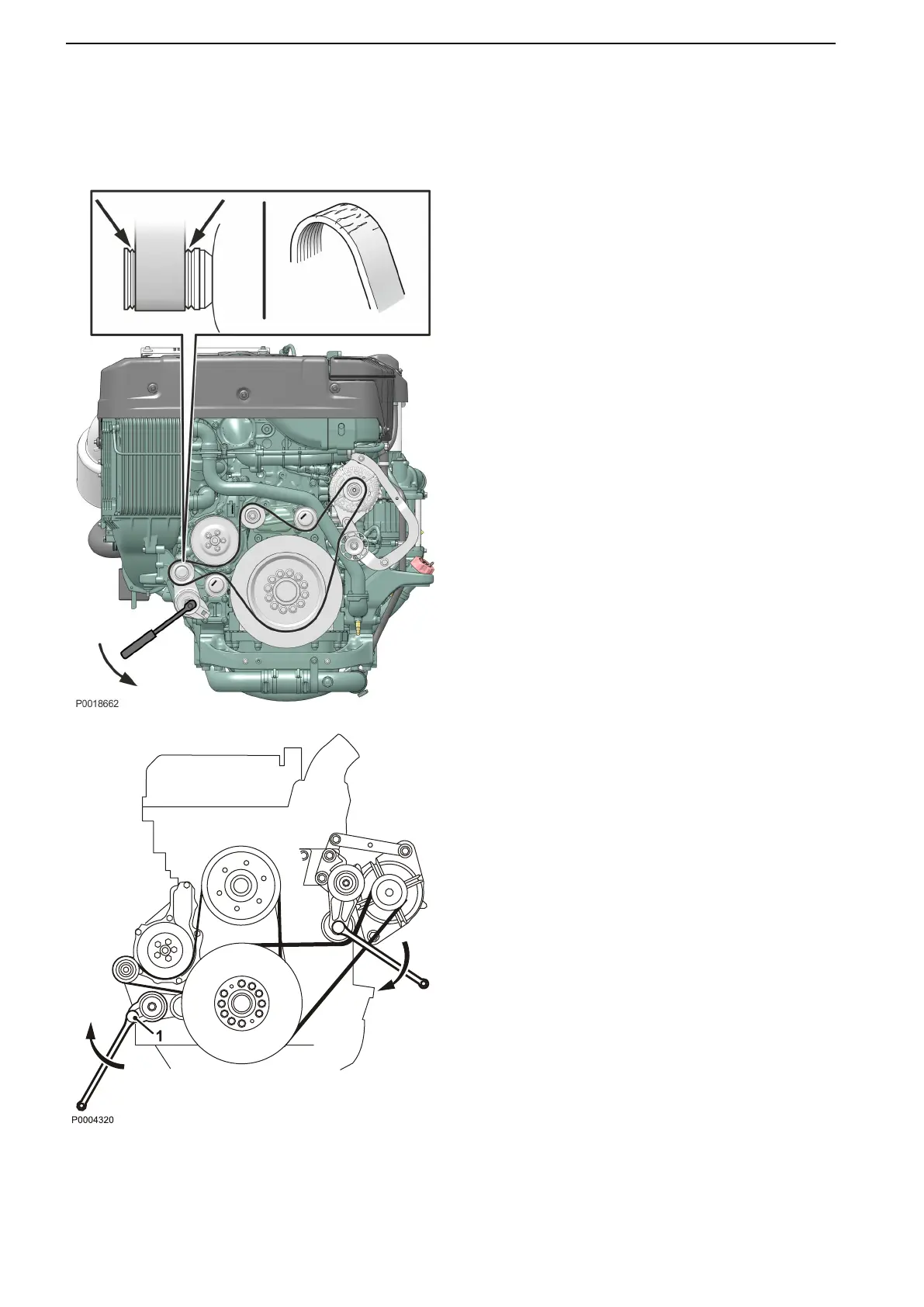
Drive belt, change
IMPORTANT!
Always replace a belt that appears worn or is
cracked.
D13 MH
1 Switch off at the main switch(es) and check
that the engine is not connected to voltage.
2 Remove the protective cover over the drive
belt.
3 Insert a socket drive into the square socket on
the belt tensioner. Rotate the tensioner away
and lock it in position by inserting a
screwdriver or similar tool into the gap created.
4 Remove the drive belt.
5 Fit the new drive belt and release the belt
tensioner. Check that the belt is positioned
correctly in the grooves.
6 Install the protective cover over the drive belt.
7 Start the engine and perform a function check.
D13 MH RC
1 Switch off at the main switch(es) and check
that the engine is not connected to voltage.
2 Remove the fan guard and fan ring round the
cooling fan.
3 Remove the belt guard.
4 Place a 1/2" square wrench in the belt
tensioner (1).
Lift the socket drive and remove the drive belt.
5 Thread the drive belt round the fan and
remove it.
6 Check that the pulleys are clean and
undamaged.
7 Pass the new drive belt over the fan.
8 Lift the 1/2" wrench and install the new drive
belt.
9 Install the belt guards.
10 Install the fan guard and fan ring round the
cooling fan.
11 Start the engine and perform a function check.
Maintenance
66 47710406 10-2018 © AB VOLVO PENTA











 To Next Page