Chapter3 product appearance and wiring IR610 high performance vector control frequency inverter user manual
- 20 -
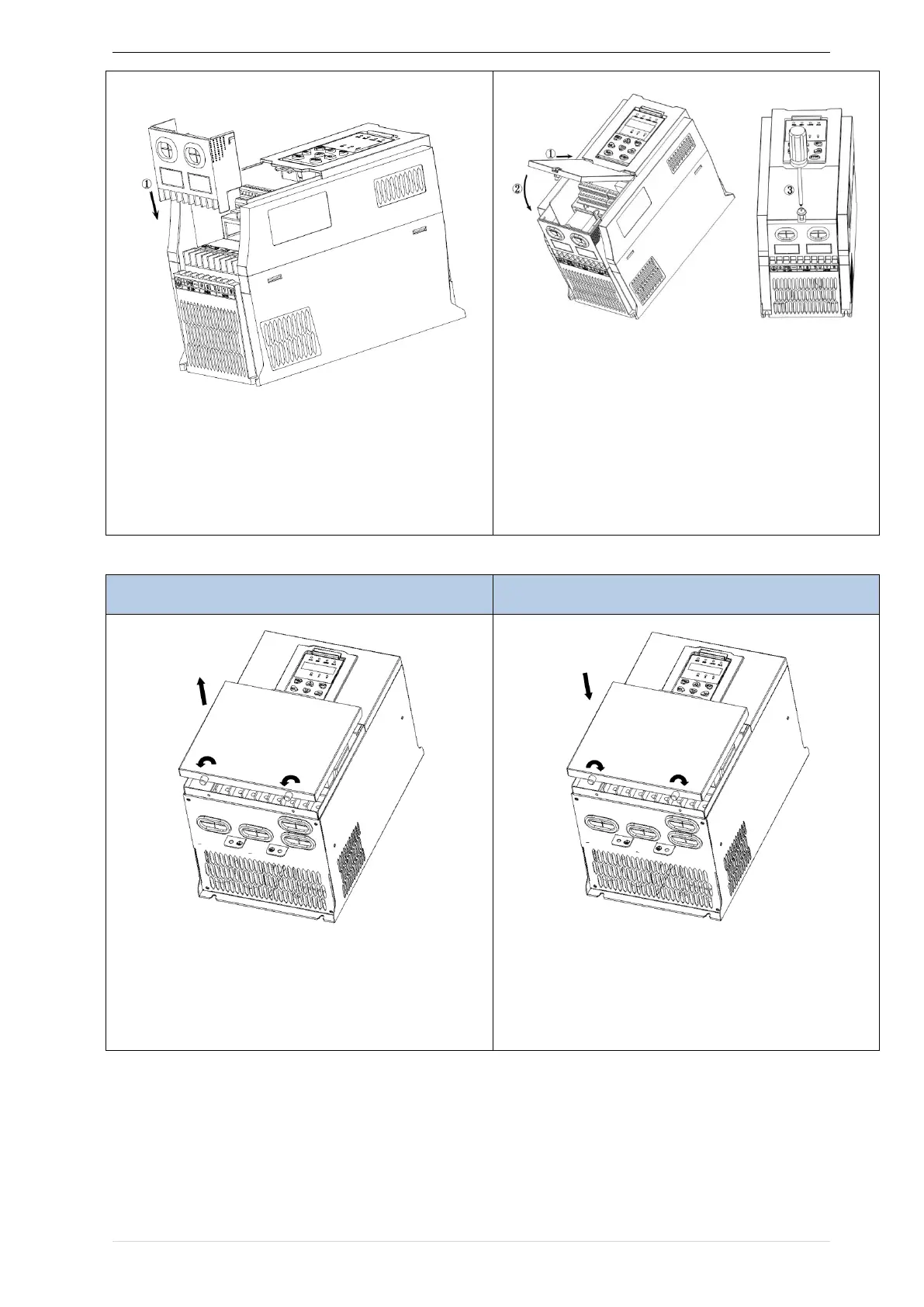
① Step 1: Install the inlet board
② Put the inlet board from the top down into the
mounting position to ensure that the card buckles
Step 2: Install the upper cover
① Slant the front cover diagonally from the front to
the docking station
② Lower the cover plate toward the inlet board
③ Tighten the screws on the cover
◆ SIZE D-G(18.5KW-90KW) Removal and installation of cover:
① Unscrew the two screws at the bottom of the
bottom cover
② Remove the cover vertically
① Close the cover vertically
② Tighten the two screws on the bottom of the cover
◆SIZEH~SIZE I( 110KW-160KW) Removal and installation of cover


 To Next Page