28 561810 - 04.2021 - V1
INSTRUCTION MANUAL VOSS.FARMING POULTRY KIT
8.2 TIME MODE
NOTICE
Note that the door only opens or closes at the
specied times if the “Time control” mode is
active.
1. Select the time mode and conrm the selection
with the conrmation button (4).
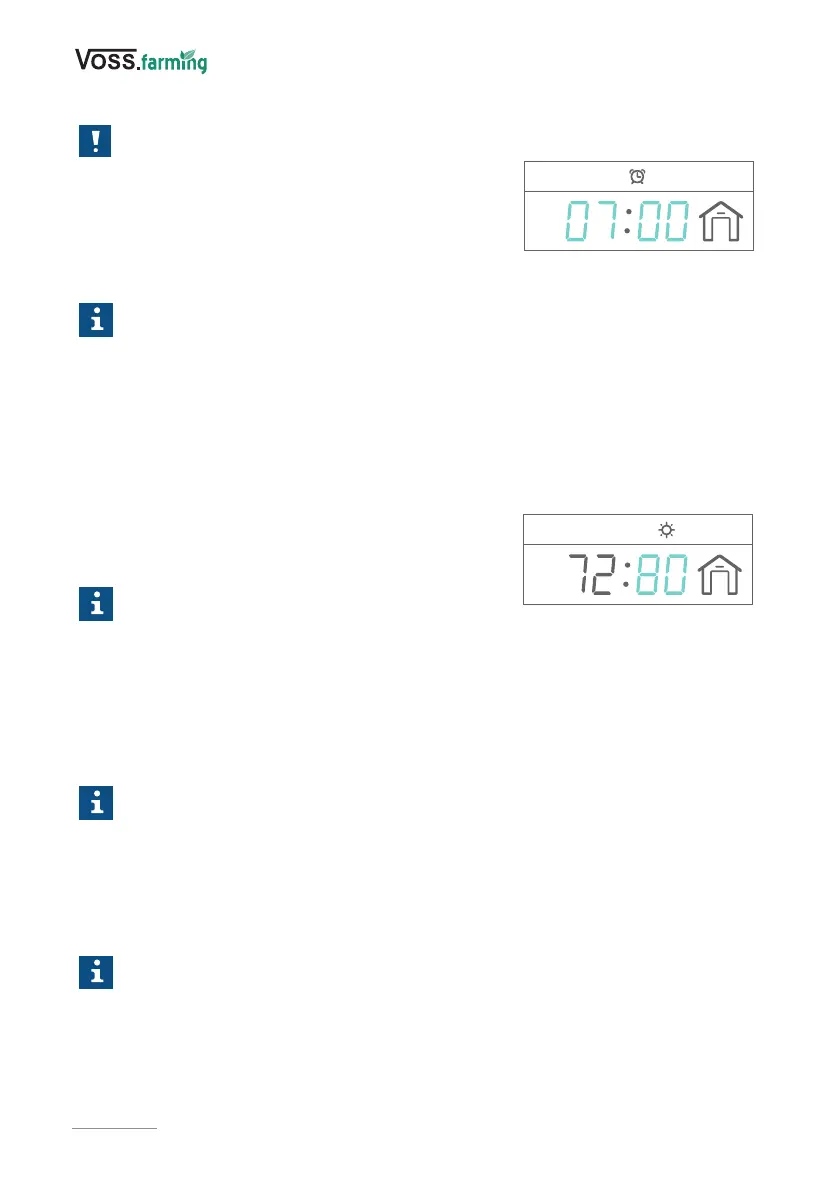
The time can be set (Fig. 9).
Info
You can set the times in the following ranges:
Open: 0:00-12:00, close: 12:00-24:00
2. Set the time with the setting buttons (3) and conrm the entries for hours and
minutes each time by pressing the conrmation button (4).
The display shows “SAVE” and the settings are saved.
8.3 LIGHT MODE
1. Select the light mode and conrm the selection
with the conrmation button (4).
The brightness value can be set (Fig. 10).
Info
► You can set the times in the following
ranges:
Open: 75–99%, close: 00–75%
► The value on the left of the display shows you the current brightness.
2. Set the brightness value (%) and conrm the entry by pressing the conrmation key
(4).
The display shows “SAVE” and the settings are saved.
Info
Make sure that the light sensor is not aected by extraneous light (e.g. articial
light from path lighting or from the window of a residential building). Do not
place the sensor on roads or near other light sources, as headlights from passing
vehicles, for example, could aect the sensor.
8.4 MIXED MODE (CLOSE)
Info
► This mode is only available for closing the door.
► For “Mixed Mode”, the light sensor is used rst. If it is not dark enough to
close, the door is closed at the specied time.
1. Select the mixed mode and conrm the selection with the conrmation button (4).
The time can be set.
Fig. 10
Fig. 9


 To Next Page