EasyManua.ls Logo

Voxx Electronics SB10MD1 - User Manual

Voxx Electronics SB10MD1
44 pages
Print Icon
To Next Page IconTo Next Page
Loading...
RETAILER/INSTALLER
NOTICE
This system includes a Quick Start Guide
(QSG).
Please
ensure
that
the
QSG
is
provided
to
the Consumer
of
this
system. The
QSG
references
the
URL
link
or
QR
code where a Consumer may
access
and download
the
full
Operation Manual.
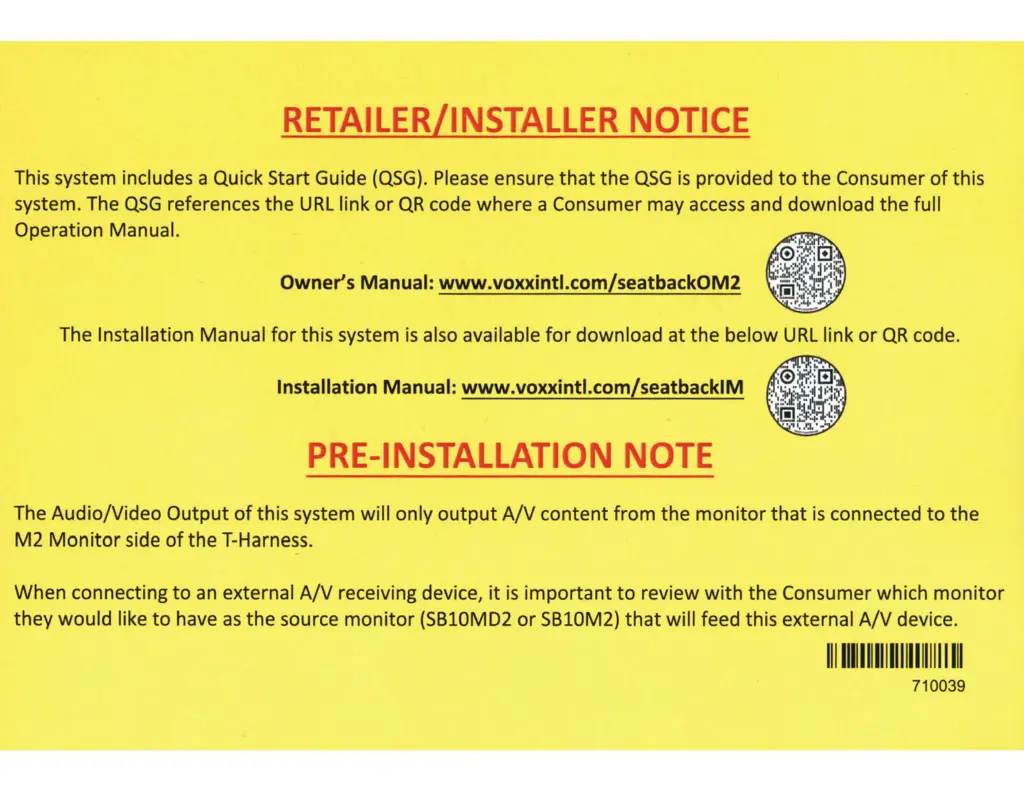
Owner's Manual: www.voxxintl.com/seatback0M2
The Installation Manual
for
this system
is
also available
for
download at
the
below
URL
link
or
QR
code.
Installation Manual: www.voxxintl.com/seatbacklM
PRE-INSTALLATION
NOTE
The Audio/Video
Output
of
this system will only
output
A/V
content
from
the
monitor
that
is
connected
to
the
M2
Monitor
side
of
the T-Harness.
When connecting
to
an
external
A/V
receiving device,
it
is
important
to
review
with
the Consumer which
monitor
they would like
to
have
as
the
source
monitor
(SB10MD2
or
SB10M2)
that
will feed this external
A/V
device.
111111111111111111111111
I
Ill
710039

Questions and Answers

  • K
    Kyle AdamsSep 8, 2025
    What to do if my Voxx Electronics Car Receiver has no sound or distorted sound?
    • H
      Heather HatfieldSep 8, 2025
      If your Voxx Electronics Car Receiver displays no sound or distorted sound, ensure the external media device is properly connected with all cables securely inserted. Check the wireless headphones' batteries and ensure they are fresh. If using wireless headphones, power them on, select the correct monitor (A or B), and increase the volume. For wired headphones, increase the system volume. Ensure nothing obstructs the path between the monitor's IR sensor and the wireless headphones, and wear the wireless headphones with correct left/right orientation.
  • D
    Dean WaltonSep 7, 2025
    Why does my Voxx Electronics Car Receiver monitor feel warm?
    • L
      lynchbrianSep 7, 2025
      If your Voxx Electronics Car Receiver monitor feels warm after prolonged use, this is normal operation. The surface will naturally heat up during extended periods of use.
  • J
    Joel GarciaAug 22, 2025
    Why is there no sound coming from my Voxx Electronics Home Theater System?
    • V
      Vincent GrayAug 22, 2025
      If you are experiencing no sound or distorted sound from your Voxx Electronics Home Theater System, ensure the external media device is properly connected with all cables securely inserted. If using wireless headphones, check the batteries and ensure they are fresh. Make sure the headphones are powered on and set to the correct monitor (A or B). Also, verify the volume is turned up on both the headphones and the system. Ensure there are no obstructions between the monitor's IR sensor and the wireless headphones, and that the headphones are correctly oriented (Left and Right) to receive the audio signal.
  • A
    Amy PerrySep 4, 2025
    Why can't my Voxx Electronics Home Theater System play files from USB or micro SD cards?
    • M
      Megan EstradaSep 4, 2025
      Your Voxx Electronics Home Theater System may not play audio/video files embedded with DRM (Digital Rights Management) or copyright protection. Also, some older or technologically incompatible USB storage devices and micro SD cards might not be compatible with the system.
  • J
    James SanchezSep 3, 2025
    Why can't I fast forward DVD on Voxx Electronics Home Theater System?
    • B
      Bradley HawkinsSep 3, 2025
      You may not be able to advance through the opening credits and warning information at the beginning of some DVDs on your Voxx Electronics Home Theater System because the disc is programmed to prohibit these actions. Some discs may not allow this function at all. Try another disc.
  • N
    Nathan SmithSep 1, 2025
    Why is the DVD picture distorted on my Voxx Electronics Home Theater System?
    • F
      Felicia RamirezSep 2, 2025
      If the DVD picture is distorted on your Voxx Electronics Home Theater System, check the disc for fingerprints and clean it with a soft cloth, wiping from the center to the edge.
  • W
    Wendy LewisAug 31, 2025
    How to establish Android SmartStream connection with Voxx Electronics Home Theater System?
    • P
      Paula VazquezAug 31, 2025
      To establish an Android SmartStream connection with your Voxx Electronics Home Theater System, select the Android icon from the SmartStream menu. Ensure your mobile device supports Miracast by visiting www.wi-fi.org for a list of certified devices. Also, verify that Miracast is enabled on your mobile device, noting that it might be called something different depending on the device and its operating system.
  • J
    jacob54Aug 30, 2025
    Why does my Voxx Electronics Home Theater System disc stop playing?
    • D
      Danny SantosAug 30, 2025
      If a disc plays but stops intermittently on your Voxx Electronics Home Theater System, the disc may be dirty and need cleaning. Condensation may have formed inside the unit, so remove the disc and allow the unit to dry out. The disc may also be scratched too badly to play.
  • D
    Danny BlackAug 29, 2025
    Why is my Voxx Electronics Home Theater System monitor not registering in the Voxx Link App?
    • J
      jordan54Aug 29, 2025
      If your Voxx Electronics Home Theater System monitor isn't registering in the Voxx Link App, ensure your smart device has the latest version of the app installed. Verify that the system monitors and your mobile device are connected to the same Wi-Fi network. Also, make sure Wi-Fi is turned on in the system menu, and try briefly turning it off and then on again.
  • S
    Susan WebbAug 27, 2025
    Why won't my Voxx Electronics Home Theater System play a disc?
    • J
      joshua61Aug 27, 2025
      If your Voxx Electronics Home Theater System won't play a disc, ensure the disc is inserted with the label side facing you. Try another disc to rule out a defective disc. Check that the disc type is compatible; this unit plays DVD (Single, Dual Layer), DVD-R/+R, DVD+R Dual layer, DVD-RW/+RW, CD, CD-R, and CD-RW. Also, verify that the region codes of the unit and the disc match.

Summary

Important Notices and Setup

Retailer;Installer Notice

Information for retailers and installers regarding QSG and manuals.

Pre-Installation Notes

Important notes before installing the system, regarding A/V output.

Safety and Warnings

Safety precautions and general warnings for system use.

Getting Started

Initial steps for powering up and booting the system.

First Time System Setup

Guides for Wi-Fi, headphones, and app setup.

System Features and Capabilities

USB & SD Card Playback

Playing media from USB drives and SD cards.

Wi-Fi Network Setup

Steps for connecting the system to a Wi-Fi network.

System Management and Troubleshooting

Device Software Updates

Procedures for checking and installing system software updates.

Troubleshooting

Solutions for common operational problems and errors.

Voxx Electronics SB10MD1 Specifications

General IconGeneral
BrandVoxx Electronics
ModelSB10MD1
CategoryCar Receiver
TypeSingle DIN
BluetoothYes
USB PortYes
Aux InputYes
AM/FM RadioYes
SD Card SlotYes
Steering Wheel Control CompatibleYes
Remote ControlYes
AM/FM TunerYes