33
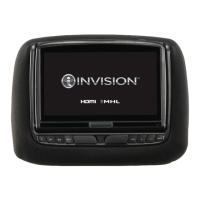
8” MONITOR REAR SEAT VIDEO HEADREST SYSTEM Owner’s Manual
DVD
SETTINGS
Rating
This item allows the user to limit the content
of movie playback from G to Adult.
The lower the value, the more strict the
control. (Figure 49)
For the rst time setting the parental control
rating, key in the default password (3308)
and press OK to unlock the parental control
rating. Press the cursor button to move the
highlight to the parental level sub-menu.
Press to select the desired level of parental
control and press OK. (Figure 49)
To change the password to your own
password, select the Password setting
and press OK and Key in a new four digit
password, press OK to lock the parental con-
trol rating setting.
NOTE: The rating level can only be changed
when the correct password is entered on the
password setting.
DEFAULT - RESTORE
The DEFAULT - RESTORE feature allows you
to restore all options to factory settings.
(Figure 50)
HR8D/HR8AD DVD SETTINGS AND ADJUSTMENTS (continued)
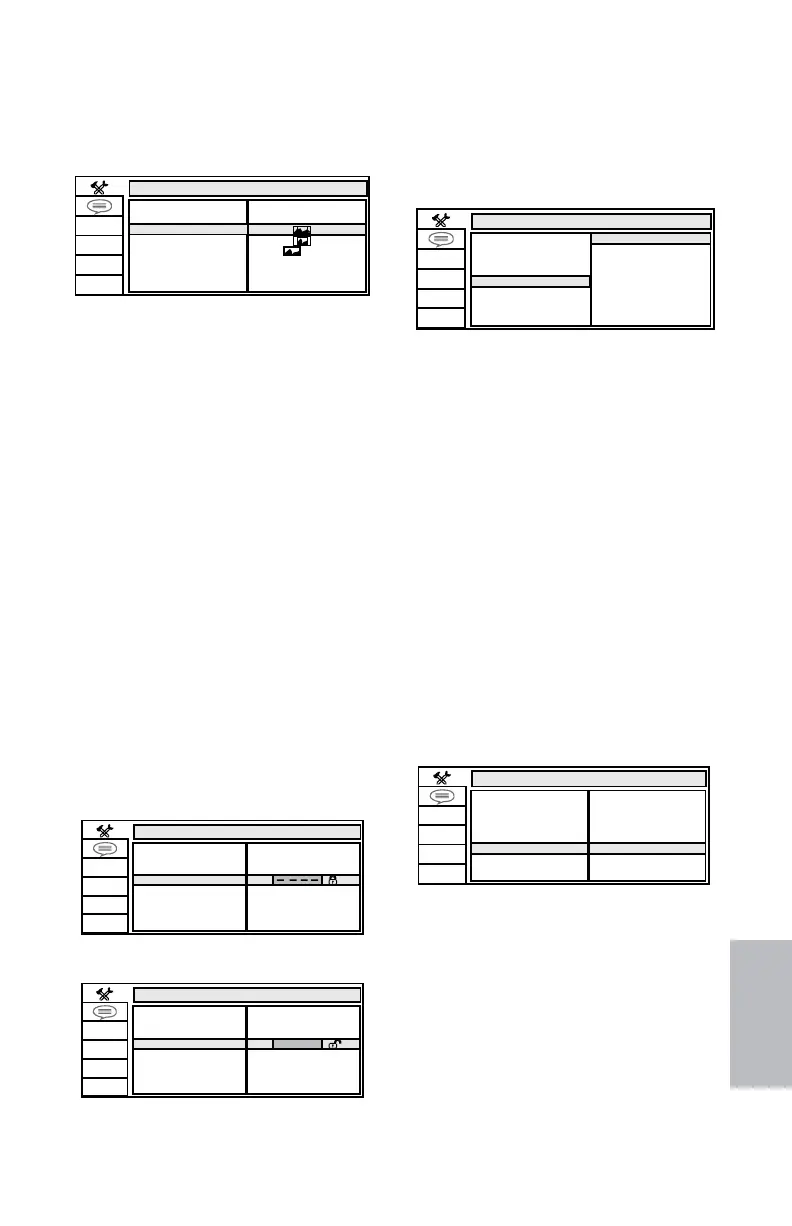
TV TYPE
The TV TYPE setup allows the user to set the
screen aspect ratio. (Figure 46)
SYSTEM SETUP
TV SYSTEM
SCREEN SAVER
4:3PS
4:3LB
16:9
PASSWORD
RATING
DEFAULT
TV TYPE
TV Type Setup
Figure 46
4:3 PS (Pan Scan)
The left and right sides of the screen are cut
o and displays the central portion of the
16:9 screen.
4:3 LB (Letter Box)
Displays the content of the DVD title in 16:9
aspect ratio. The black bars will appear at the
top and bottom of the screen.
16:9
Displays a wide picture with black bands on
the upper and lower portion of the screen.
The bandwidth will vary, depending on the
aspect ratio of the disc.
PASSWORD
NOTE: The Default Password is 3308.
The default password is always accepted
even after a new password has been entered.
To avoid the possibility of others using the
default password to set the parental level
and change the password, record this default
password in another area and delete it from
this manual. (Figure 47 and Figure 48)
The restriction of viewing disc content by
younger users may be available on some
discs but not on others.
SYSTEM SETUP
TV SYSTEM
SCREEN SAVER
PASSWORD
RATING
DEFAULT
TV TYPE
.
SYSTEM SETUP
TV SYSTEM
SCREEN SAVER
PASSWORD
DEFAULT
RATING
G
PG
PG13
R
NC-17
ADULT
TV TYPE
Password setup (Locked)
Figure 47
Password Setup (Unlocked)
Figure 48
SYSTEM SETUP
TV SYSTEM
SCREEN SAVER
RESTORE
PASSWORD
DEFAULT
RATING
TV TYPE
SYSTEM SETUP
xxxx
TV SYSTEM
SCREEN SAVER
PASSWORD
RATING
DEFAULT
TV TYPE
Default-Restore Feature
Figure 50
RATING SETUP
Figure 49
128-9406B HR8D, HR8A and HR8AD AUDIOVOX 05-20-2015.indd 533128-9406B HR8D, HR8A and HR8AD AUDIOVOX 05-20-2015.indd 533 5/20/2015 5:03:34 PM5/20/2015 5:03:34 PM



 To Next Page