22
8” MONITOR REAR SEAT VIDEO HEADREST SYSTEM Owner’s Manual
HR8A
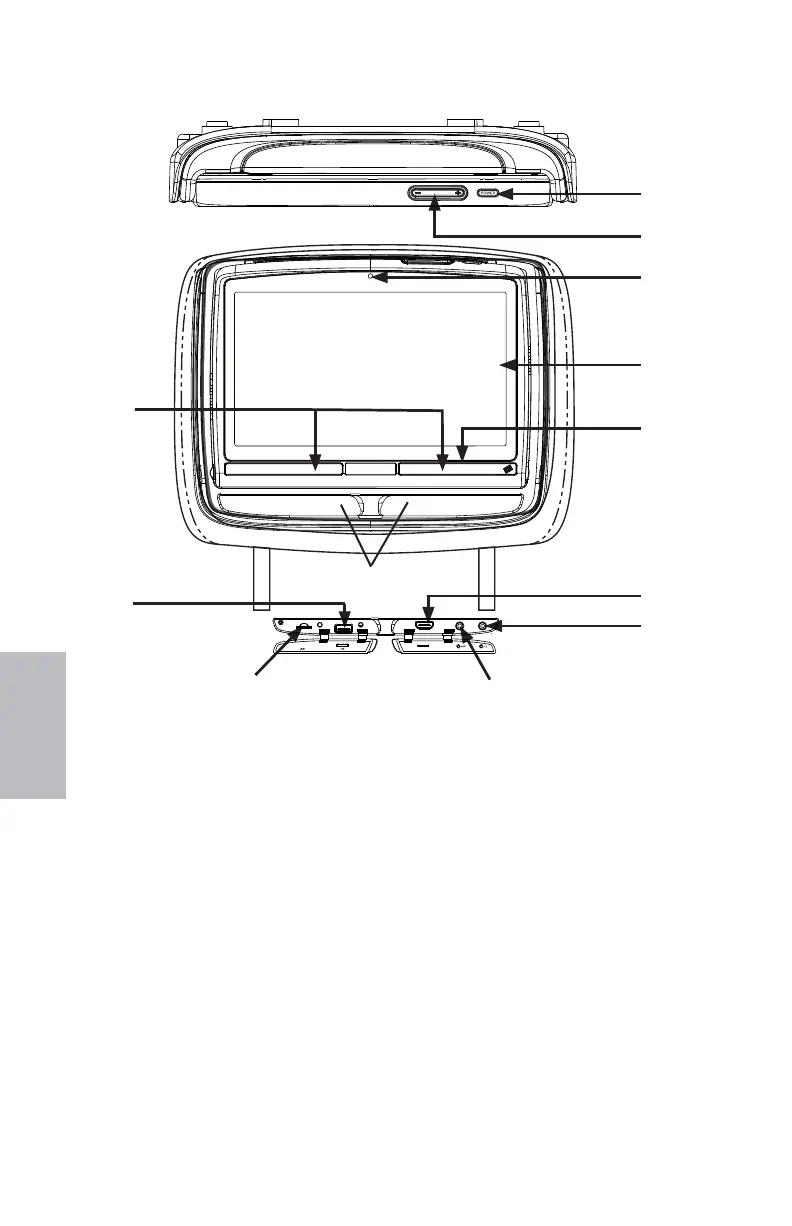
1. IR TRANSMITTER and IR SENSOR
IR Transmitter: Used to broadcast audio
signal to the wireless IR headphones.
IR Sensor: Used to receive signals from
the Remote Control.
2. USB INPUT CONNECTOR
This port is used to connect a USB
device for playback of content.
To view content, select “USB” as the
video source and insert the USB device.
The USB device will start automatically.
NOTE: This input will also charge a USB
device that contains a battery.
3. Micro SD CARD Port
This input supports a Micro SD card
up to 32GB
4. AUX IN
This jack is used to supply additional
audio and video inputs to the monitor.
NOTE:
Requires optional adapter,
P/N 112-3227.
5. WIRED HEADPHONE Jack
6. HDMI/MHL INPUT
This port is used to connect devices with
HDMI/MHL output.
NOTENOTE: : Requires a
HDMI/MHL enabled device and a special
HDMI/MHL adapter. Contact your HDMI/
MHL device supplier for adapter.
7. JACK COVERS
These covers are used to protect and
cover the Micro SD Card port, USB port,
HDMI/MHL input, AUX input, and Wired
Headphone jack when not in use.
8. POWER INDICATOR
Bright Red when OFF and dimly lit when
ON.
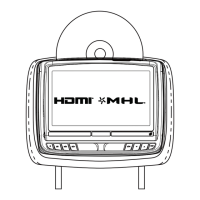
HR8A FRONT PANEL CONTROLS
Figure 32
7
1
2
3
4
5
6
9
8
10
12
11
HDMI/MHL
128-9406B HR8D, HR8A and HR8AD AUDIOVOX 05-20-2015.indd 522128-9406B HR8D, HR8A and HR8AD AUDIOVOX 05-20-2015.indd 522 5/20/2015 5:03:29 PM5/20/2015 5:03:29 PM


 To Next Page