Page | 11 Part number 446PB0005-01
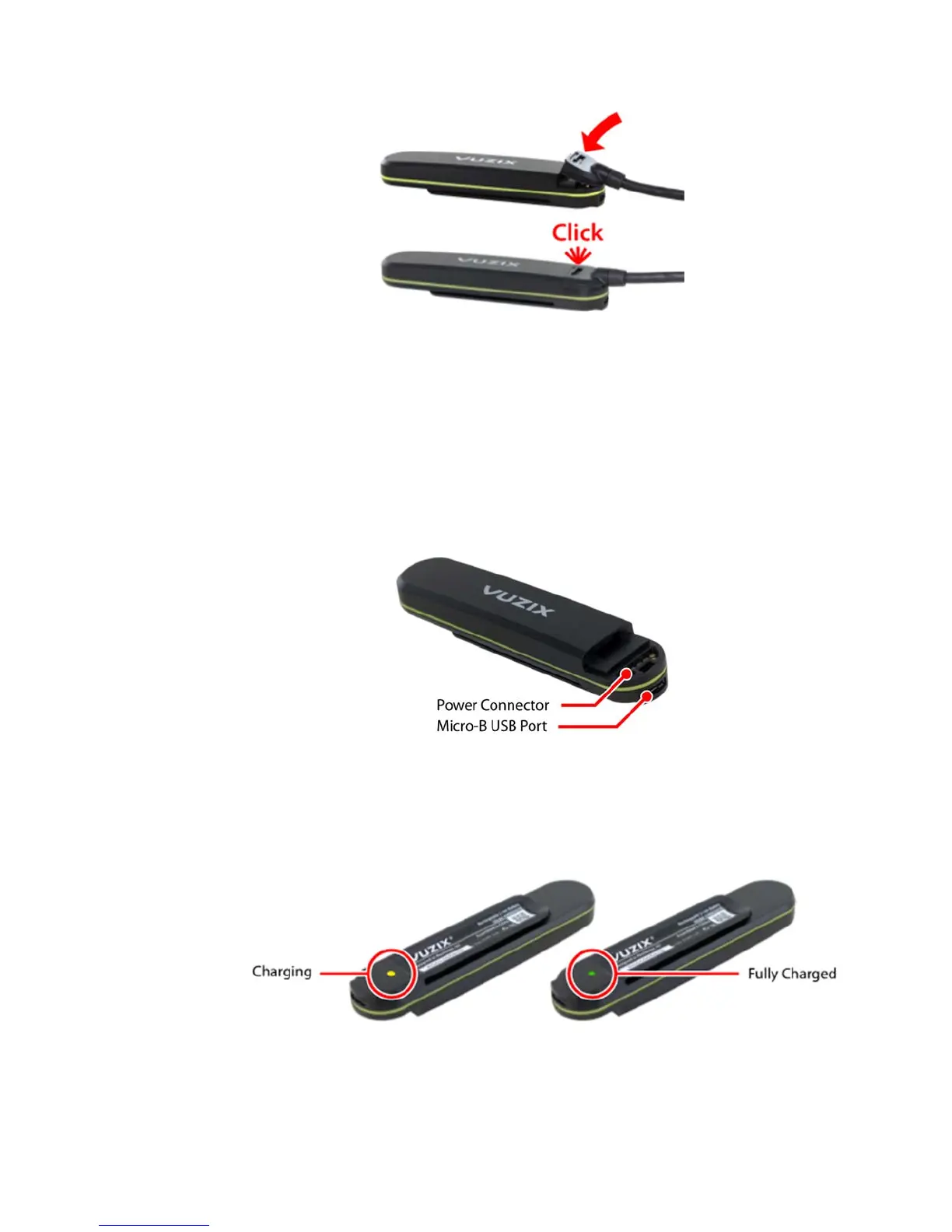
Repeat the above step to connect the other end of the Power Cable to the
Main Unit.
To release the Power Cable:
Pull back the spring clip on the back of the Power Cable connector and
then lift the front end of the connector to release. The connector should
release easily, without any significant amount of force required.
To charge to Primary and Standby batteries:
Insert the Micro-B USB cable into the USB port on the Hot-Swap
Battery, below the Power Cable connector.
Connect the USB Charge Cable to a USB power source providing a
minimum of 1.5A. Most standard mobile phone chargers will be
sufficient, however please refer to the annotations on your charger to
ensure it will supply sufficient current.
When connected to a power source, the charging LED on the back of the Hot-
Swap Battery will illuminate. An amber light is displayed while the battery is
charging and will turn green when fully charged. Charging may take up to two
hours.


 To Next Page