Page | 16 Part number 446PB0005-01
3. M300 INTERFACE & NAVIGATION
The M300 Smart Glasses support multiple navigation methods, each enabling
you to navigate through the user interface and perform actions.
Navigation
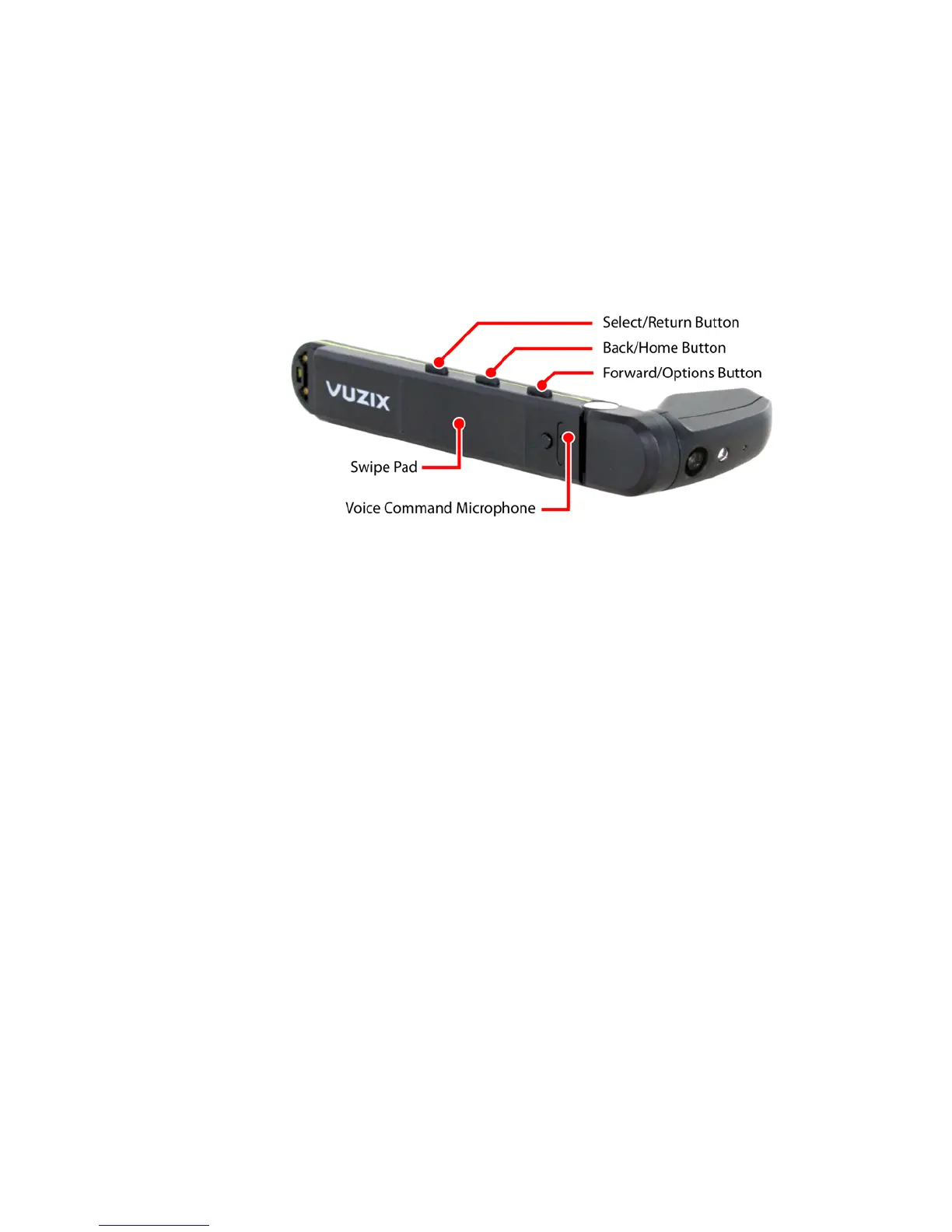
The M300 Smart Glasses provide three methods of navigation; Buttons, Swipe
Pad, and Voice Commands.
Button Navigation
Three tactile buttons provide navigation control, similar to most other Android
devices. Each of these buttons perform different functions for short and long
button presses. A short-press is a quick press and release of the button. A long-
press is when the button is pressed and held for a full second.
Select/Return Button
Short-press: Launch, open, or initiate the current selection.
Long-press: Return to the previous screen.
Back/Home Button
Short-press: Move the selection back in a list or to the prior menu
item.
Long-press: Return to the Home (Carousel) screen.
Forward/Options Button
Short-press: Move the selection forward in a list or to the next menu
item.
Long-press: Access the context menu associated with the current
selection.



 To Next Page