Page | 14 Part number 446PB0005-01
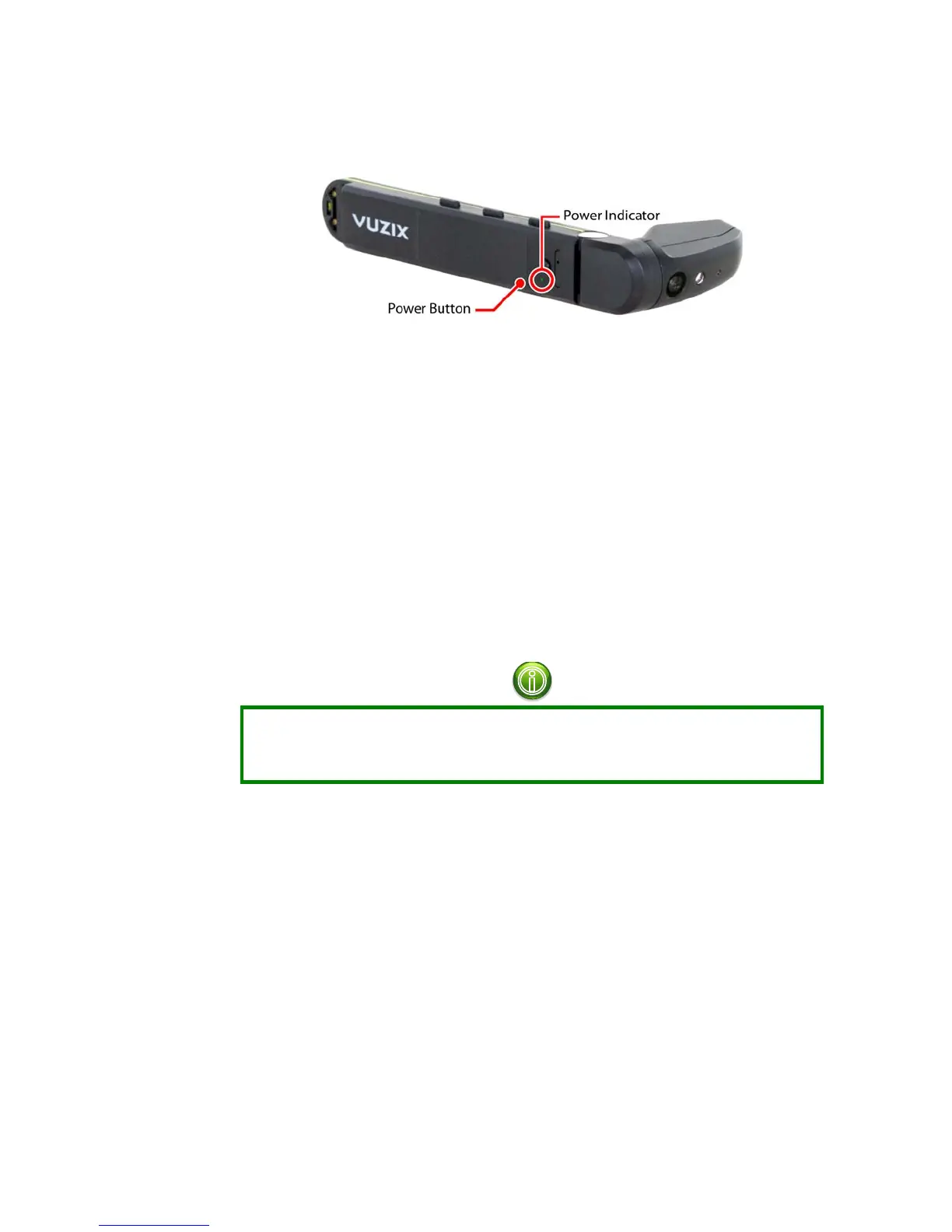
M300 Power Button
Using the Power Button:
If the M300 is powered off, press and hold the Power Button for 2 – 3
seconds until the Power Indicator flashes to power on the M300.
If the M300 is powered on, a quick press of the Power Button will wake
the device from sleep mode or put it to sleep.
If the M300 is powered on, pressing and holding the Power Button for a
full second will access the power options menu.
Press and hold the Power Button for 10 seconds to force a hard shutdown
of the M300.
Display Adjustment
The M300 Smart Glasses can be worn over most prescription eyeglasses when
mounted to the included Smart Glasses Frame. Optional frames which can include
prescription lenses are available for order through the Vuzix website.
The M300 Smart Glasses allow for a great deal of adjustability:
Mount the Hot-Swap Battery and Main Unit on either the left or right
side of the Smart Glasses Frame to accommodate positioning relative to
your dominant eye.
The Main Unit and Hot-Swap Battery can be slid forward and backwards
on the mounting rail to comfortably position the distance to your eye as
well as for balance.
The display module can be adjusted on two axes to achieve the optimal
viewing angle.
Pivot the display and main unit up and down to position the display at the
desired height.



 To Next Page