Page | 15 Part number 446PB0005-01
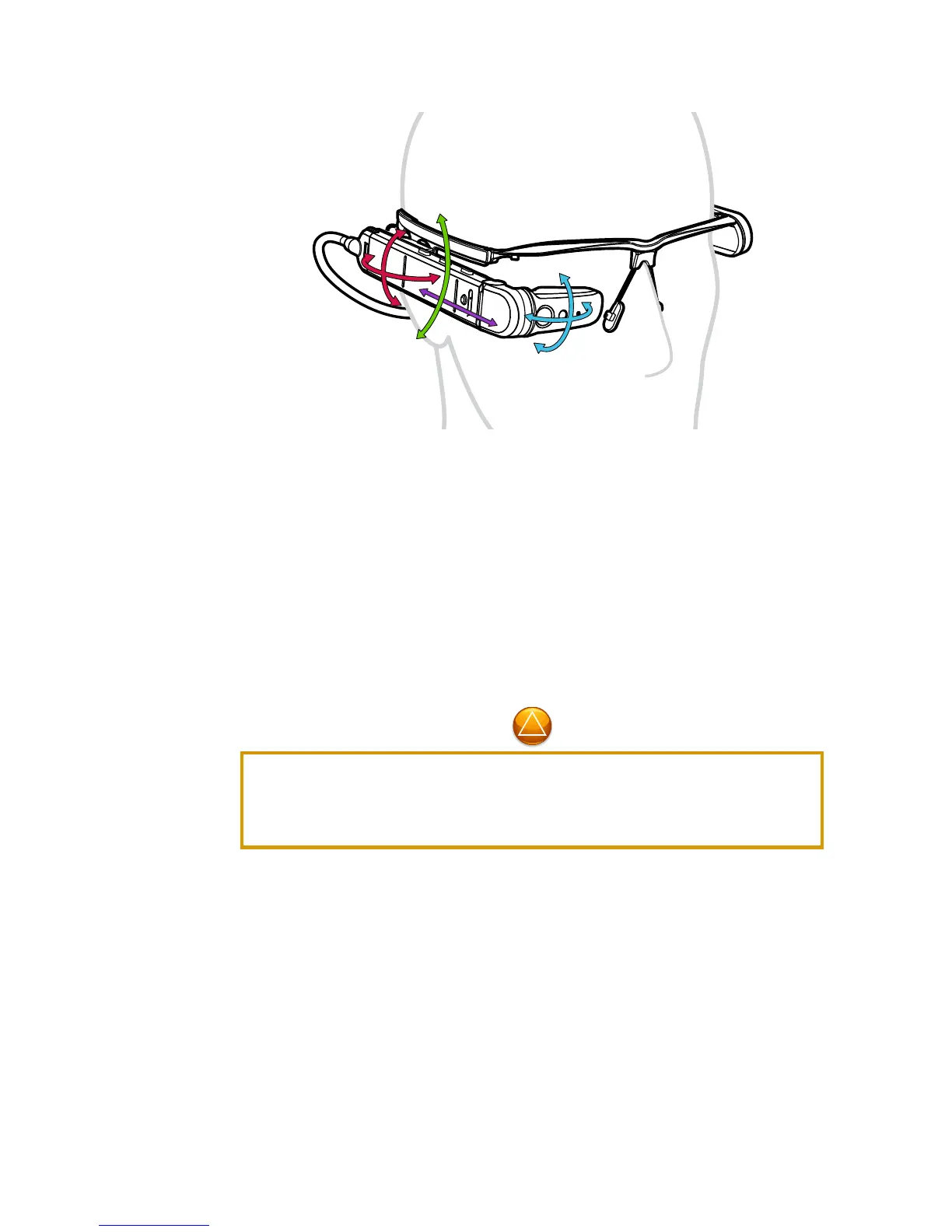
To adjust the display position:
Press the Power Button on the Main Unit to power up your M300 Smart
Glasses.
Put on the M300 Smart Glasses the same as you would put on traditional
eyeglasses, looping the power cord behind your head like a tether strap.
Slide the Main Unit forward or back to position the display at a
comfortable viewing distance, about 1 inch (25 mm) in front of your
dominant eye.
Experiment with each of the swivel points to achieve a display position and angle
that provides a clear view of the M300 Smart Glasses screen.
First-time users may encounter some challenges in focusing their near-field vision
on the display without closing their non-dominant eye. An adjustment period is
common and the time will vary from user to user. For the best user experience and
for safety, both eyes should be kept open when operating the M300.



 To Next Page