Page | 13 Part number 446PB0005-01
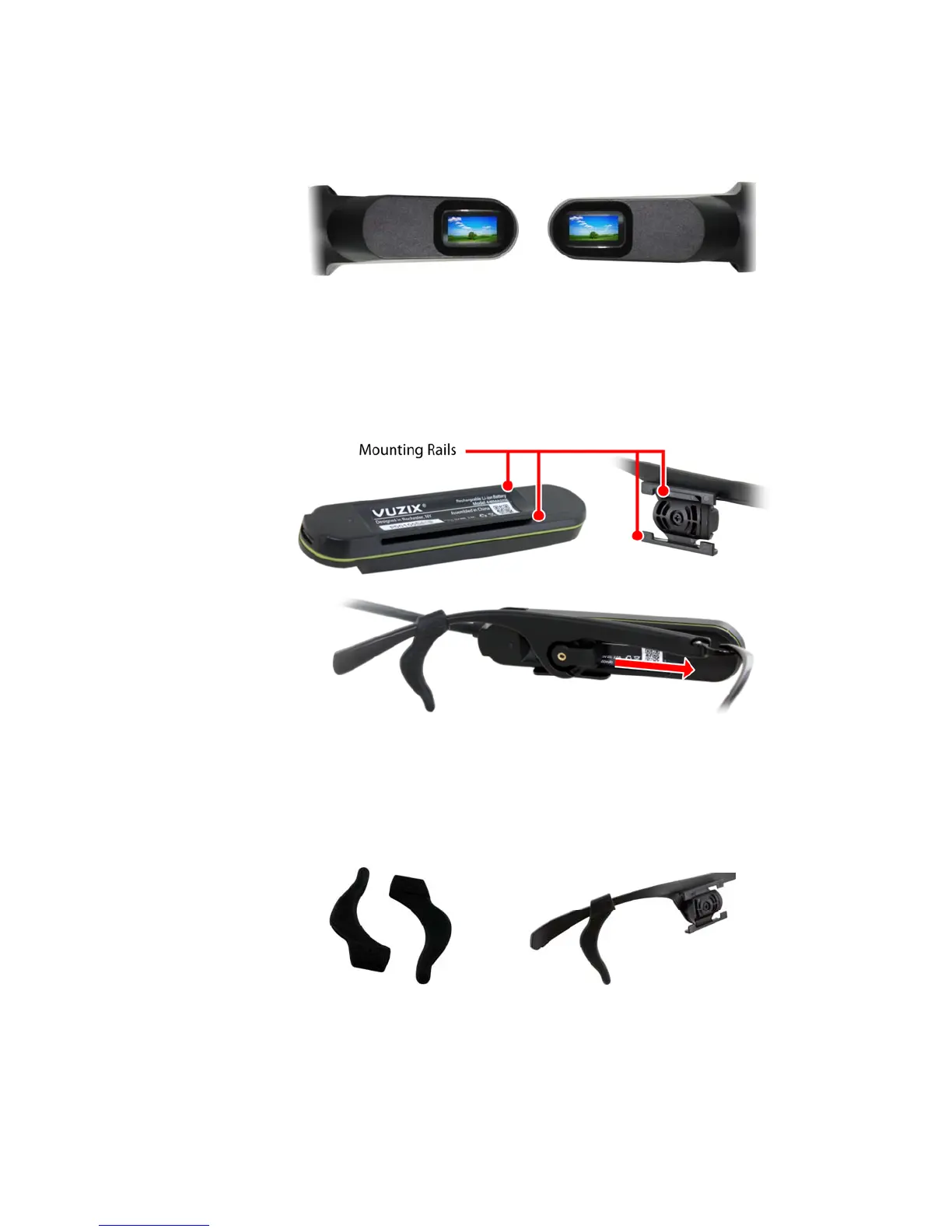
The Main Unit can be positioned on either side of the frame, and the display will
automatically rotate the image to be properly oriented for either side.
To mount the M300 components onto the frame:
Align the grooves on the back the Main Unit into the corresponding slots
of the mounting bracket on the side of the frame which corresponds to
your dominant eye.
Align the grooves on the back the Hot-Swap Battery into the
corresponding mounting bracket on the other side of the frame.
Ear Hooks
In some operating environments, a more secure fit may be required to ensure the
M300 will remain stable. Optional Ear Hooks are included with your M300 to
help secure the frame.
The Ear Hooks slide over the ends of the M300 Smart Glasses Frame temple
arms and can be adjusted to fit your needs. If you encounter any difficulty getting
the Ear Hooks to slide onto the temple arms, applying a small amount of
moisture can make this process easier.
Le
t
eye Orient
tion
ight
eye O
ientation



 To Next Page