Page | 26 Part number 446PB0005-01
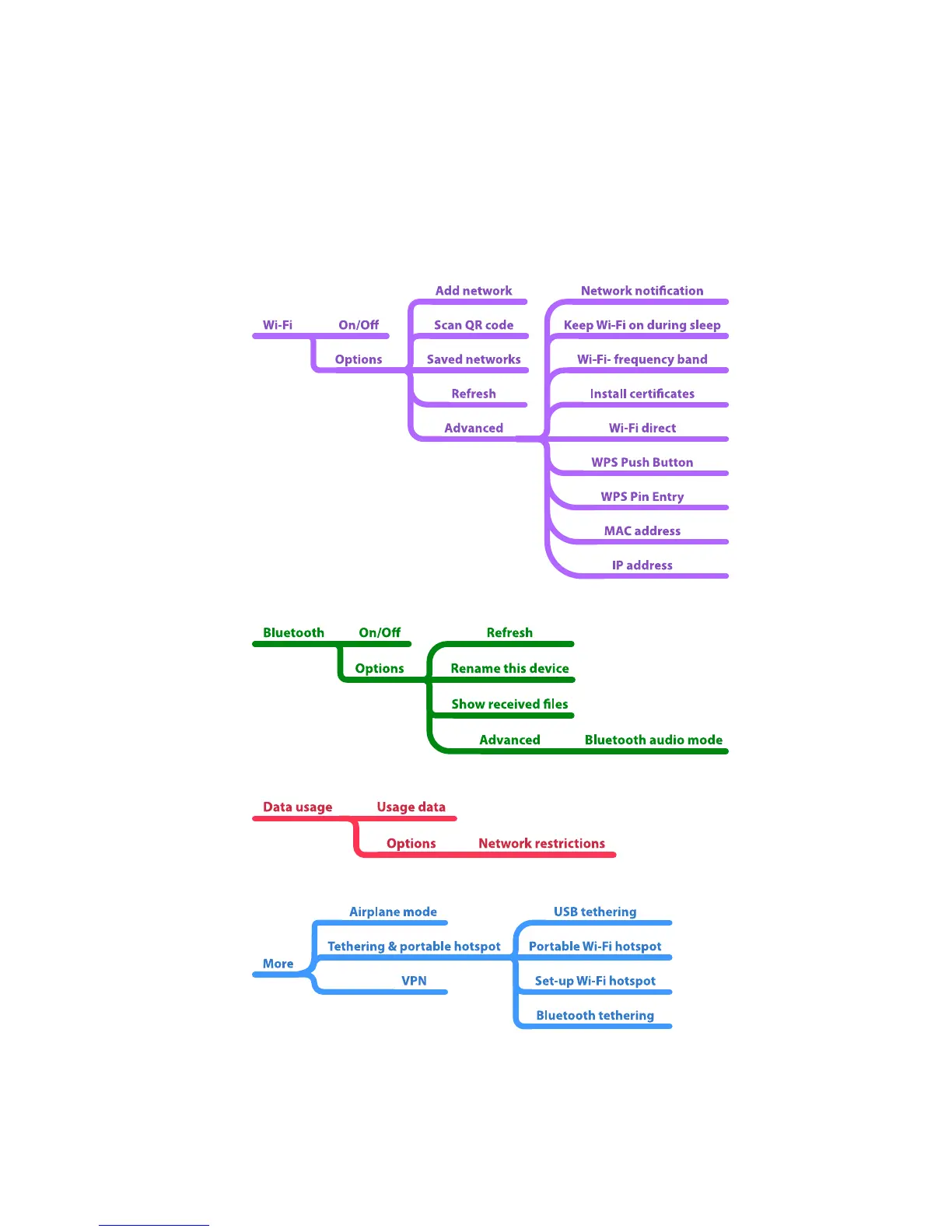
Settings App > Wi-Fi
Wi-Fi is enabled and all Wi-Fi options are controlled through the Wi-Fi section
of the Settings app. Wi-Fi is enabled and disabled by toggling its "On/Off"
option. All other Wi-Fi settings are contained within the "Options."
In addition to using the "Add network" function to scan for and select one of the
available networks, you can also use QR codes to scan in an encoded network
and password. You can also use the Scanner app to scan Wi-Fi QR codes.
Settings App > Bluetooth
Settings App > Data Usage
Settings App > More



 To Next Page