9
Error
Code
Definition Cause Possible Solution
Error 1
Display screen
shows
incomplete or
unusual characters
CPU needs to be
reset
Turn off the unit. Wait 30 seconds.
Turn the unit back on.
Error 2
No display on the
screen
No Power
Check main voltage.
Check that the voltage of the unit
(100V-240V) matches what is being delivered
by the main power supply.
Make sure the unit is plugged in properly.
Check and replace fuses if blown.
Faulty display
screen
Turn off the unit.
Contact manufacturer for assistance.
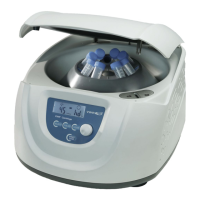
Error 3
Unit powers on but
motor does not
turn
Faulty motor Contact manufacturer for assistance.
Error 4 Close Door
Lid is not seated
properly.
Check Lid latch for obstruction
Press lid and ensure the handle is closed
Detection system
is faulty.
Troubleshooting
Error Codes



 To Next Page