- 19 -
13. SETTING THE REDOX POTENTIAL PARAMETERS
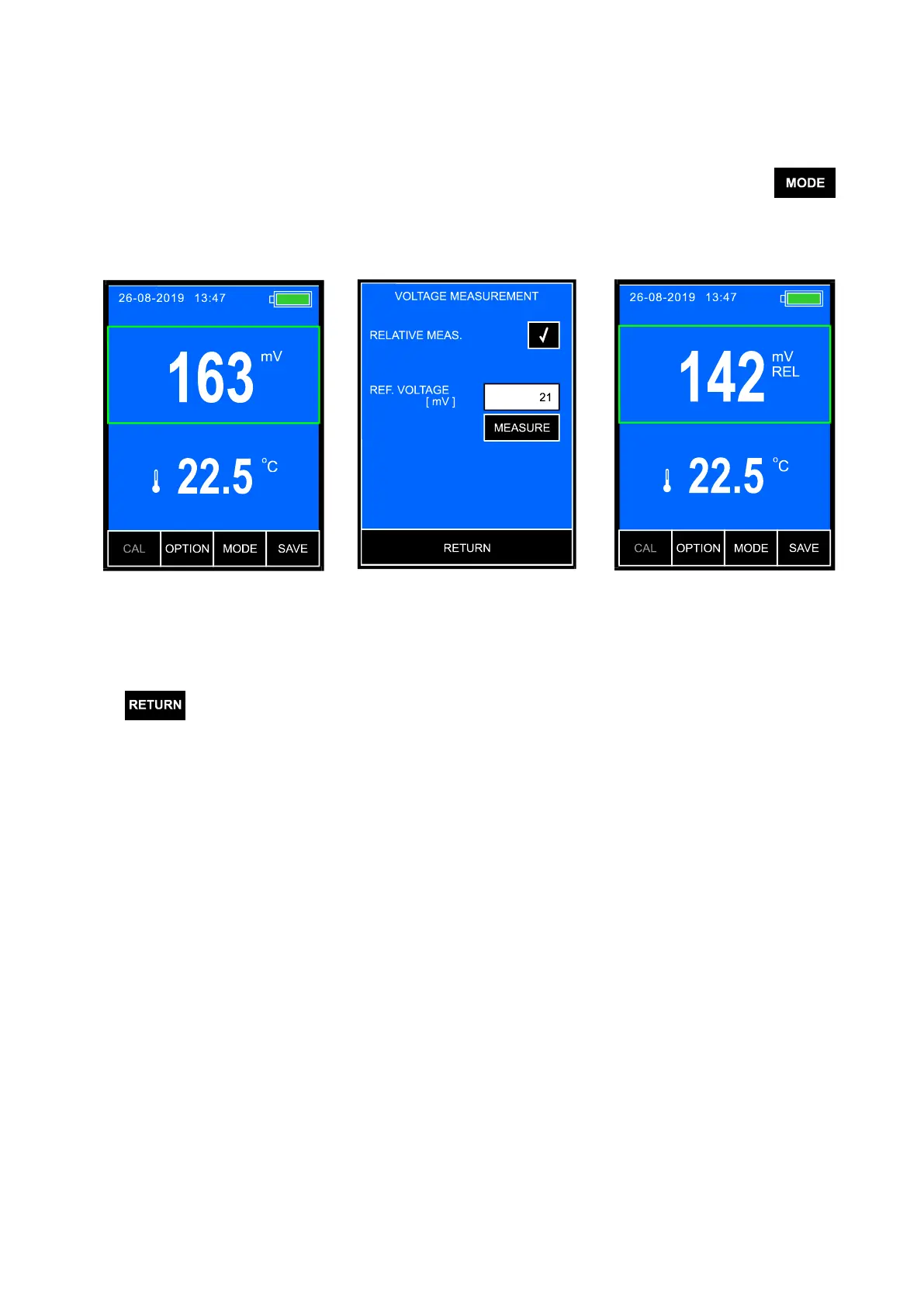
The redox potential parameters window is entered by selecting the redox
potetial reading (a frame will be displayed around it – Pic. 8A) and the
button. The screen (Pic. 8B) enables choosing the reference temperature
and setting the zero offset for the relative measurement.
A B C
Pic. 8
After setting the parameters return to the measurement screen by pressing
the button.
If the relative measurement has been chosen, next to the redox value the
REL symbol will appear (Pic. 8C). The difference between the redox potential
value and the reference value is displayed.
13.1. Relative measurement
The meter enables relative measurement of the redox potential. To make
measurement, on the redox potential parameters screen (Pic. 8B) select the
RELATIVE MEAS window. Pressing the window again turns the relative
measurement off.
In case of choosing the relative measurement the REL symbol will be
displayed on the right side of the reading. The displayed reading is a
difference between the measured and the reference voltage value.



 To Next Page