- 28 -
VWR Collection PH-130 pH-meter instruction manual v1.0x
18.2. Viewing and deleting readings
The stored readings may be viewed on the meter‘s screen. Follow the
instructions:
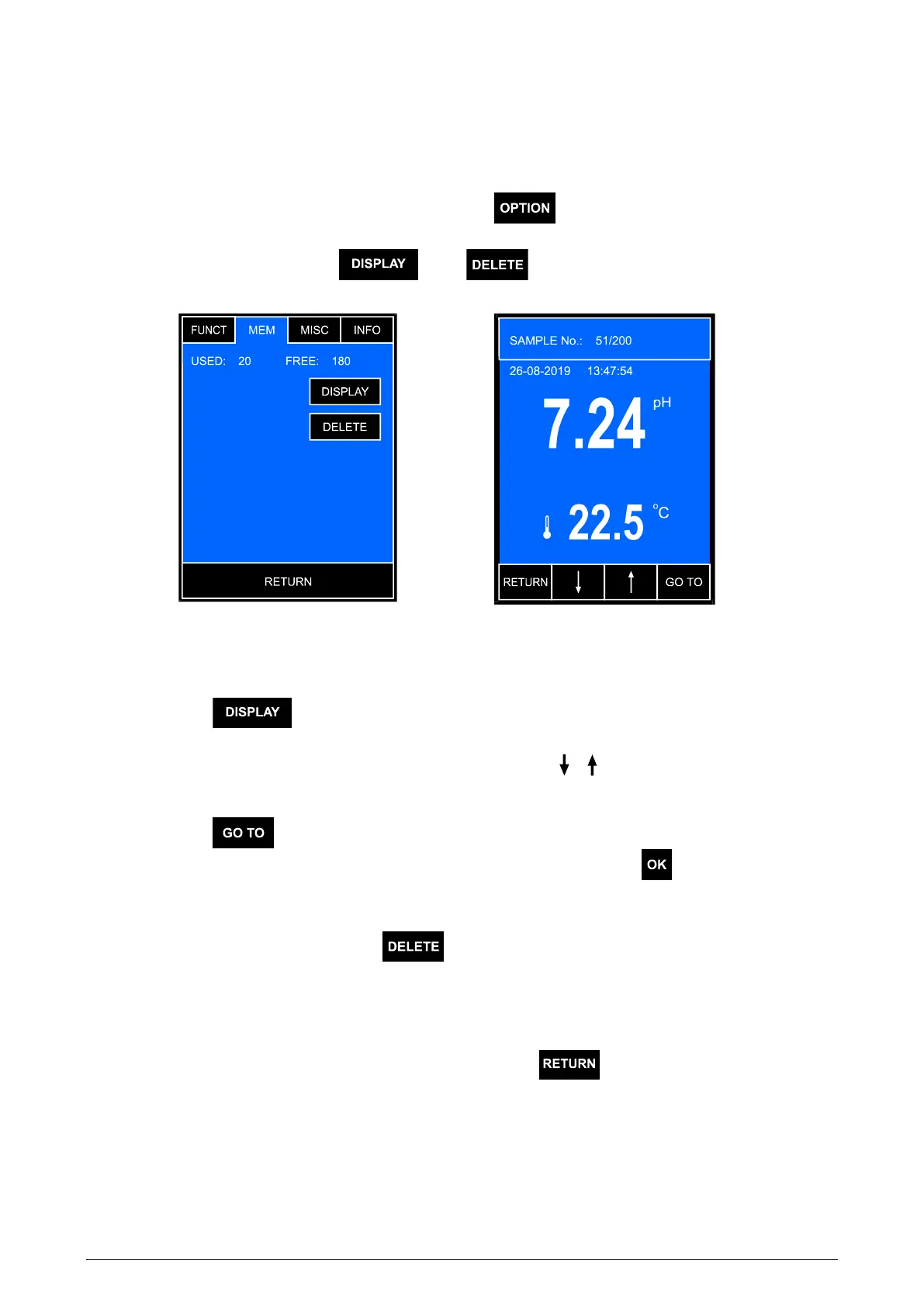
- on the measurement screen press the button and choose the MEM
tab on the options screen. A screen will appear with information about the
memory usage and the and buttons (Pic. 15A);
A B
Pic. 15
- press the button. A screen with the stored readings will display
(Pic. 15B);
- change the displayed sample number with the
,
buttons;
or
- press the button, a numerical keyboard will be displayed to enter
the number of the chosen sample and confirm with the button.
To erase the memory content, in the MEM tab on the options screen
(Pic. 15A) press and hold the button until in the line above the button
the following information will display:
USED: 0 FREE: 200.
Return from the viewing mode by pressing the button.



 To Next Page