- 21 -
15. SETTING THE TEMPERATURE MEASUREMENT PARAMETERS
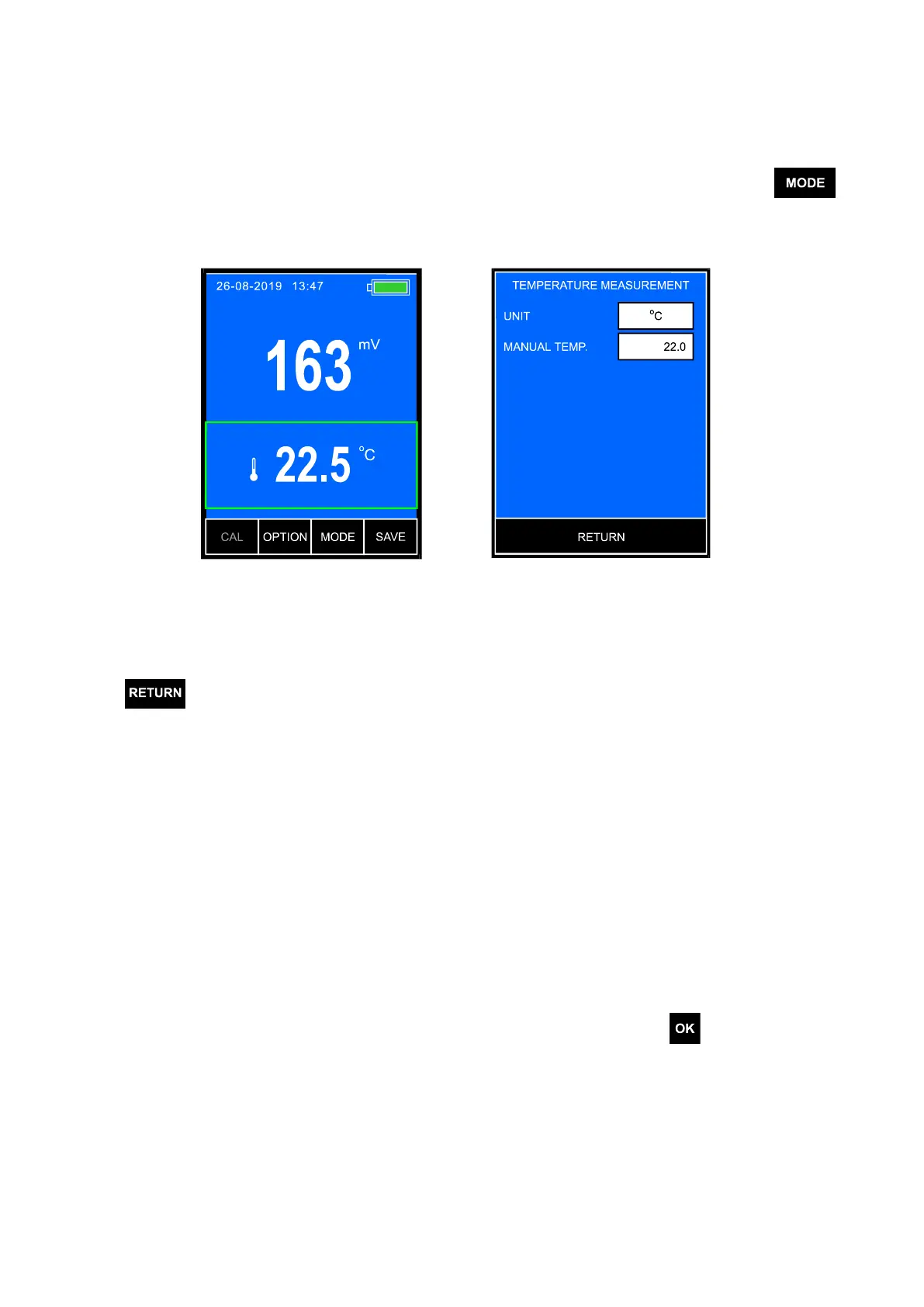
The temperature measurement parameters window is entered by selecting
the temperature reading with a frame (Pic. 10A) and next pressing the
button (Pic. 10B). The screen enables choosing unit and entering the manual
temperature compensation value.
A B
Pic. 10
After setting the parameters return to the measurement screen by pressing
the button.
15.1. Unit
The temperature reading may be displayed in °C, K or °F.
By pressing the UNIT window choose the measurement unit.
15.2. Temperature of the manual compensation
After disconnecting the temperature probe the meter switches it self to the
manual compensation automatically and calculates the entered temperature
value. To enter this value, press the MANUAL TEMP. window, the numerical
keyboard will appear to enter the value and confirm with the button.



 To Next Page