33373-001 Version A
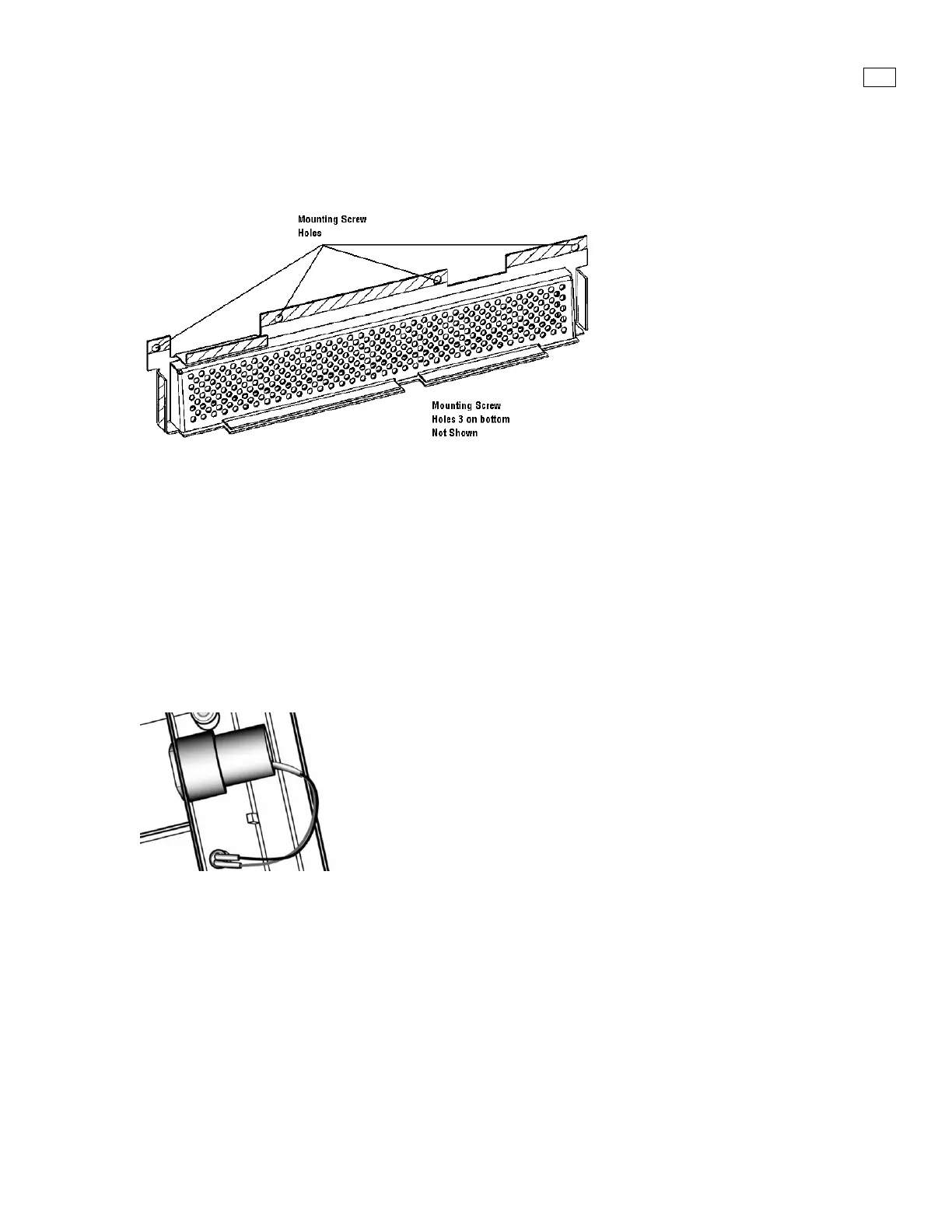
3.12 Inlet Filter Screen
(P/N 21575)
Figure 3-13. Inlet Filter Screen
Removal
1. Prior to removal of the Back Panel the Inlet Filter Screen must be removed.
2. Remove the seven (7) mounting screws securing the screen to the Manifold base assembly
Installation
Follow removal process in reverse order
3.13 Oxygen Sensor
P/N 27750-001 (Analytical Industries) or 27751-001 (Maxtec)
Figure 3-14. O2 Sensor Cell
Removal
After removing the inlet filter screen, you will be able to access the O2 cell.
1. The O2 sensor is visible on the left. Disconnect the O2 cell wire connector from the manifold
base.
2. Twist and pull the O2 cell firmly to remove.
Installation
Follow removal process in reverse order



 To Next Page