Exchanging the presser foot holder to mount special accessory feet (to be purchased at
a charge)
Changing the presser foot and the presser foot holder
47
Manual • Sewing machine W6 N 2000 Exklusive W6 N 2000 Exklusive • 27/04/2018 • 1.0 • GBR
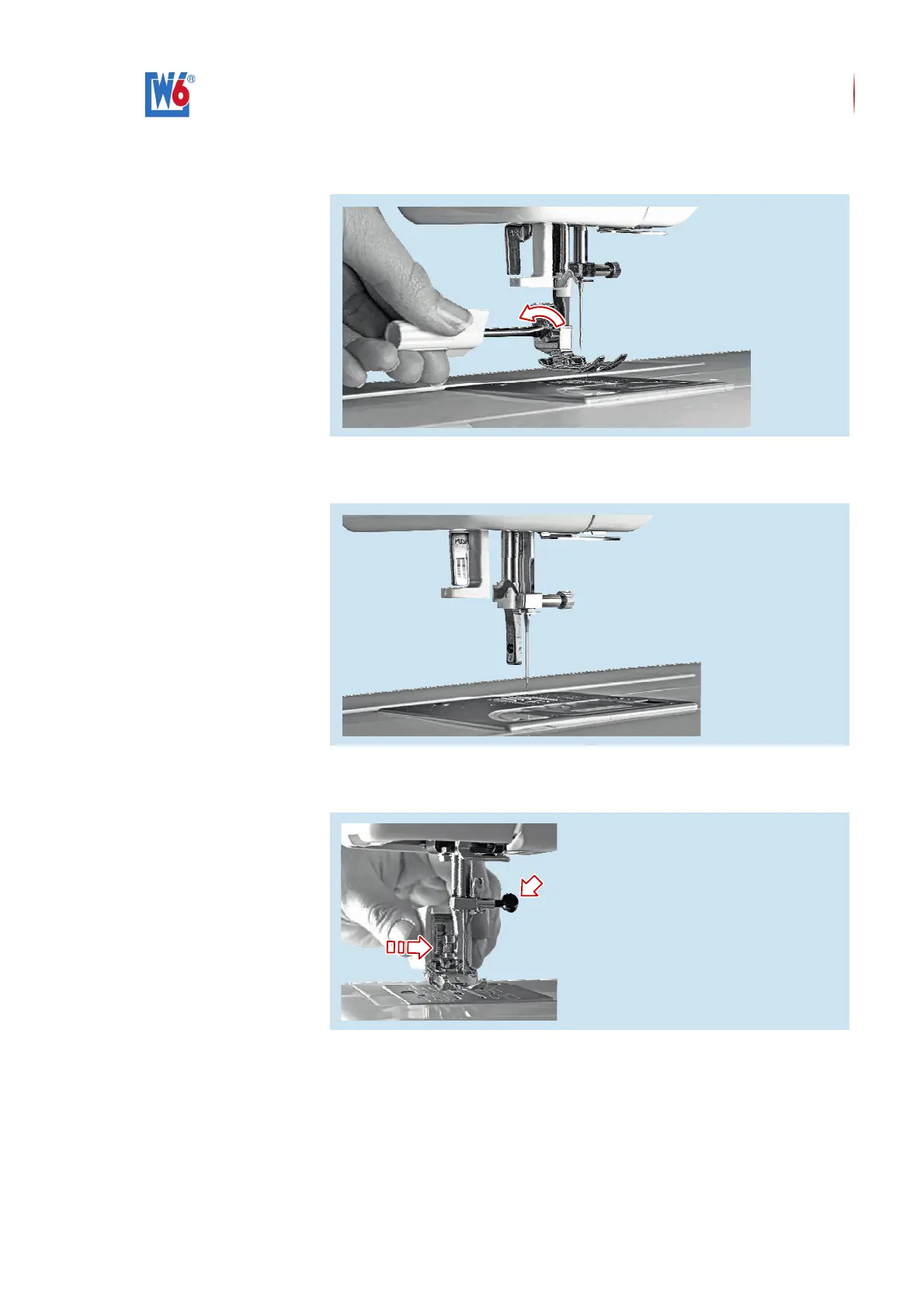
3. Using the screwdriver, loosen the slotted screw of the ‹presser foot
holder›.
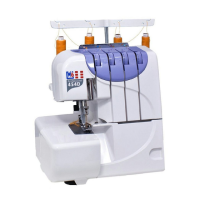
4. Push the ‹presser foot lifter› upwards.
5. Remove the ‹presser foot holder› and the ‹presser foot›.
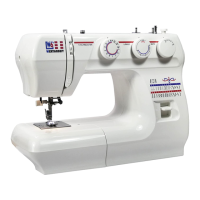
6. Push the ‹presser foot lifter› completely upwards again.
7. Slip the ‹walking foot› from left to right onto the presser bar.


 To Next Page